A - 10 CA30 17E - 56091131 7/2014
INSTRUCTIONS FOR USEA - ENGLISH
TURNING OFF THE MACHINE
When you have fi nished using the machine, fi rst remove the brush/pad-holder (refer to the steps 7.
mentioned above)
Release the safety switch (1) to turn off the brush/pad holder and solenoid valve.8.
Press the Vacuum switch (39) to the “Off” position, and the Vacuum will delay for 5 seconds 9.
before stopping work.
Press the solution control switch (40) to the “Off” position to completely turn off the solution fl ow.10.
Press the power switch (38) to the “Off” position. And disconnecting the power cable (9) from the 11.
power supply.
Use the squeegee lift handle (14) to lift the squeegee.12.
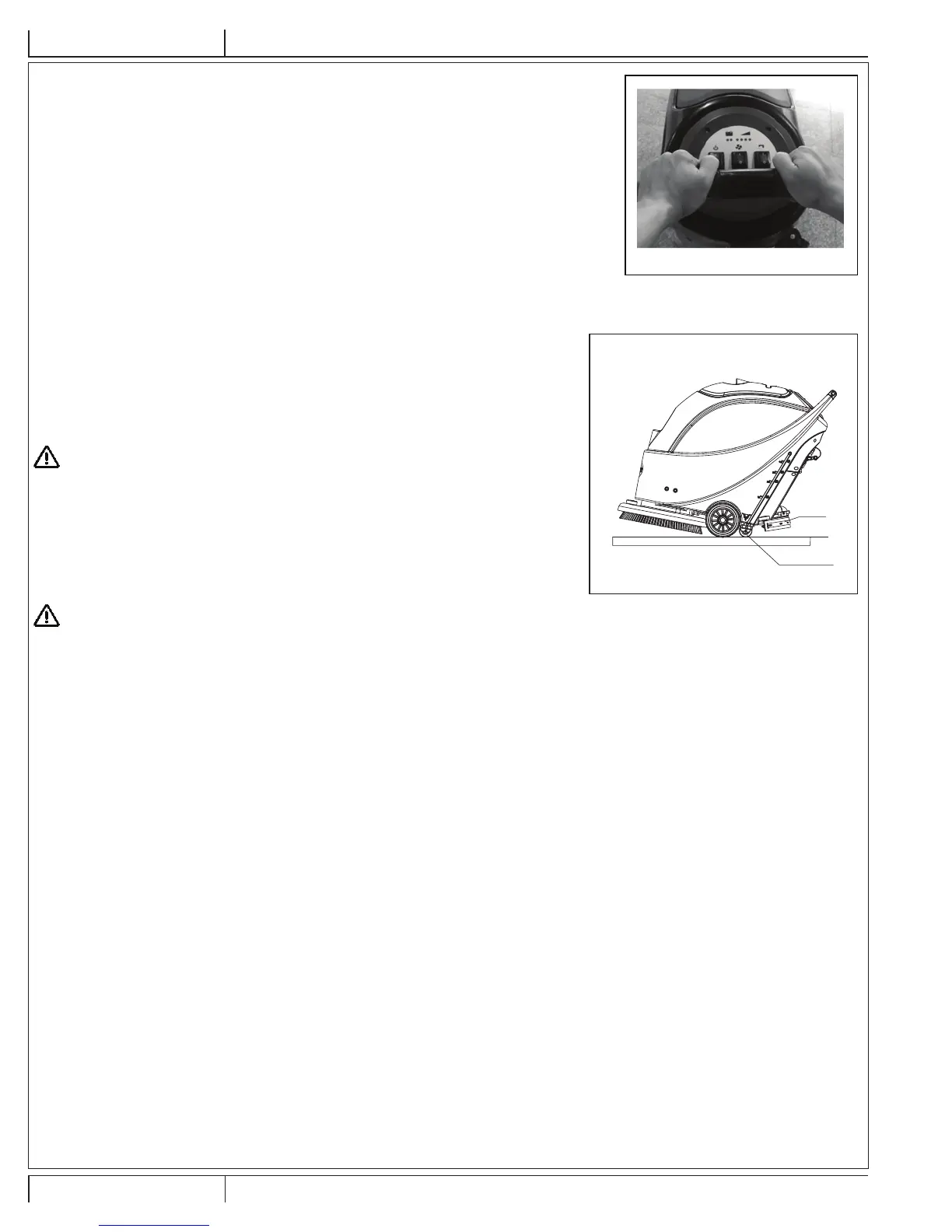
Grasp the handle (2) and gently tilt the machine backward until the guide wheel (B) touches the 13.
fl oor. See Figure 7.
MACHINE OPERATION
Start the machine according to the description above.1.
Hold the on / off switch (1) (Figure 6), push to move the machine, and start the scrubbing.2.
If necessary, turn off the machine, and adjust the squeegee. (Refer to the steps for 3.
squeegee adjustment)
If necessary, turn off the machine, and adjust the solution fl ow with the ball valve handle. 4.
(Refer to the steps for adjusting solution fl ow.
CAUTION !
In order to avoid damaging the fl oor, when the machine stays in one place without
moving, remove hands from switches & turn off the main power switch (38).
TANK EMPTYING
When recovery tank is full, a fl oat shut-off device (36) will block the inlet connecting to the
vacuum motor. Through a sudden increase of noise from the vacuum motor, it can be considered
that the recovery tank is full and requires immediate draining.
CAUTION !
If the vacuum motor is suddenly turned off (due to sudden movement resulting in an
activation of the fl oat), and if a resumption of operation is needed, please perform the
following steps: press the power switch (38 and 39) to turn off the power and the vacuum
motor, and open the recovery tank cover (25) to check if the fl oat has returned to the water
surface. Close the recovery tank cover (25), and press the power switch (38 and 39) to turn
on the main power and the vacuum motor.
FIGURE 6
A
C
B
FIGURE 7


 To Next Page