7/2014 A - 9 56091131 - CA30 17E
ENGLISH - AINSTRUCTIONS FOR USE
SOLUTION TANK FILLING
CAUTION !
Only low foam, nonfl ammable detergents may be used. These detergents must be suitable for the use of scrubbers.
Open the water inlet cover (27) and add water to solution tank. Do not overfi ll the tank. When preparing the cleaning solutions, please follow 9.
the dilution rates supplied by the chemical manufacturer Water temperature must not exceed 40
°
C.
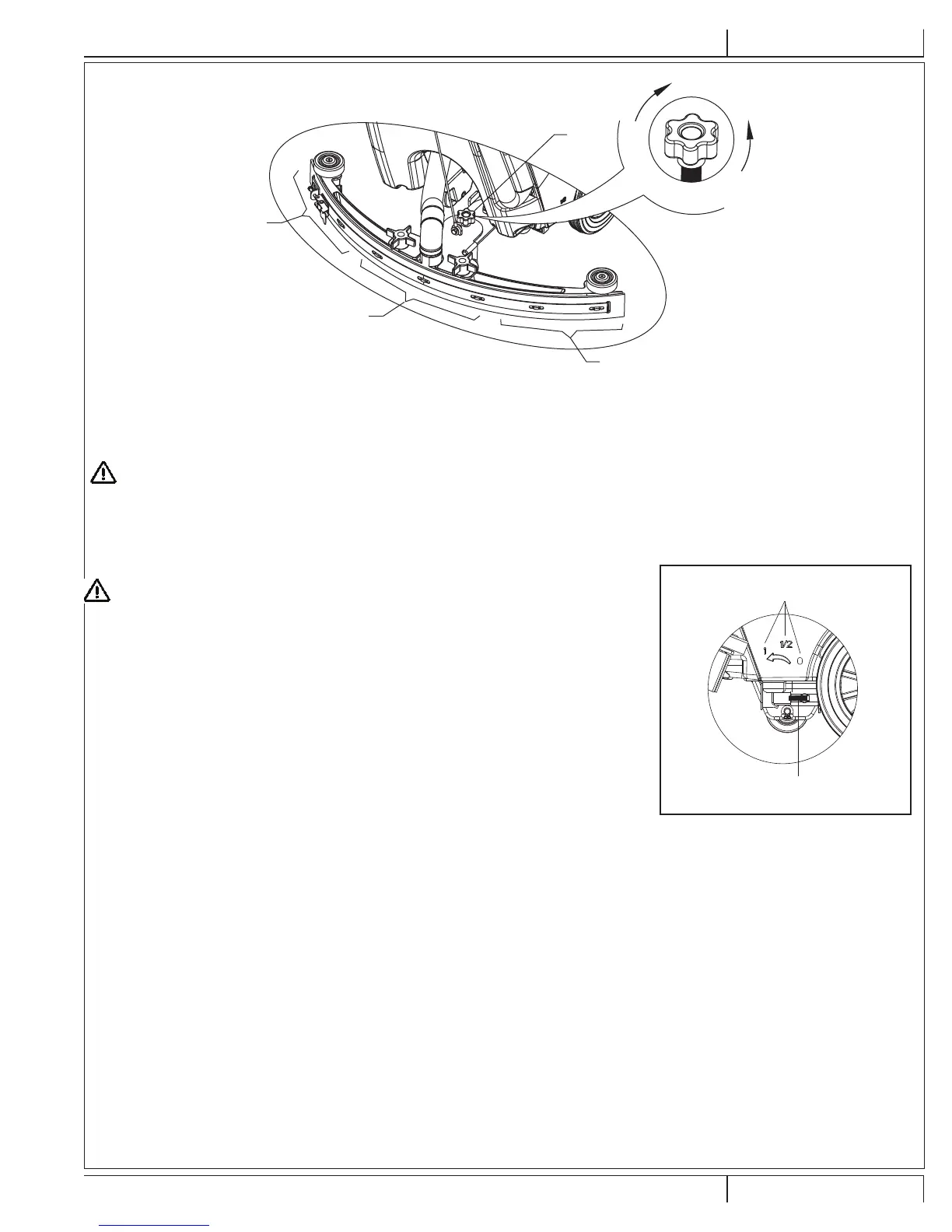
REGULATING WATER FLOW
FIGURE 4
B
A
C
D
E
F
B
A
WARNING !
Regulating the ball valve handle (A, Figure 5) must be done under the condition when the
power switch (38) is in the “Off” position.
The volume of the water fl ow may be adjusted through the ball valve handle (A, Figure 5) 10.
according to the amount of water required for your scrubbing application.
MACHINE START AND STOP
Starting the machine
Complete the preparatory steps as outlined above.1.
Press the power switch (38) to the “I” position.2.
Use the squeegee handle (14) to lower the squeegee.3.
Press the Vacuum switch (39) to the “I” position.4.
Press the solution switch (40) to the “I” position. (Work simultaneously with the safety switch (1) 5.
to control the solenoid valve.)
Squeeze the on / off switch (1) and push to move the machine. When switches are squeezed, 6.
the brush (29) will rotate, and the solution will fl ow.
CONSULTATION:
Each safety switch is capable of controlling independently the operation of the brush. In use,
it facilitates the control of the operation of the machine. Operators are encouraged to fi nd the
most comfortable position their hands.
FIGURE 5


 To Next Page