1-34 750-166
Troubleshooting
CB780/CB784
TROUBLESHOOTING
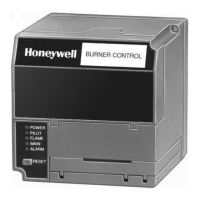
CB780/CB784 SYSTEM DIAGNOSTICS
Troubleshooting control system equipment failures is
made easier with the CB780/CB784 self-diagnostics and
first-out annunciation. In addition to an isolated spst alarm
relay (audible annunciation), the CB780/CB784 provides
visual annunciation by displaying a fault code and fault or
hold message at the Keyboard Display Module 2 row by
20 column VFD. The CB780/CB784 provides118 diag-
nostic messages for troubleshooting the system (see the
CB780/CB784 Operating and Maintenance Manual, Manual
Number 750-166).
Self-diagnostics of the CB780/CB784 enables it to detect
and annunciate both external and internal system problems.
Internal faults and external faults such as interlock failures,
flame failures and false flame signals are annunciated by the
CB780/CB784, which energizes the ALARM LED or visu-
ally displayed at the Keyboard Display Module VFD.
The VFD displays a sequence status message indicating:
STANDBY, PREPURGE, PILOT IGN, MAIN IGN, RUN
and POSTPURGE. The selectable messages also provide
visual indication of current status and historical status of the
equipment such as: Flame Signal, Total Cycles, Total Hours,
Fault History, Diagnostic Information and Expanded An-
nunciator terminal status (if used). With this information,
most problems can be diagnosed without extensive trial and
error testing.
Table 4 provides the sequence and status hold messages.
Table 10 provides a summary of all CB780/CB784 fault
messages and fault codes. In addition, Diagnostic Informa-
tion and History Data are available to assist in troubleshoot-
ing the CB780/CB784, see Table 6.
The CB780/CB784 provides diagnostic information to
aid the service mechanic in obtaining information when
troubleshooting the system, see Tables 4, 5, 6 and 10. Informa-
tion available in the Diagnostic Information includes Device
Type, Device Suffix, Software Revision, Manufacturing
Code, Flame Amplifier Type, Flame Failure Response Time,
Selectable Jumper Configuration Status, Run/Test Switch
Status and Terminal Status.
Diagnostic Information Index
The CB780/CB784 monitors input/output terminals and
can display the status of the terminal at the VFD (example:
Pilot Valve T8 ON<). See Table 5 for a complete terminal
description and number. The display will show the actual
status of the terminal. If voltage is detected at the terminal,
ON is displayed, but if no voltage is detected at the terminal,
OFF is displayed; see Table 5.
Historical Information Index
The CB780/CB784 has nonvolitile memory that allows
the Relay Module to retain Historical Information for the six
most recent lockouts. Each of the six lockout files retains the
cycle when the fault occurred, the hour of operation when the
fault occurred, a fault code, a fault message and burner status
when the fault occurred; see Table 4.
IMPORTANT: The CB780 will not operate without a Key-
board Display Module or a Control Bus installed.
SERVICE NOTE: If the Keyboard Display Module VFD
is scrambled, remove and reinstall the Keyboard Display
Module, and reset the CB780/CB784 Relay Module.
SERVICE NOTE: Reset CB780/CB784 by pressing the
reset pushbutton on the CB780/CB784, or pressing a
remote reset pushbutton wired through the Keyboard
Display Module or Control Bus. A power-up reset will
cause an electrical reset of the CB780/CB784, but will not
reset a lockout condition.
SERVICE NOTE: Use the access slots on the sides of the
Wiring Subbase to check the terminal voltage of the
CB780/CB784.
SERVICE NOTE: Maximum ambient operating tempera-
ture of an 817-1121 flame sensor, Series 1 through 6 will
be reduced to 125°F because of the duty cycle operation
of the CB780/CB784 Relay Module.


 To Next Page