Clickfree C2N Home Backup Drive User Guide Restoring My Content (DVD)
Because you have backed up content to CD/DVD using your C2N Home Backup
Drive, the countdown screen now shows a button at the bottom to allow you to
View
or Restore files:
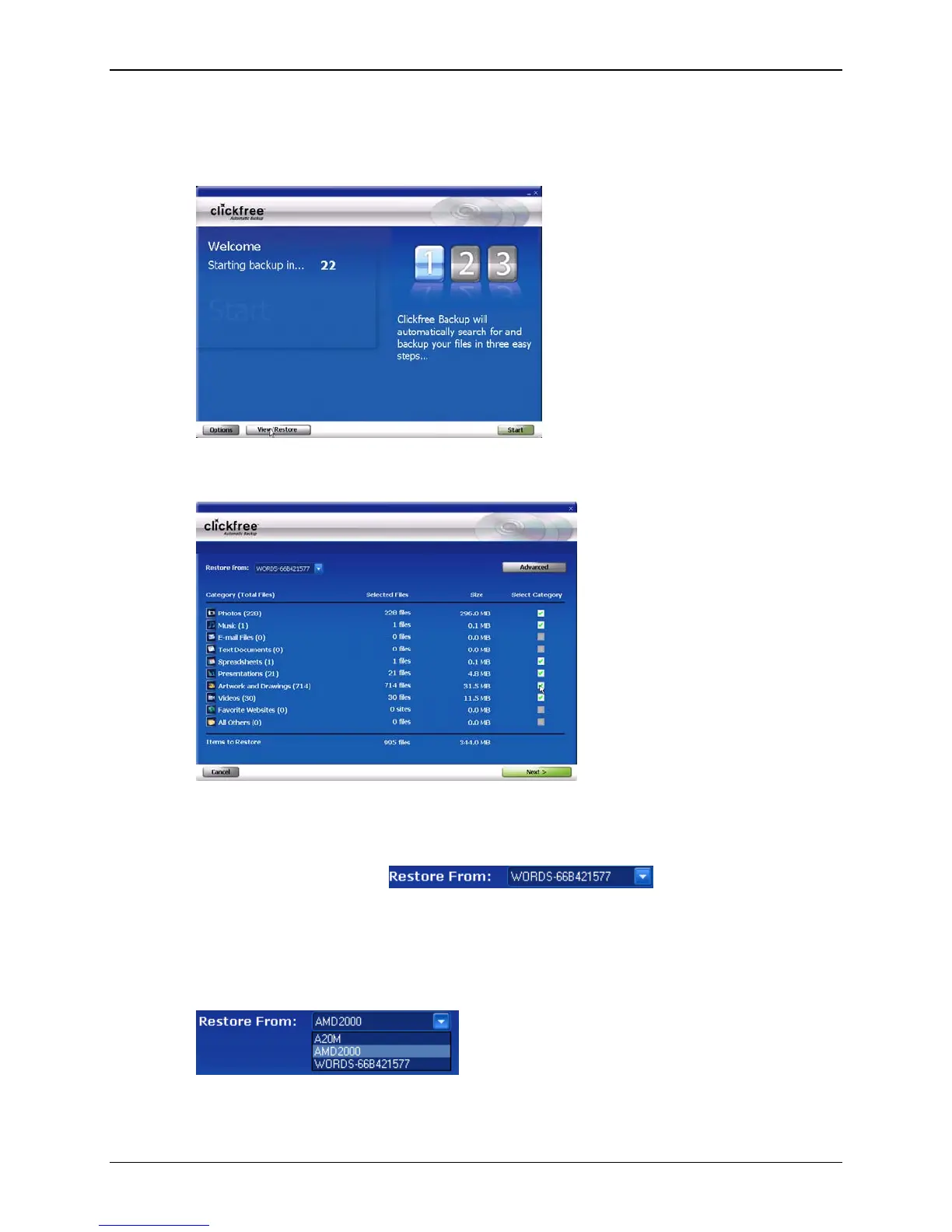
5. Before the countdown gets to zero, click
View/Restore. The Restore Summary
screen appears.
Note that all of the categories that have backed-up content are checked off in the
Select Category column.
6. Before you click
Next, or select categories to be restored, look at the computer name
in the
Restore From box: .
If your C2N Home Backup Drive was used to back up the computer that you are
using, the
Restore From box by default contains the name of this computer, and,
unless you change it, the content to be restored will come from this computer.
7. Click the arrow at the right of the
Restore From box:
The drop-down list contains the names of all of the computers that have been backed
up using the C2N Home Backup Drive.
Copyright © 2010 Storage Appliance Corporation. 102



 To Next Page