Clickfree C2N Home Backup Drive User Guide Restoring My Content (DVD)
8. Select the name of the computer whose content you want to restore.
9. Click
Next >.
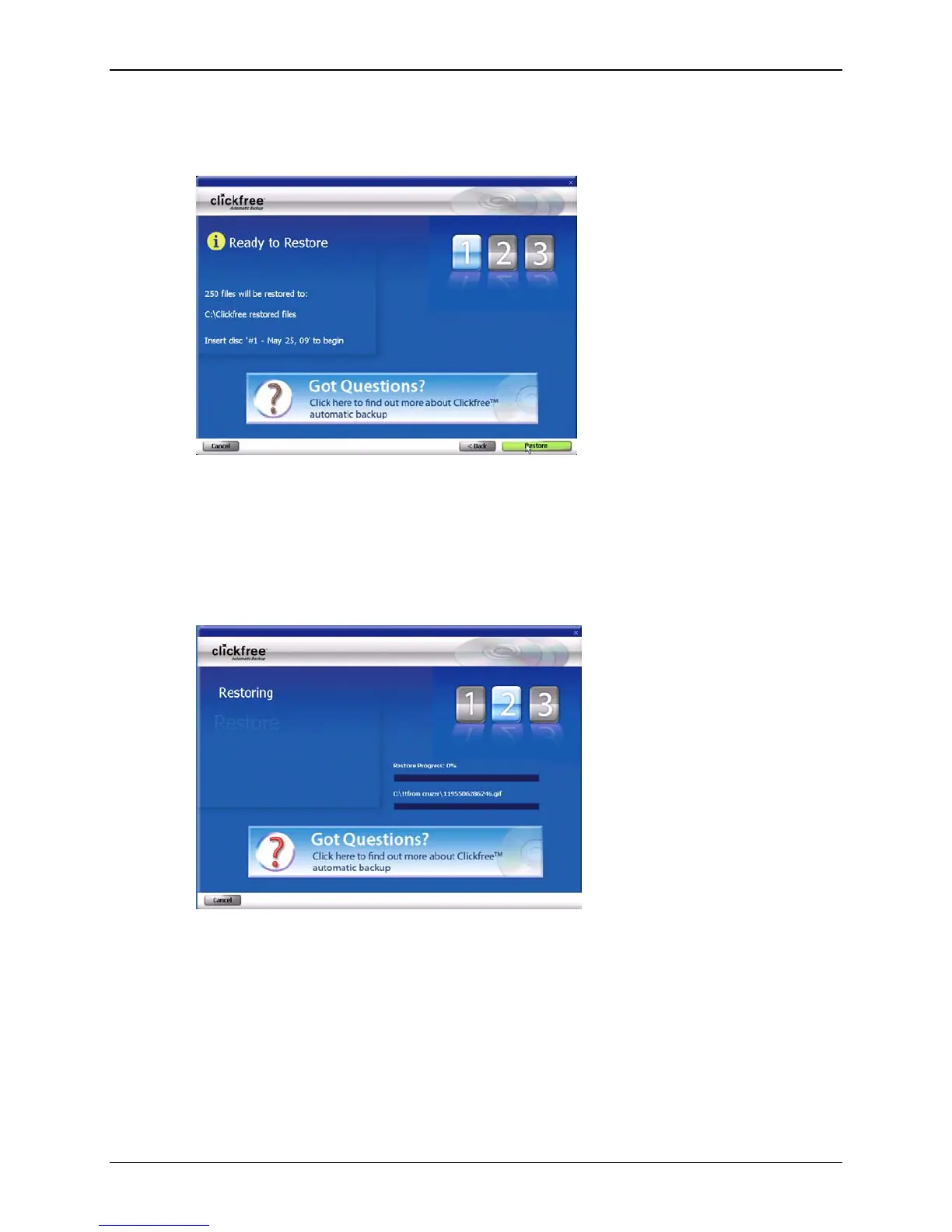
Clickfree confirms how many files will be restored, and where they are going to be
restored to (original locations, if the same locations exist on this computer), and
which backup disk is needed.
10. Insert the requested backup disk and click
Restore.
As Clickfree restores your content, it shows you what is happening and how far it
has gotten in the process.
11. Before it overwrites an existing file on your computer with one of the same name
from the backed-up files, Clickfree asks if you want to replace the existing file with
the one from the backup:
Copyright © 2010 Storage Appliance Corporation. 103



 To Next Page