M0Q940G14-03 WSAT-XIN 21-171 31
8.6 Change the operating mode
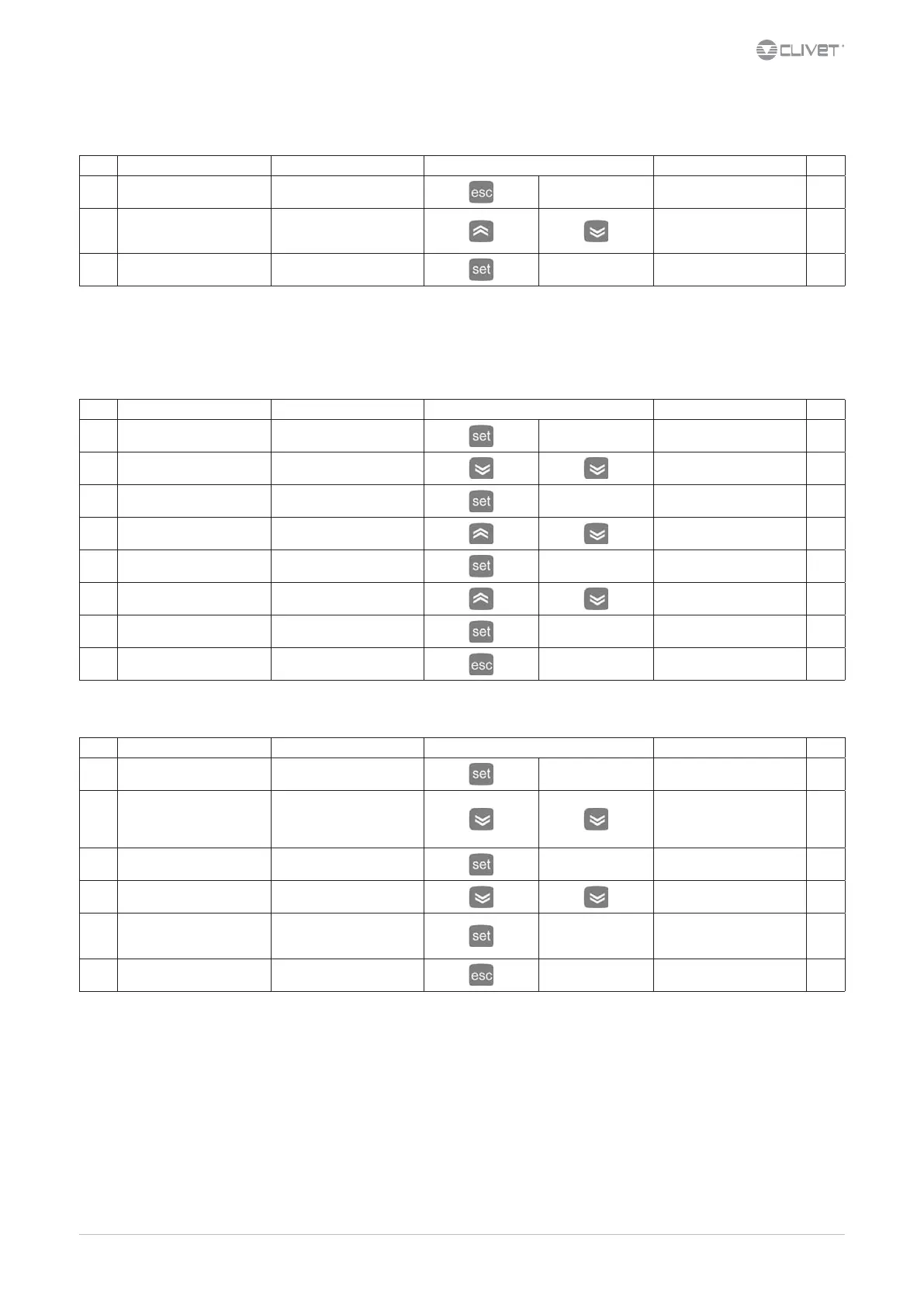
Step Display Action Keys Menu/Variable Notes
1 Main menu Press 2 sec.
Cool *
2 Cool Select
Choose
standby: STBY
cool: COOL
3 Cool Conrm
* O the unit is immediately stopped without respecting any timing.
Stanby the antifreeze function is active ( pump ON for water temperature < 4°C ).
The circulator anti-blocking function is active ( pump ON at predened intervals).
8.7 Water setpoint modication
Step Display Action Keys Menu/Variable Notes
1 Main menu Press
Ai
2 Ai Select
SP
3 SP Access
Cool
4 Cool Select
Choose
Cool
5 Cool Conrm
50
6 50 Press
Set the value
55
7 55 Conrm
55
8 Press
Back to the previous menu
8.8 Display of inputs - outputs
Step Display Action Keys Menu/Variable Notes
1 Main menu Press
Ai
2 Ai Choose menu
Ai: analogical inputs
di: digital inputs
AO: analogical outputs
dO: digital outputs
3 of Access
diL1
4 diL1 Scroll the list
Choose
diL4
5 diL4 Press to see the value
For digital inputs:
0 = input not active - open
1 = input active - closed
6 Press
Back to the previous menu
For details see:
10.4 Statusp.46


 To Next Page
 Loading...