CNC 6040 Router / Engraver System
CNCDIY CNC Routing Machines System User’s Manual
28
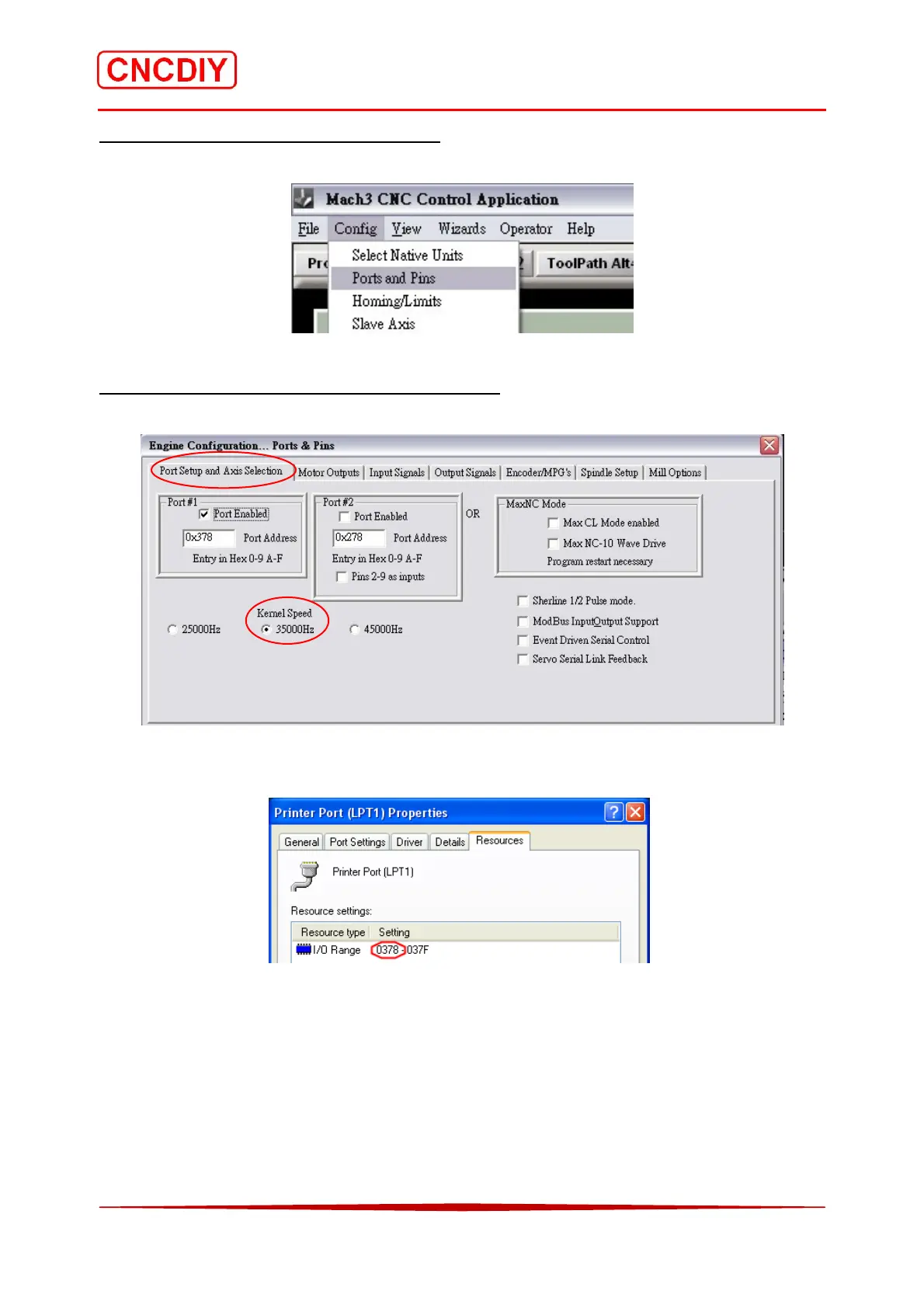
Step 2 Select the “Ports and Pins” menu
Open the “Ports & Pins” menu under the “config” menu.
Step 3 Setting the frequency of the parallel port
Select “Port Setup and Axis Selection” and set the basic frequency to “35000Hz”.
Note: most of cases are Port1, 0x378. For special models, please see “Device Manager” in the
relevant attributes!
If the computer does not have the parallel port, please obtain either following items:
1. Optional PCMCIA laptop cards to LPT
2. Optional desktop PCI or ISA cards to LPT
USB to LPT port converter does not use for engraving machine control.



 To Next Page