CNC 6040 Router / Engraver System
CNCDIY CNC Routing Machines System User’s Manual
29
Step 4 Select Units
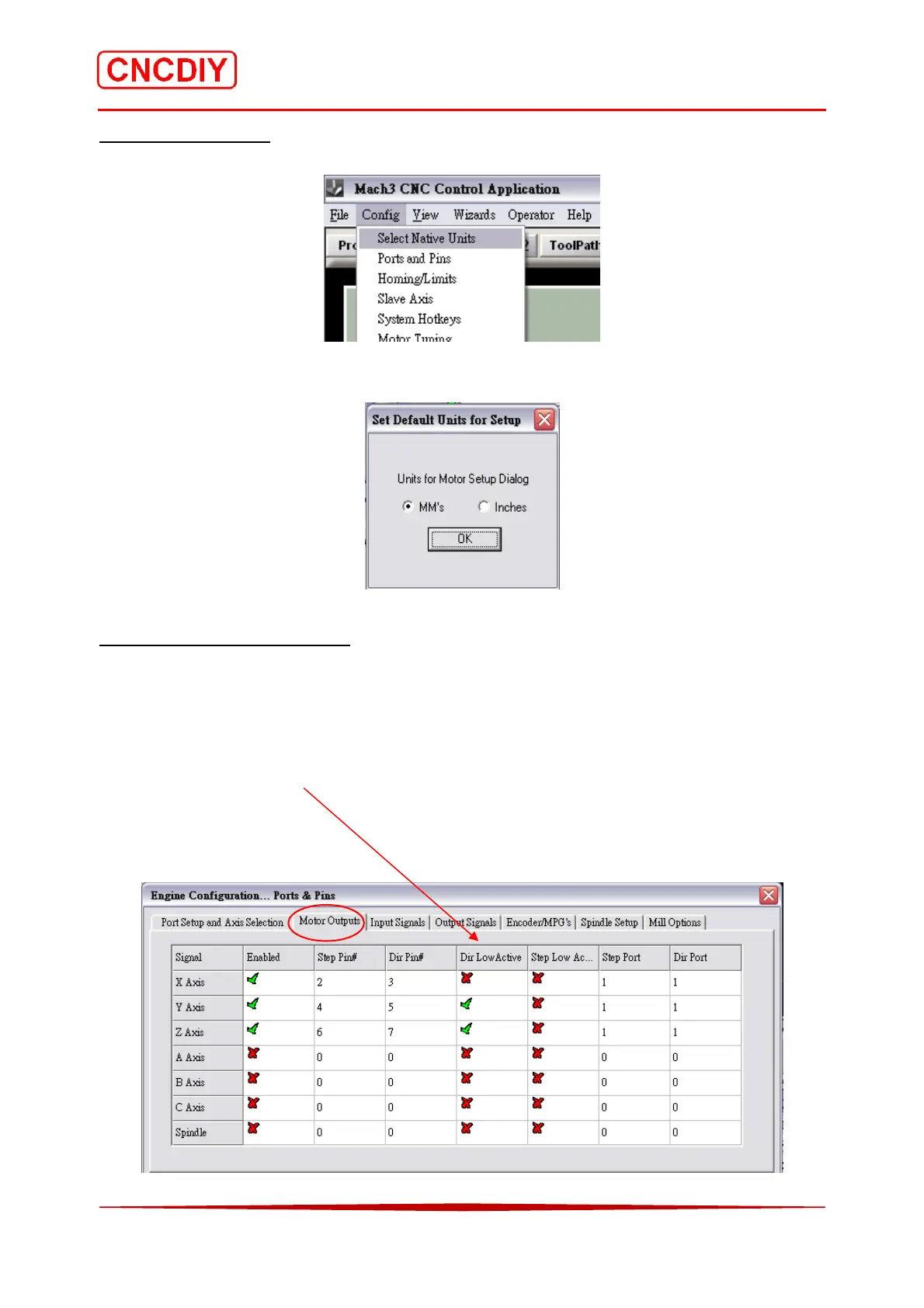
Open the “Select Native Units” menu under the “config” menu.
Select the suitable units for you system and press “OK” to confirm!
Step 5 Motor Output Setting
According to the definition of the board parallel port, please indicate in accordance with the
plans to amend the definition of the software settings.
Remind: If you find the axis direction was reversed, please change the setting in the particular
box under the “Dir LowActive”. Please refer to the chapter 4.4.3 (Understanding of direction of
the axis)



 To Next Page