CNC 6040 Router / Engraver System
CNCDIY CNC Routing Machines System User’s Manual
44
Step 5 Start running with tooling
Install a miller tool in the spindle and the chuck should have a distance between the chunk and
the surface of the workpiece at least one cm or more. After that, locking the cutting tool with the
spindle handles.
Tooling Locating Procedures:
1. Turn on the CNC driver and turn off the spindle. Then, set the spindle back to the original
location with using manual control of the software: Adjusting the tip of the tool location at
the top of the original location with about 1mm of the distance between the tip of the tooling
and the workpiece (X and Y position must be arrived at the original location, the Z position
should have at least 1mm distance between the tooling tip and the original position). Be
carefully the distance between the tip of the tooling and the workpiece to avoid breaking the
tooling due to insufficient space.
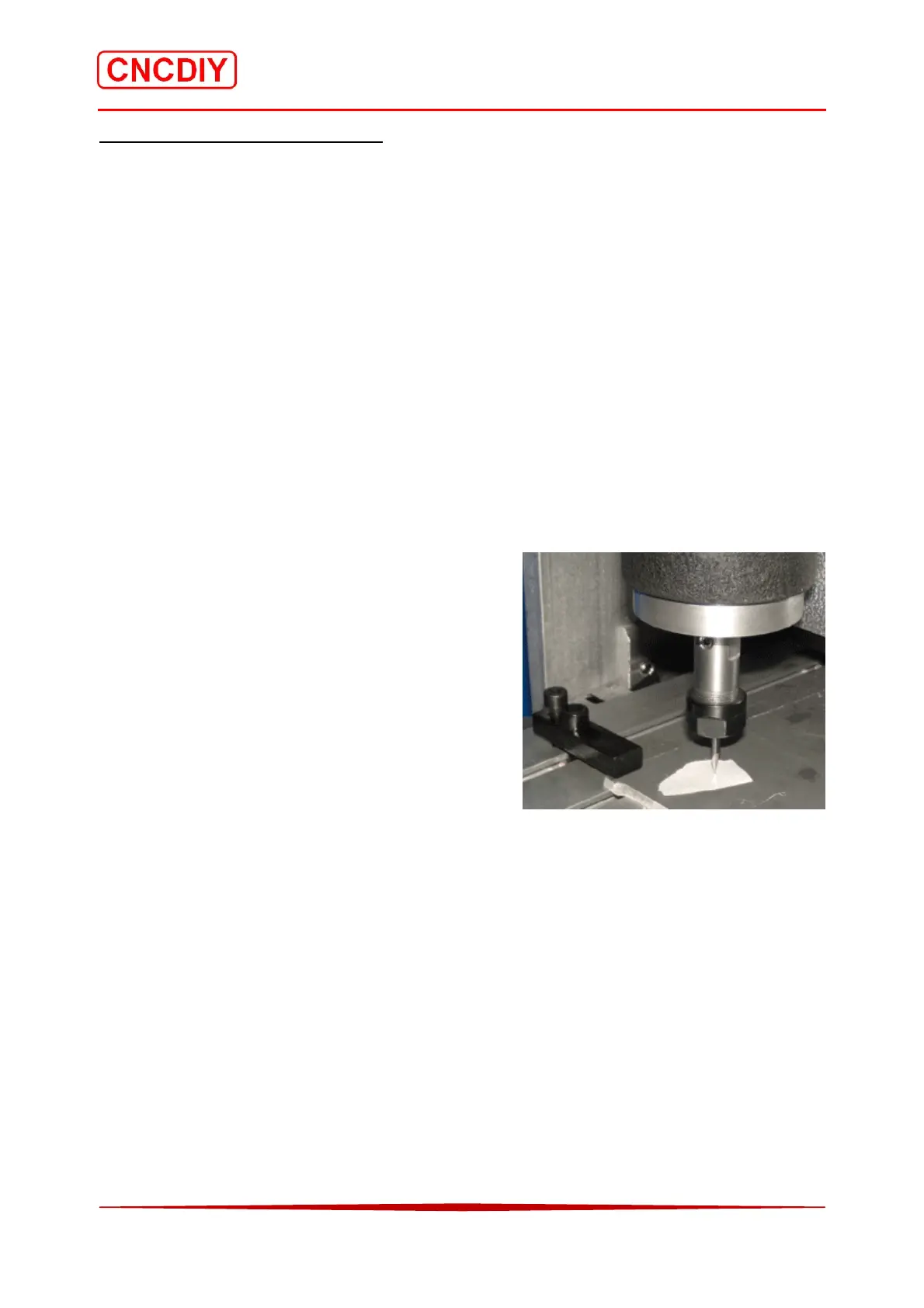
2. Turn off both CNC driver and spindle. Place a thin
paper on the original position. You can use the
knob on the top of the Z axis stepping motor to
adjust the distance between the tooling tip and the
workpiece slowly. When the tip of the cutting tool
is approaching on the paper, move the paper to
feel that whether the paper can torn by the cutting
tool. The tooling tip must not touch and contact
the surface of the workpiece. Therefore, the
accuracy can be reduced to about 0.05mm.
3. When all axes arrived at the original location, set “Zero” for all axes in your software
interface. Turn on the CNC driver switch and make sure all stepping motor are locking the
axes.
4. Make sure that the “Spindle speed control knob" pointer in the “Safe Place" position. (Please
refer to the related CNC control box user’s manual). Then, switch on the spindle power and
adjust “Spindle speed control knob" to obtain sufficient rotating speed of the spindle. At the
first time, you can turn to the maximum spindle speed to test the spindle.
5. Please wear a protection mask and a goggle for safety reason. You can start to run the G code
now!



 To Next Page