To get started
10 Chapter 2: Operation 98-135323-H
The icon System holds the application manager and settings for the SAILOR
6004 Control Panel, for more details see App installation and system settings on
page 53.
AIS screen
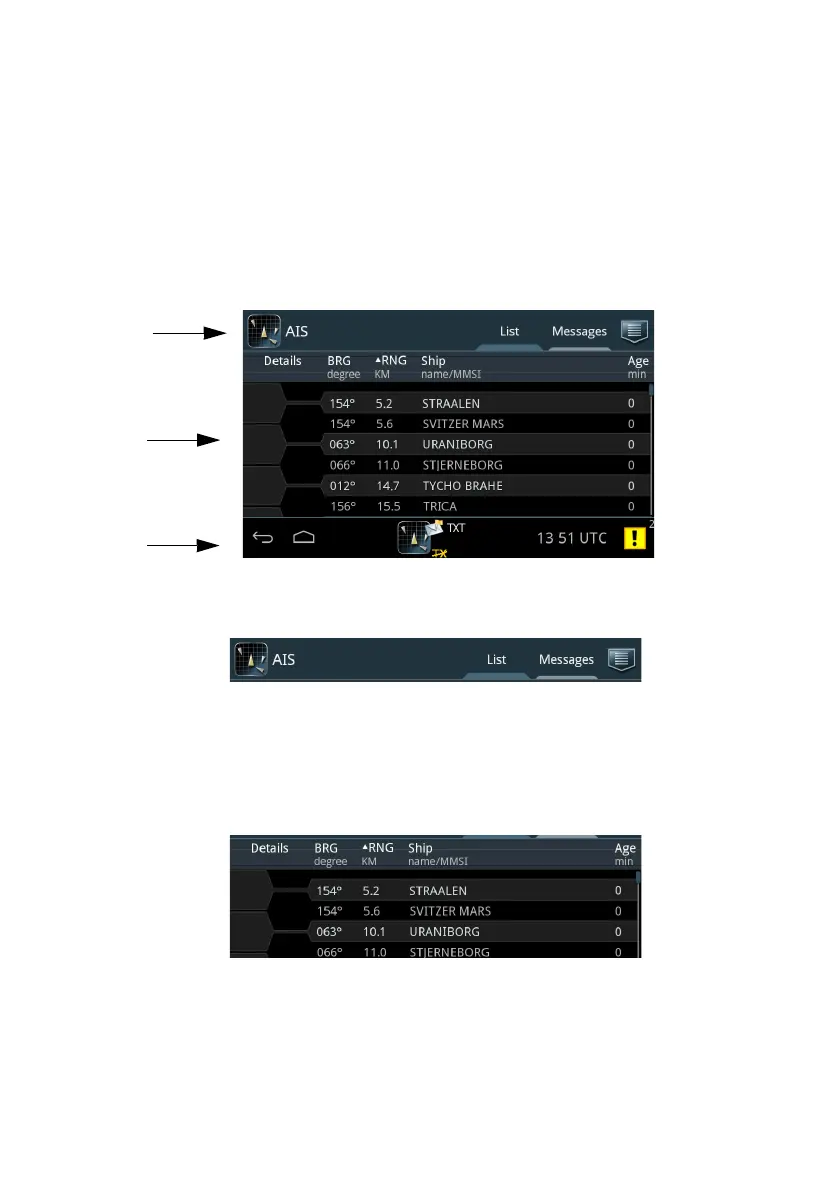
The AIS app has the following idle screen:
1. Top bar
• Current app, in this case AIS.
•Tab List showing a list of ships near own ship.
•Tab Messages showing all messages received and sent.
• Icon for sending messages and Settings.
2. AIS app-specific area (List tab selected. For Messages tab, see To work with
messages on page 34).
Each row represents a ship and its position relative to own ship.
• Details – tap to display a new screen with details for the selected ship.
• BRG shows the current bearing value to own ship.
Figure 8: Sections in the AIS application screen (example)














 To Next Page