Settings
98-135323-H Chapter 2: Operation 29
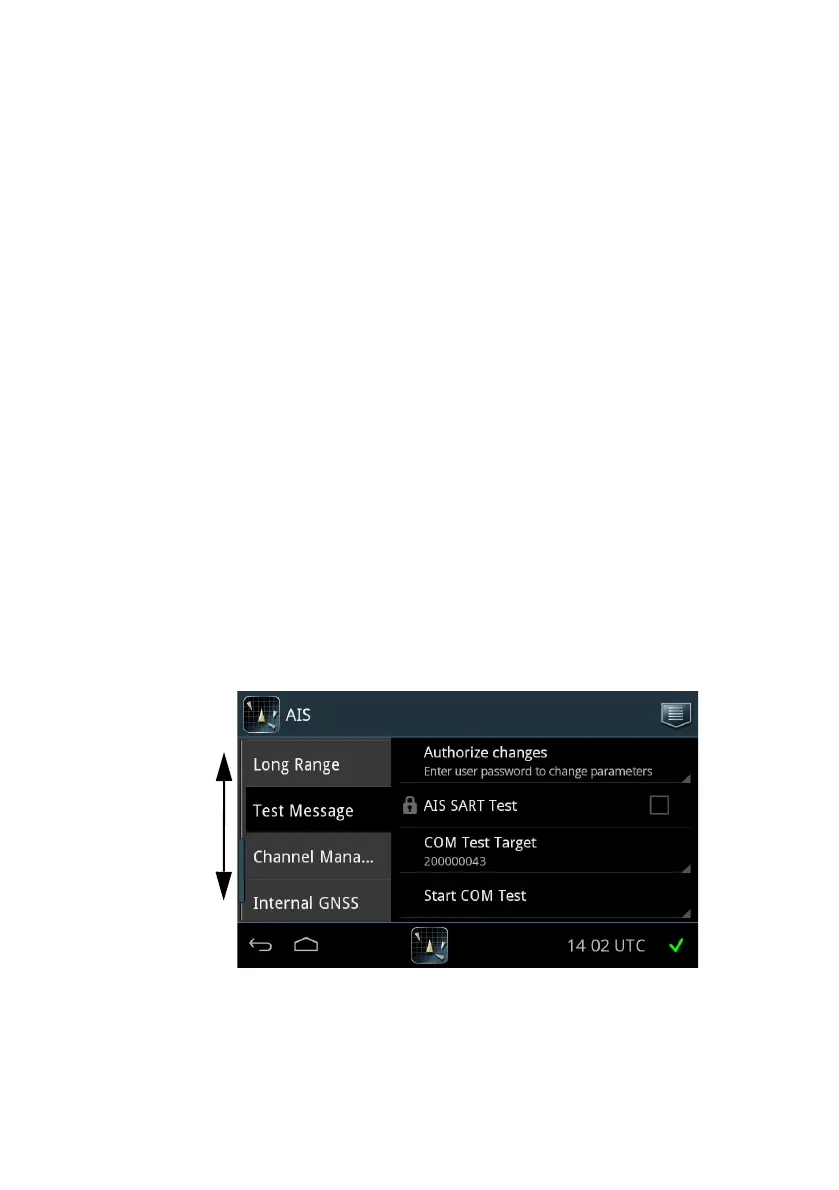
Test Message
Use Test Message to check that the SAILOR 6282 AIS Transponder can send a
text message to and receive a text message from other transponder systems.
This test is done automatically. No action from the message recipient is required.
A target with at suitable range (15-25 NM) is selected if such a target has been
received by the SAILOR 6282 AIS Transponder. The SAILOR 6282 AIS
Transponder supports AIS SART Test messages and COM Test messages.
To receive an AIS SART Test do as follows:
1. Unlock the page by tapping Authorize changes and entering the user-level
password.
2. Tap the AIS SART Test selection box to enable the display of AIS SART Test
targets.
To start a COM Test do as follows:
1. Tap the COM Test Target to select a target for testing communication. This
target responds by an automatic acknowledge from the displayed MMSI
number. For each tap the test target changes because there are some rules to
be followed (e.g. the AIS Transponder may not select closest or most distant
target, it must toggle to new target after test message is sent for new test
message)
2. Tap Start COM Test. The test starts and the result of the communication
test is shown on the screen.
Figure 22: Settings – Test Message (example)














 To Next Page