To work with messages
98-135323-H Chapter 2: Operation 39
If the received message is longer than one line in the display, the message is
automatically split up into several lines.
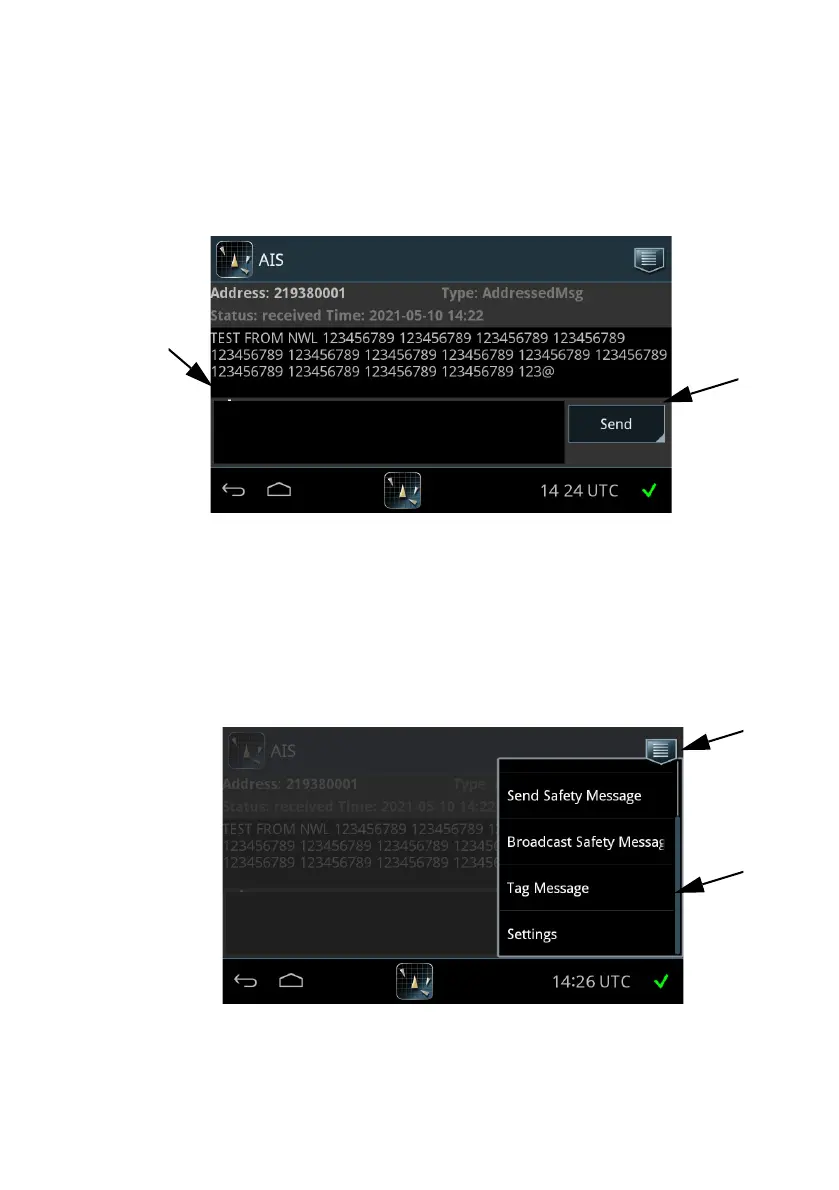
2. Tap the message you want to read. The message opens and you can directly
enter text and send a reply.
When all messages are read, there is no envelope icon in the bottom bar.
Store messages
It is possible to store a given message by opening the message,.
1. Click on the drop down menu and select Tag Message.
Figure 35: Replying to a message
Figure 36: Tag a message



 To Next Page