For all operations it is recommended to use a laptop or tablet with the web-interface to control the
machine. Small movements and adjustments can be performed on the touch panel.
6.1.4.1 Duet touch panel
The touch panel is mounted on front of the main E-box.
Figure 15: Duet touch panel
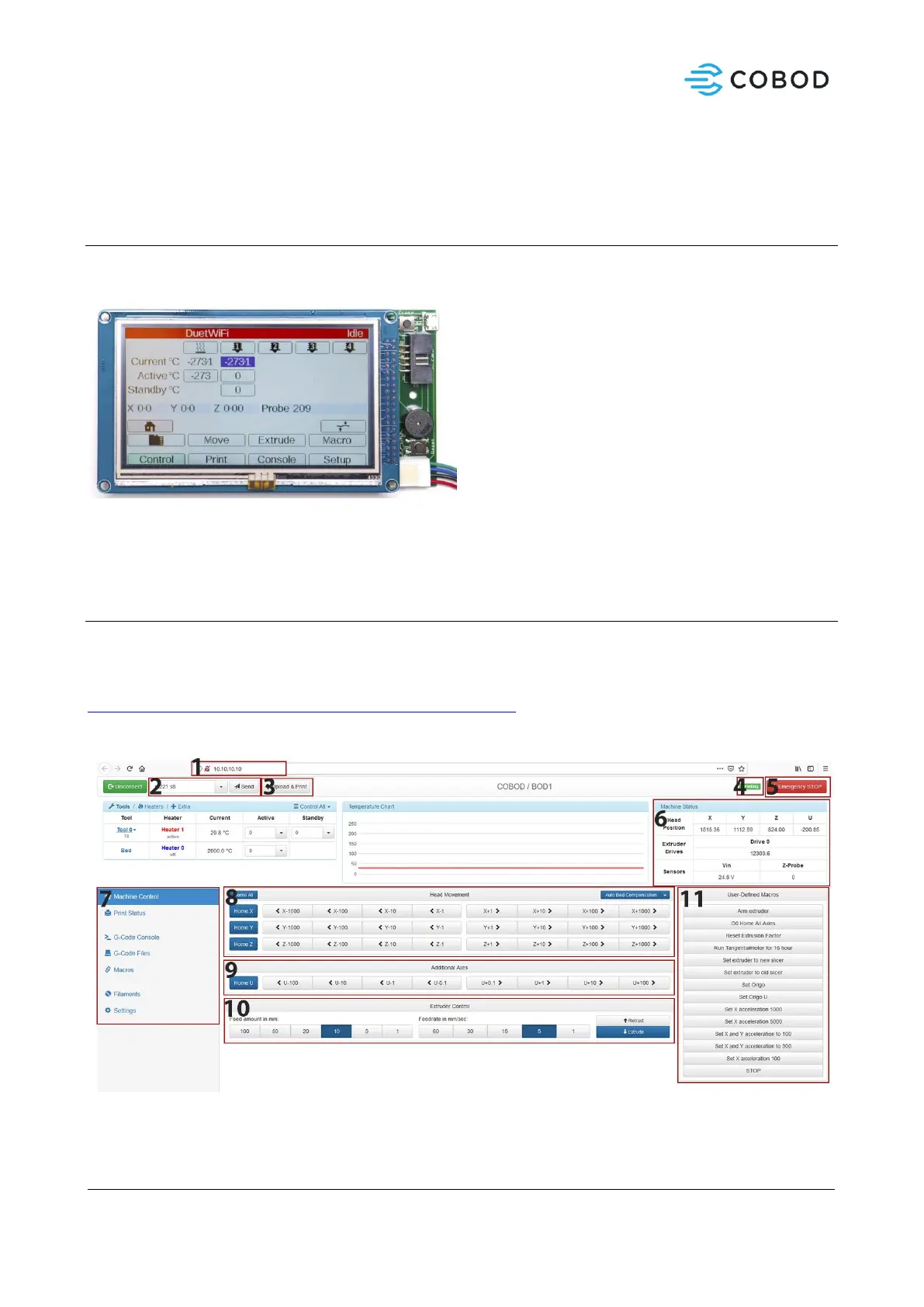
Use the touch panel to manually move the machine, find the IP of the machine to connect, and access and
print files from the local file storage.
6.1.4.2 Duet3D web Interface
Duet web interface is the preferred control option for BOD2. In this section you will find a short description
of the control interface. A full documentation of the interface can be found at:
https://duet3d.dozuki.com/Wiki/Duet_Web_Control_Manual
6.1.4.2.1 Main window
1. Browser address field. Enter IP address here (see section 6.1.1)
2. Input field for manual G-code commands. (See section 6.1.4.3)



 To Next Page