Main Menu
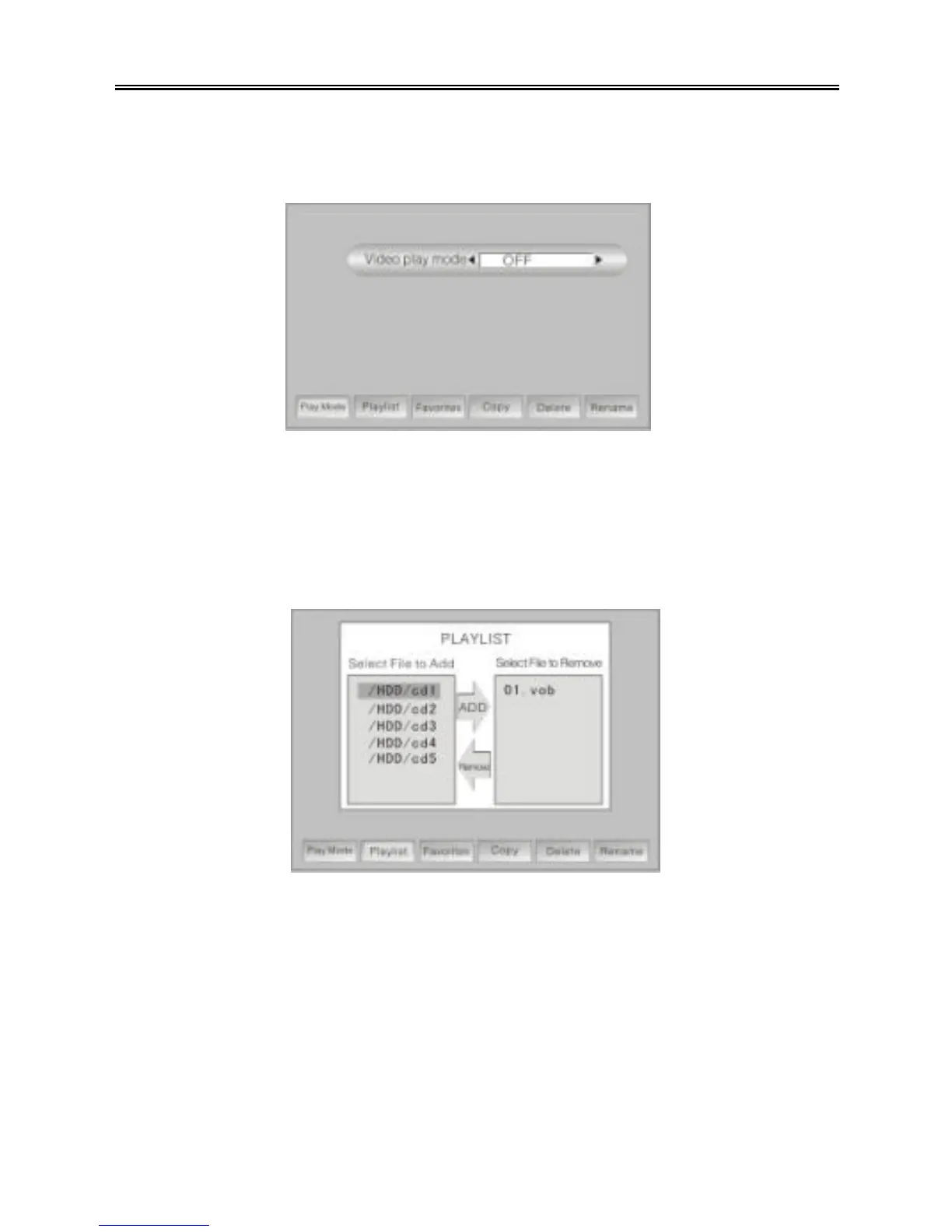
Ø Play mode: Press the “SETUP” button in the video file/folder list to display a
menu at the bottom of the screen. Press the “UP/DOWN” button to select “Play
mode”, and press the “ENTER” button.
Press the “PREV/NEXT (9 / :)” button to select a video play mode (OFF,
Normal, Repeat One, Repeat All, Shuffle). Press the “MENU/STOP” button to
return to the previous menu.
Ø Playlist: Press the “SETUP” button in the video file/folder list to display a menu
at the bottom of the screen. Press the “UP/DOWN” button to select “Playlist”,
and press the “ENTER” button.
Use the “UP/DOWN” buttons to select a video file in the file/folder list window on
the left, and press the “ENTER” button to add that video file to the playlist. Use
the “MENU/STOP” button to return to the previous folder. Press the “NEXT (:)”
button to switch to the playlist window on the right. Select a file in the playlist,
and press the “ENTER” button to remove the file from the playlist. Press the
“MENU/STOP” button to return to the previous menu. In the video file/folder list,
“Playlist_Video” will be shown at the top. Play that item to begin playback of the
files in the playlist.
Ø Favorites: Press the “SETUP” button in the video file/folder list to display a
menu at the bottom of the screen. Press the “UP/DOWN” button to select
“Favorites”, and press the “ENTER” button.



 To Next Page