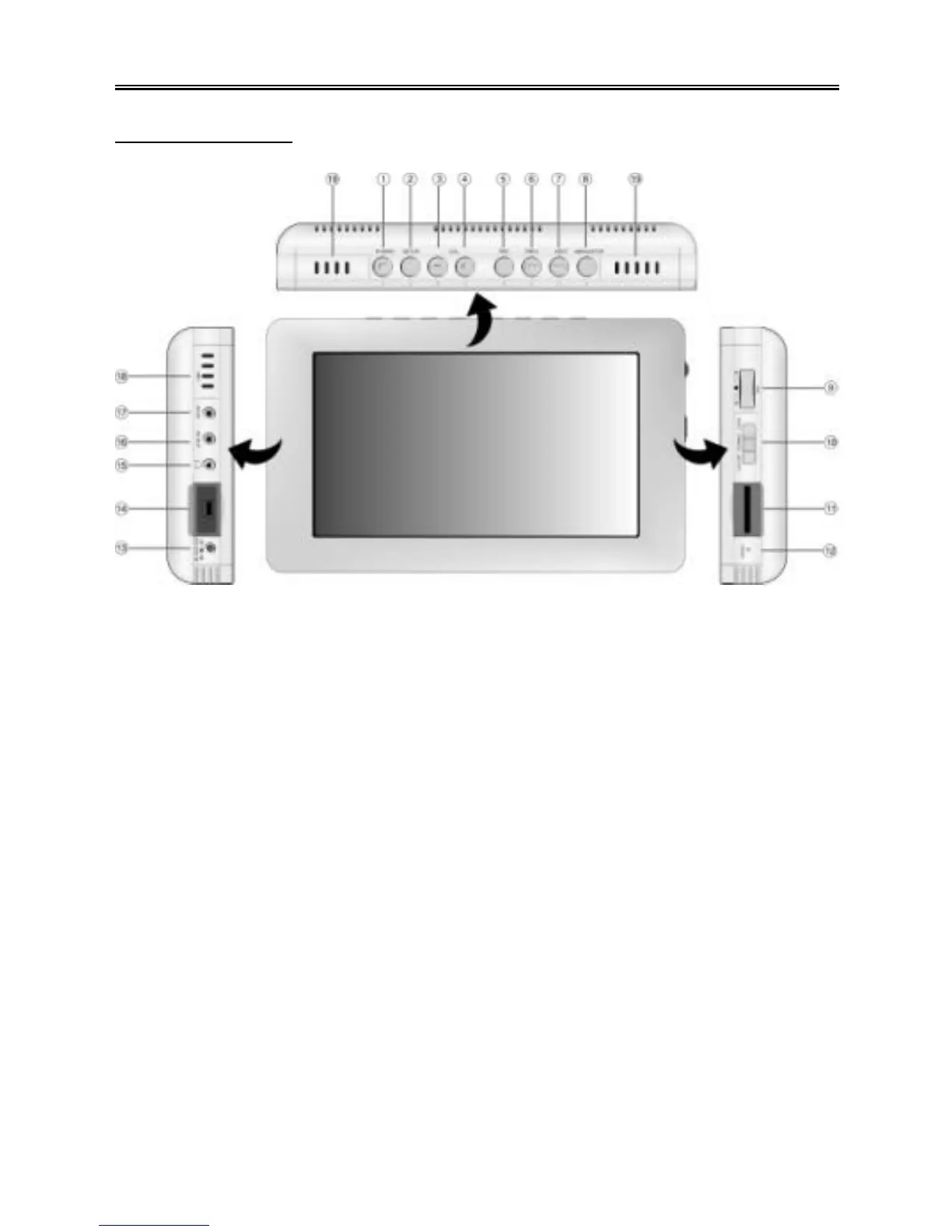
Layout and Description
Front/Top/Sides
1. POWER Button/Power Indicator/Charge Indicator
Press and hold for about 2 seconds to turn on/off the power.
When the power is off and the battery is being charged, the indicator is red.
It turns off when charging is complete.
When the power is on and the battery is being charged, the indicator is orange.
It become green when charging is complete.
2. SETUP Button
This button can activate various functions or options depending on the mode. See
the movie, music, photo and file manager sections for more information.
3. VOLUME – Button
Press to decrease the volume.
4. VOLUME + Button
Press to increase the volume.
5. REC Button
Press to enter the record mode.
Press to adjust the brightness, contrast or color in the video, music or photo
playback mode.
6. 9 PREV Button
Press to skip to the previous file in the video, music or photo playback mode.
Press to adjust settings in the various setting menus.
Press to display the previous page of files/folders in the file/folder list.



 To Next Page