23
After Sales Support
Telephone: 1300 663 907
Internet: www.winplus.com.au
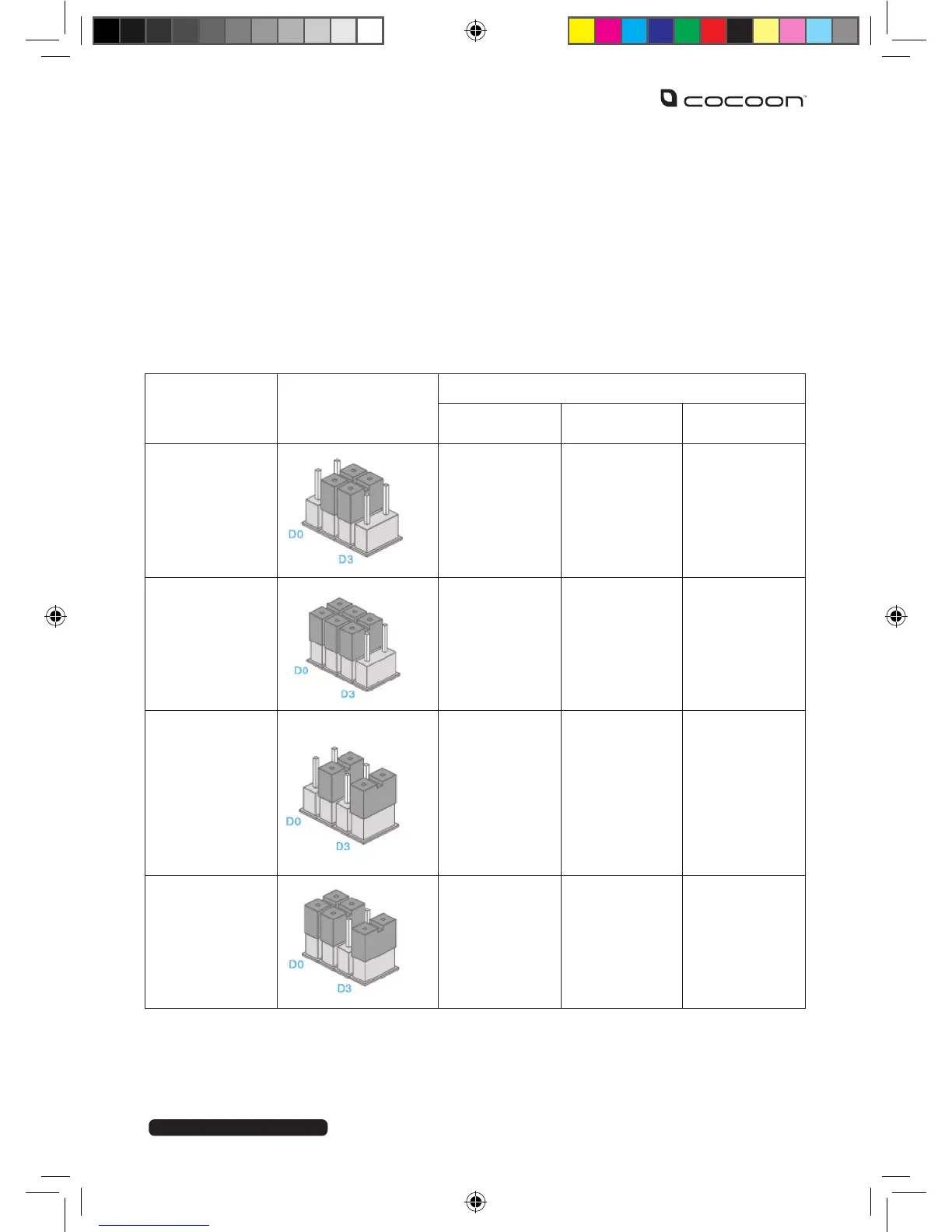
CHANGING SENSOR OPERATING MODES
Each of the PIR motion and door / window sensors can be set to one of 4 modes, by
rearranging the jumpers supplied inside the product housing.
Door / Window Sensor: Default ‘Single Delay Mode’
PIR Sensor: Default ‘Home Mode’
MODE NAME
PIN
CONFIGURATION
CONTROL PANEL SETTING
ARMED MODE
DISARMED
MODE
HOME MODE
HOME MODE ARMED DISARMED DISARMED
NORMAL
MODE
ARMED DISARMED ARMED
SINGLE
DELAY MODE
ARMED,
WITH
WARNING
BEEPS
BEFORE
SIREN
SOUNDS
DISARMED
ARMED,
WITH
WARNING
BEEPS
BEFORE
SIREN
SOUNDS
24 HOUR
MODE
ARMED ARMED ARMED



 To Next Page