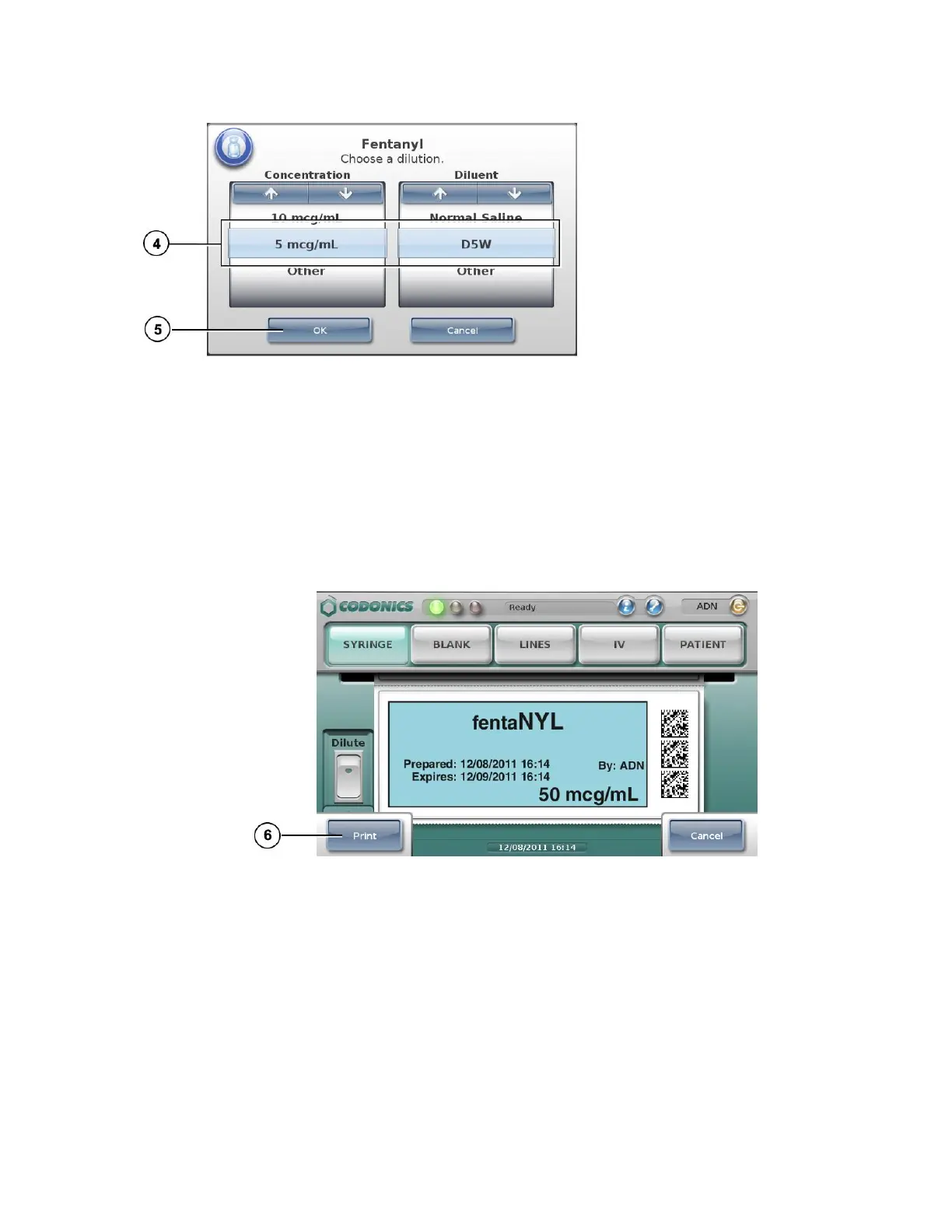
4. If the Choose a Dilution prompt displays, select a concentration and diluent.
WARNING: SLS users are responsible for calculating and selecting the correct concentration and
diluent.
5. Press the OK button.
If the system is configured to require confirmation before printing the label, a confirmation
prompt displays.
NOTE: The label confirmation prompt is displayed for safety reasons to ensure that the correct
drug information is being printed.
6. Press the Print button to confirm and print the label.
7. Retrieve the printed label from the output bin.
If the system is configured to require confirmation after printing the label, a
confirmation prompt displays.



 To Next Page