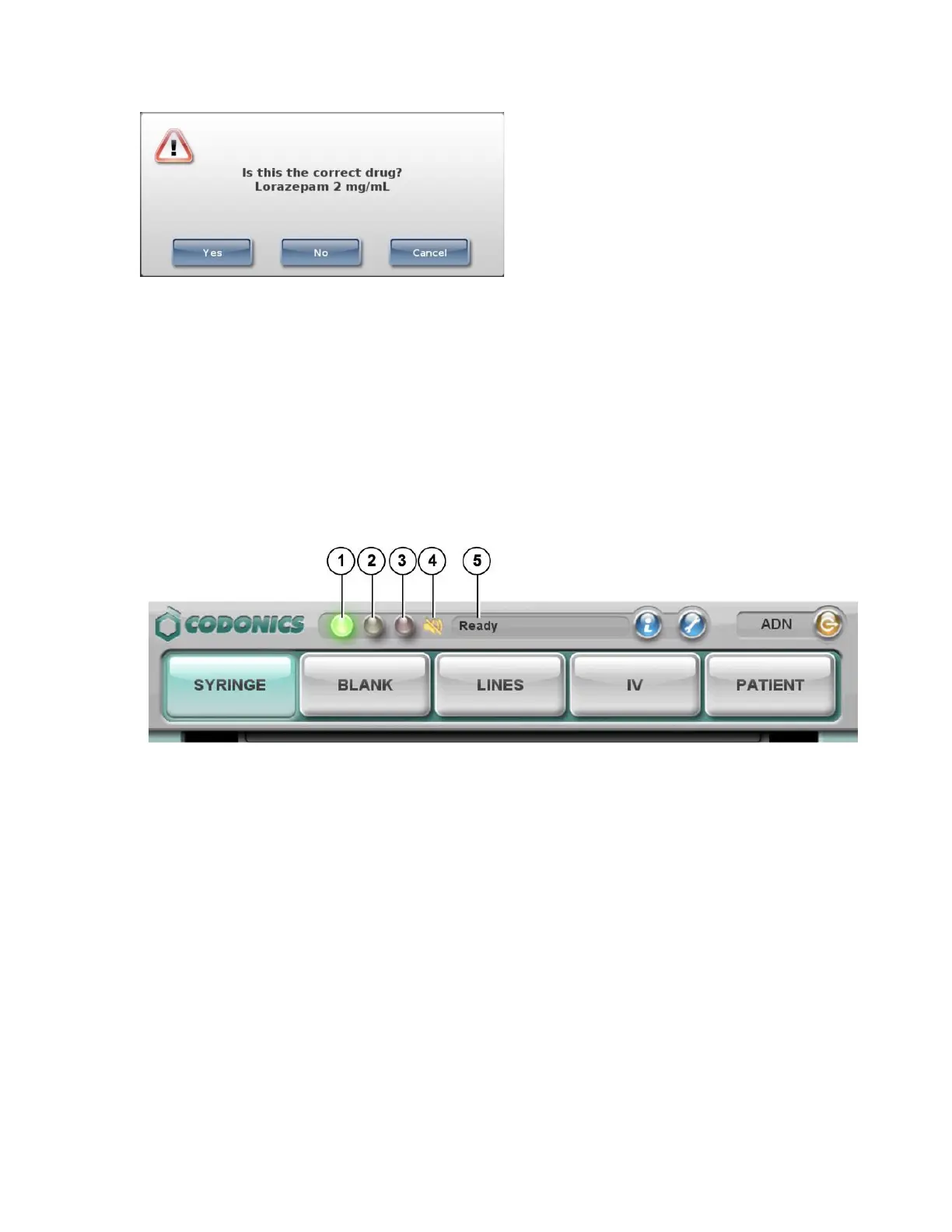
• If the drug information is correct, press the Yes button. You are prompted again to confirm
that the drug information is correct.
• If the drug information is not correct, press the No button. You are prompted again to
confirm that the drug information is incorrect.
• To cancel the operation, press the Cancel button.
Monitoring Status
Dashboard Status Information
1. Normal: The system is ready to process or is processing a job (for example,
printing).
2. Alert condition: The system can still process jobs but requires user attention
(for example, low ink).
3. Critical or fault condition: The system might not be able to process jobs. The
system requires immediate user attention (for example, out of label media).
4. Muted icon: Displays when the volume is muted.
5. Status messages.
System Information



 To Next Page