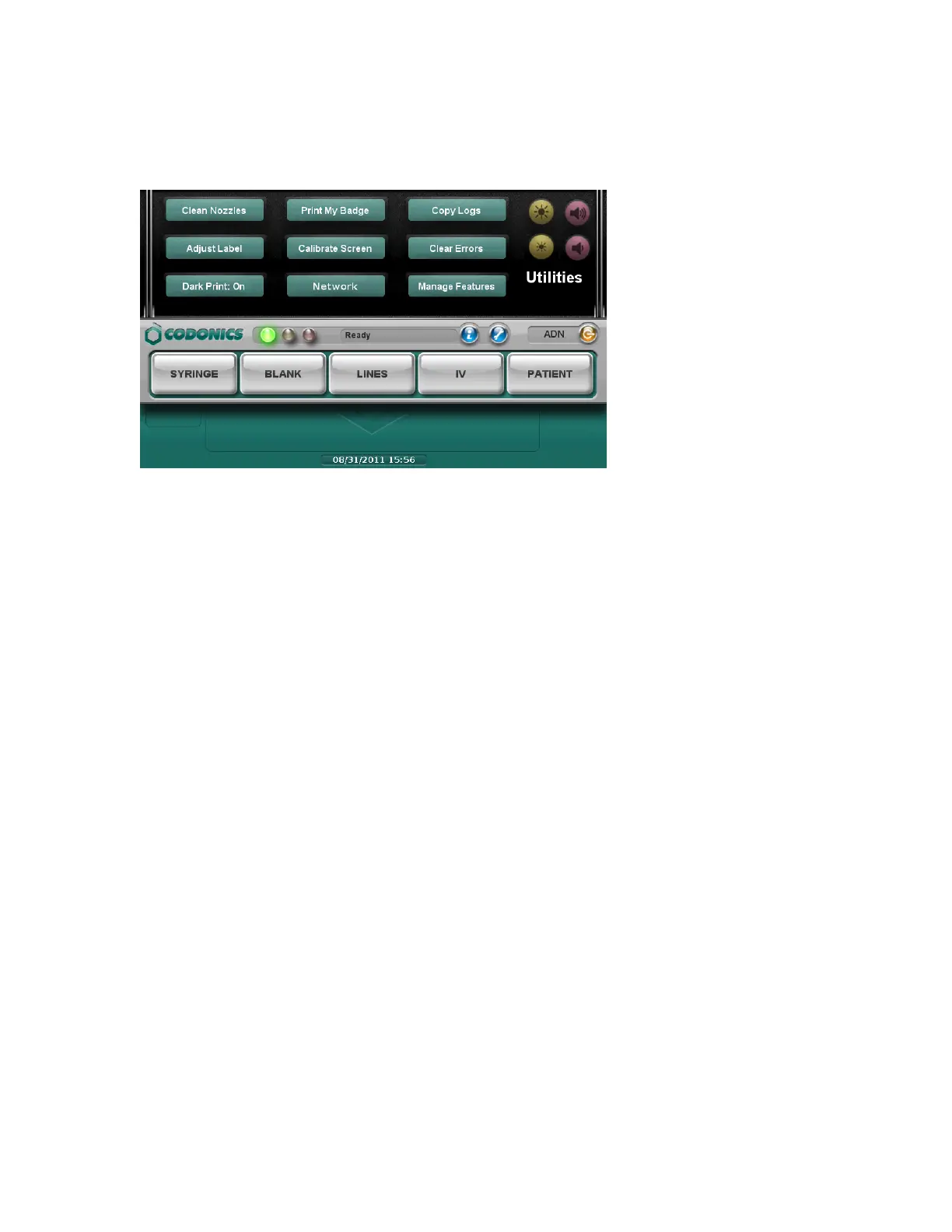
1. Press the Utilities button.
The Utilities screen displays. The buttons are described in the table below.
2. To close the Utilities screen, press the Utilities button again.
Clean Nozzles
Cleans the ink cartridge nozzles
Adjust Label
Allows you to adjust the label media path to ensure that label content is properly centered
on the label.
Dark Print: Off / On
Sets dark printing of black text to off or on.
Print My Badge
Prints a user badge for the user who is currently logged in.
Calibrate Screen
Calibrates the touch screen.
Network
Allows you to configure the network settings.
Copy Logs
Copies system logs to a USB flash drive that is inserted in the touch screen USB port 1.
Clear Errors



 To Next Page