9
SECTION 4: MAINTENANCE
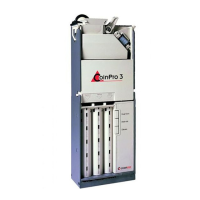
Removing the Main Logic Board
(see Figure 5)
Remove the three Phillips screws that secure the logic
board cover to the main frame. Remove the Phillips
screw from the bottom of the logic board cover that
retains the harness strain relief and slide the logic board
out of the logic board cover. (The harness strain relief is
located at the bottom of the logic board cover.) Unplug
the harnessing from the logic board and place the logic
board in a static-free area. Remove the strain relief from
the harnessing.
DISASSEMBLING THE BA30
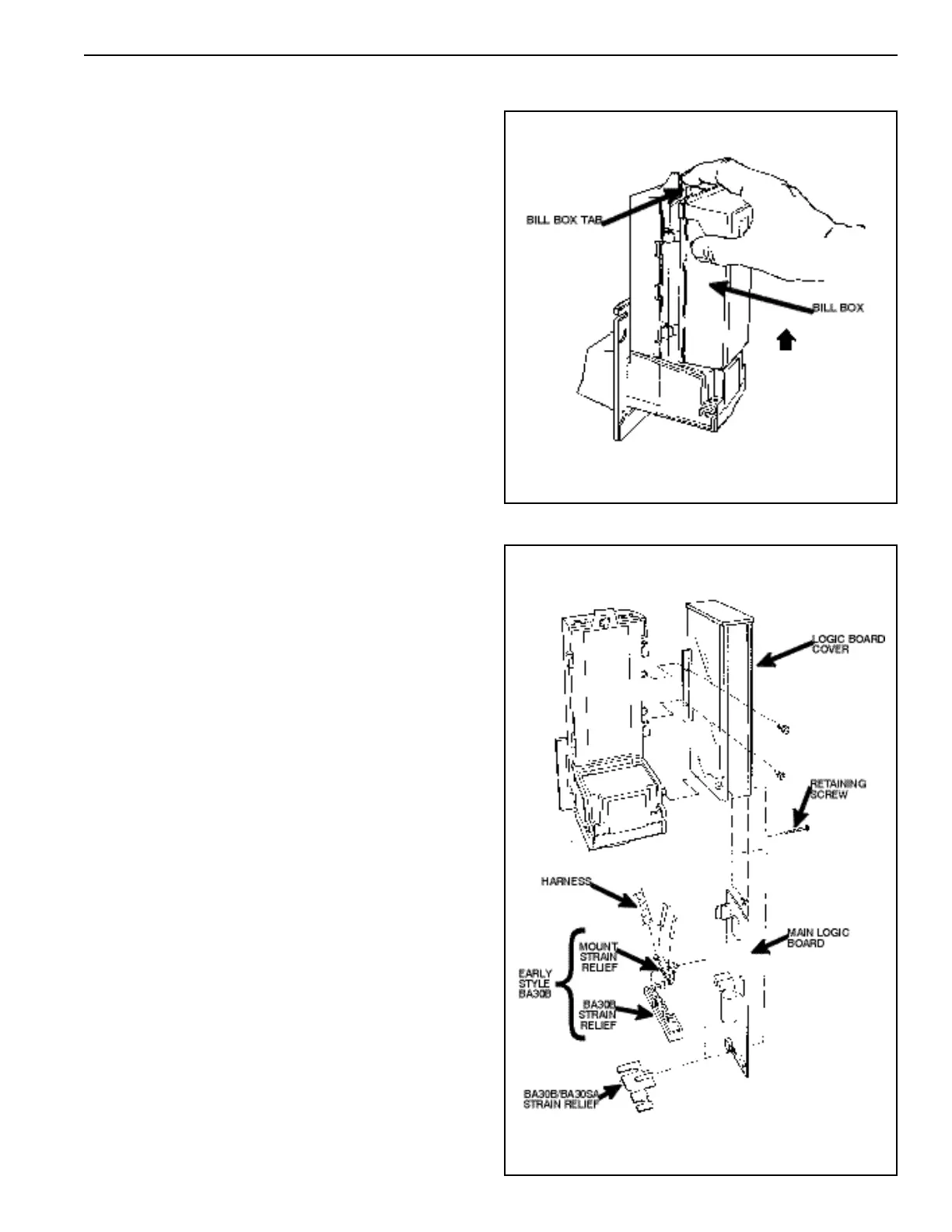
Removing the Bill Box (see Figure 4)
Push the bill box tab forward while sliding the bill
box up.
Figure 4
Figure 5



 To Next Page