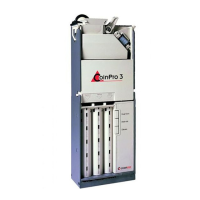
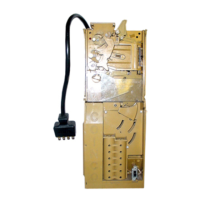
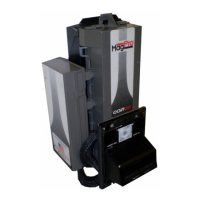
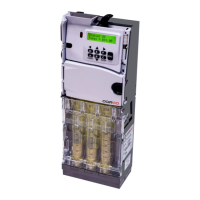
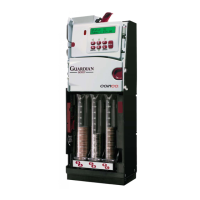
The BA30 Bill Acceptor is a self-contained unit designed for use with various vending machine interfaces, including MDB vendors. It processes and validates banknotes, providing credit for authentic bills and rejecting invalid ones. The device is available in several models, each tailored for specific vending applications (e.g., cold drink, snack, coffee, food, or ticket vendors) and power requirements (110VAC, 24VAC, or 24VDC).
Function Description
The core function of the BA30 is to recognize, validate, and stack banknotes. When a bill is inserted, it first passes through left and right alignment sensors, as well as a center optic sensor. If these sensors confirm the bill's correct width and insertion, the transport motor activates, pulling the bill further into the unit.
During the bill validation process, the bill moves past a series of optical and magnetic sensors. These sensors gather information about the bill's physical and magnetic properties, which is then sent to a microprocessor on the main logic board. The microprocessor analyzes this data to determine the bill's authenticity and denomination.
If the bill is deemed authentic, it proceeds to the bill stacking mechanism. The lower housing's anti-pullback levers signal the microprocessor that the bill is in the stacking position, and the stacker motor then drives a pusher plate to move the bill into the bill box. Once stacked, credit is issued to the vending machine.
In cases of bill rejection, if the bill is determined to be invalid (e.g., counterfeit, wrong denomination, or if the anti-pullback levers are active when the bill is in the stack position), the transport motor reverses, returning the bill to the customer.
Key components facilitating these functions include:
- Left and Right Alignment Sensors: Ensure correct bill width and insertion.
- Center Optic Sensor: Detects when a bill is ready for transport.
- Left and Right Optic Sensors: Perform optical checks for validation.
- Magnetic Sensor: Checks the magnetic properties of the bill.
- Anti-Pullback Lever: Monitors the bill's position in the stack and detects fraudulent attempts.
- Stacker Home Sensor: Informs the microprocessor about the pusher plate's position.
- Encoder Sensor: Monitors transport motor speed and bill position in the path.
- Bill Box Switch: Resets the bill acceptor when the bill box lid is closed (if installed).
The main logic board assembly houses the microprocessor, which controls all bill acceptor functions based on input from the vending machine, coin mechanism, and various sensors. It also contains the power supply, which converts the input voltage to the necessary operating voltage for the logic board.
Usage Features
The BA30 is designed for ease of use and integration into existing vending systems. It features a modular design, allowing for straightforward maintenance and component replacement. The unit utilizes standard mounting and electrical interfaces, making it compatible with a wide range of vending machines.
Operators can customize the bill acceptor's behavior through option switch settings located on the main logic board. These switches allow for:
- Selecting acceptance of specific bill denominations ($1, $2, $5, $10, $20).
- Choosing between high security or standard acceptance levels.
- Configuring bill insertion direction (face up only or both directions).
- Setting credit pulse duration (standard or short).
- Selecting the interface type (Serial or Parallel for snack models).
The BA30 incorporates a high-capacity bill box and a vandal-resistant design to protect against saltwater damage, bill pullback attempts, and counterfeit bills. Its construction uses high-impact, non-corrosive plastic, and the bill path is easily accessible for cleaning and maintenance. Self-diagnostics are communicated via a status light, providing quick identification of issues through flash codes.
Maintenance Features
Regular maintenance is crucial for optimal performance of the BA30. The manual provides detailed instructions for disassembly and cleaning.
Disassembly:
The unit can be disassembled in a modular fashion, starting with the bill box, followed by the main logic board, lower housing, intermediate frame, inlet mask, mounting frame, and chassis. Further disassembly allows access to the pusher plate, encoder sensor, stacker board, chassis belts, pulleys, transport and stacker motor assemblies, upper sensor board, and chassis anti-pullback lever and spring. The lower housing can be further disassembled to access the transformer, lower sensor board, mag roller and spring, and lower housing anti-pullback lever and spring.
Cleaning Procedure:
The BA30 should be cleaned every 20,000 bills or every two years, or as needed based on environmental conditions. Dust can be removed with a soft brush, cloth, or compressed air.
The cleaning process involves:
- Disconnecting power and removing the bill box.
- Wiping dust from the intermediate frame and stacker plate.
- Removing the lower housing.
- Using compressed air or a soft brush to clean optic sensors and recessed sensor openings.
- Removing dust from belts, pulleys, and sensors on the upper sensor board.
- Cleaning the bill path with a soft cloth moistened with mild soap and water.
- Cleaning the magnetic head with a cotton swab and isopropyl alcohol.
- Blowing dust out of the encoder wheel and its sensor.
- Removing dust from transport belt areas.
- Reassembling the unit after ensuring all parts are dry.
Special Cleaning for Salt Water Polluted Units:
For units exposed to saltwater, a more thorough cleaning procedure is outlined, involving rinsing components with hot water and gently cleaning salt residue with a soft brush. Caution is advised to prevent water from running over motors and to protect the LED leads.
Troubleshooting:
The BA30 includes self-diagnostic capabilities communicated through LED flash codes. These codes help identify specific problems such as a full bill box, open bill box lid, bill path obstructions, sensor errors (center optic, right optic, left optic, bill position, anti-pullback lever), motor errors (stacker, transport), and memory errors (EEPROM, RAM, ROM). The troubleshooting guide provides a flowchart to help diagnose issues based on the number of LED flashes, guiding the user through checks for common problems like dirt, loose connections, or defective components. For units with multiple errors, the lower number code will appear first.



 To Next Page
 General