13
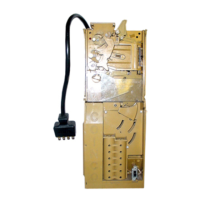
Figure 15
Removing the Upper Sensor Board from
the Chassis (see Figure 15)
Remove the lower chassis belt shaft. Using a small
screwdriver, remove the two metal sensor board retaining
clips and the harness retaining clip. Lift the front of the
sensor board and pull forward.
NOTE: On earlier units with a position sensor, remove
the upper chassis belt shaft and remove the Phillips
screw that retains the position sensor board and remove
the sensor.
SECTION 4: MAINTENANCE
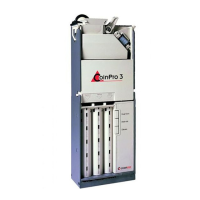
Removing the Transport and Stacker
Motor Assemblies (see Figure 14)
Compress the belt tensioning spring by pushing up on the
stacker motor and gear case assembly until the three
locking tabs of the gear case can be freed from their
mating slots in the chassis. Remove the stacker motor and
gear case assembly along with the tensioning spring.
Slide the transport motor and gear case assembly down
until its three locking tabs are freed from their mating
slots on the chassis.
NOTE: It may be necessary to remove the chassis belt
pulleys from the transport motor assembly.
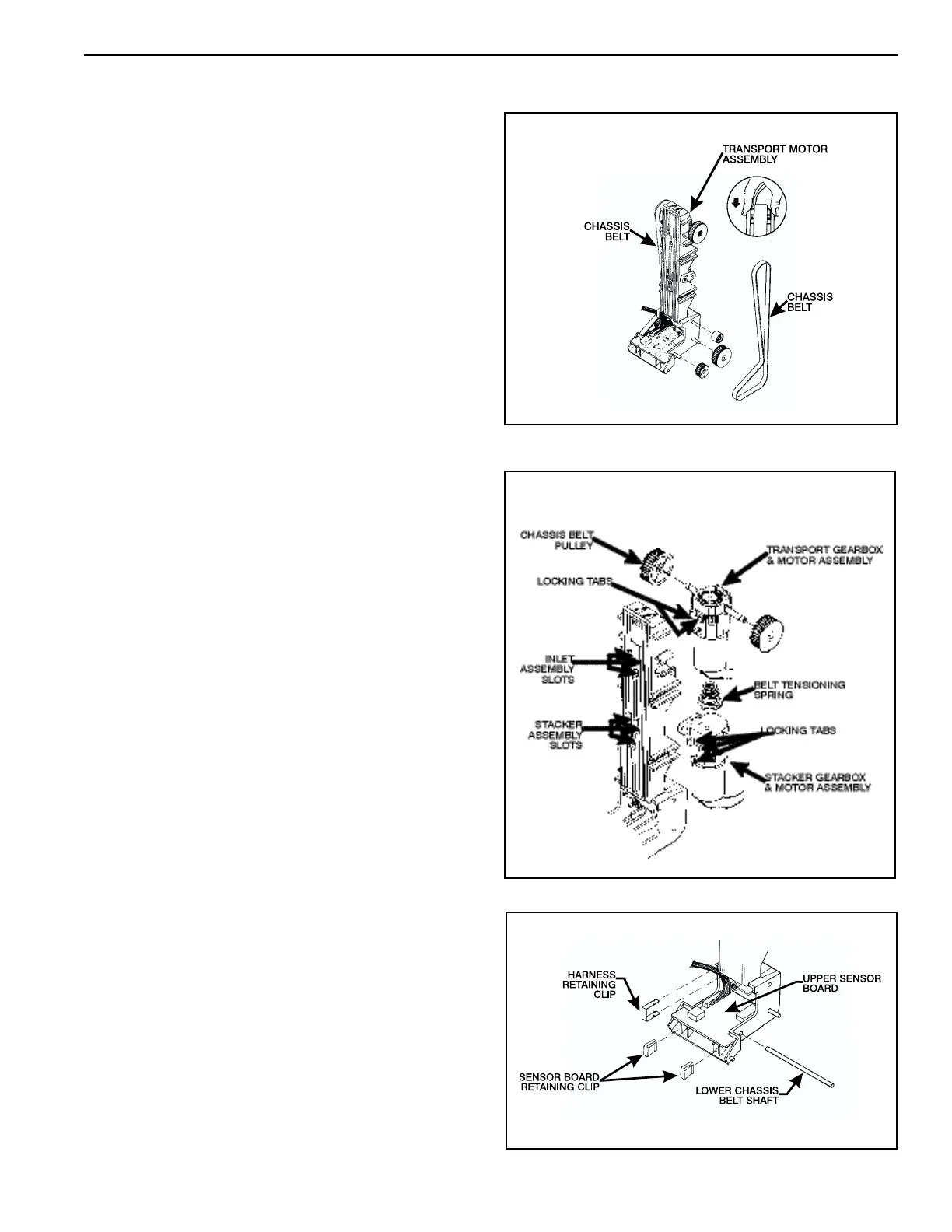
Removing the Chassis Belts and Pulleys
(see Figure 13)
Compress the belt tensioning spring by pressing down on
the transport motor and gear case assembly and remove
the belts. Slide the pulleys off the lower shafts to prevent
them from falling off.
Figure 13
Figure 14



 To Next Page