9
④ Saving and Recalling Preset Parameters
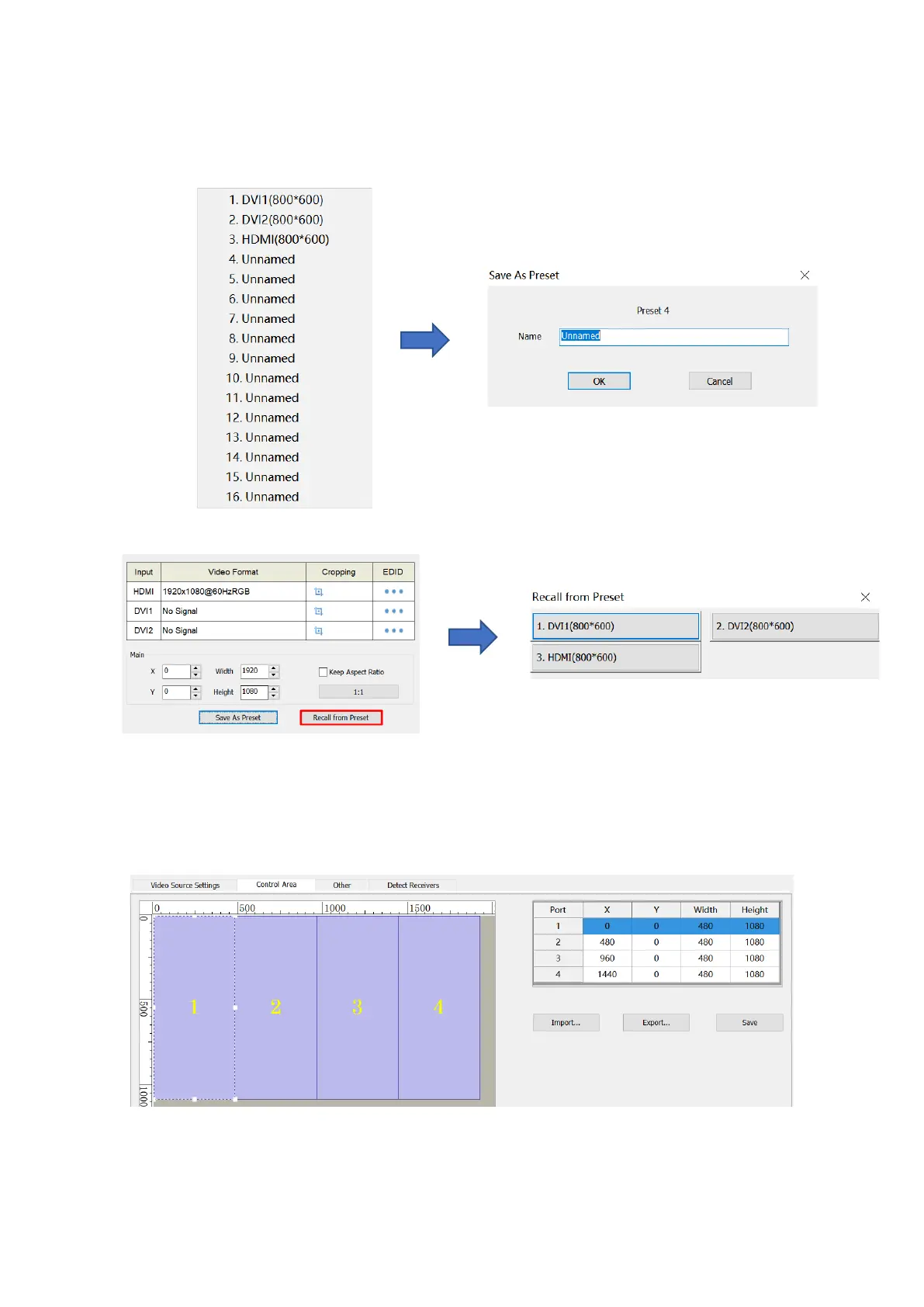
Click Save as Preset, select an item, modify the name of the preset, and then click OK.
Click Recall from Preset, and select the preset that you want to load.
2.Control Area
On the Control Area page, you can manually adjust the control area of Ethernet ports.



 To Next Page