8
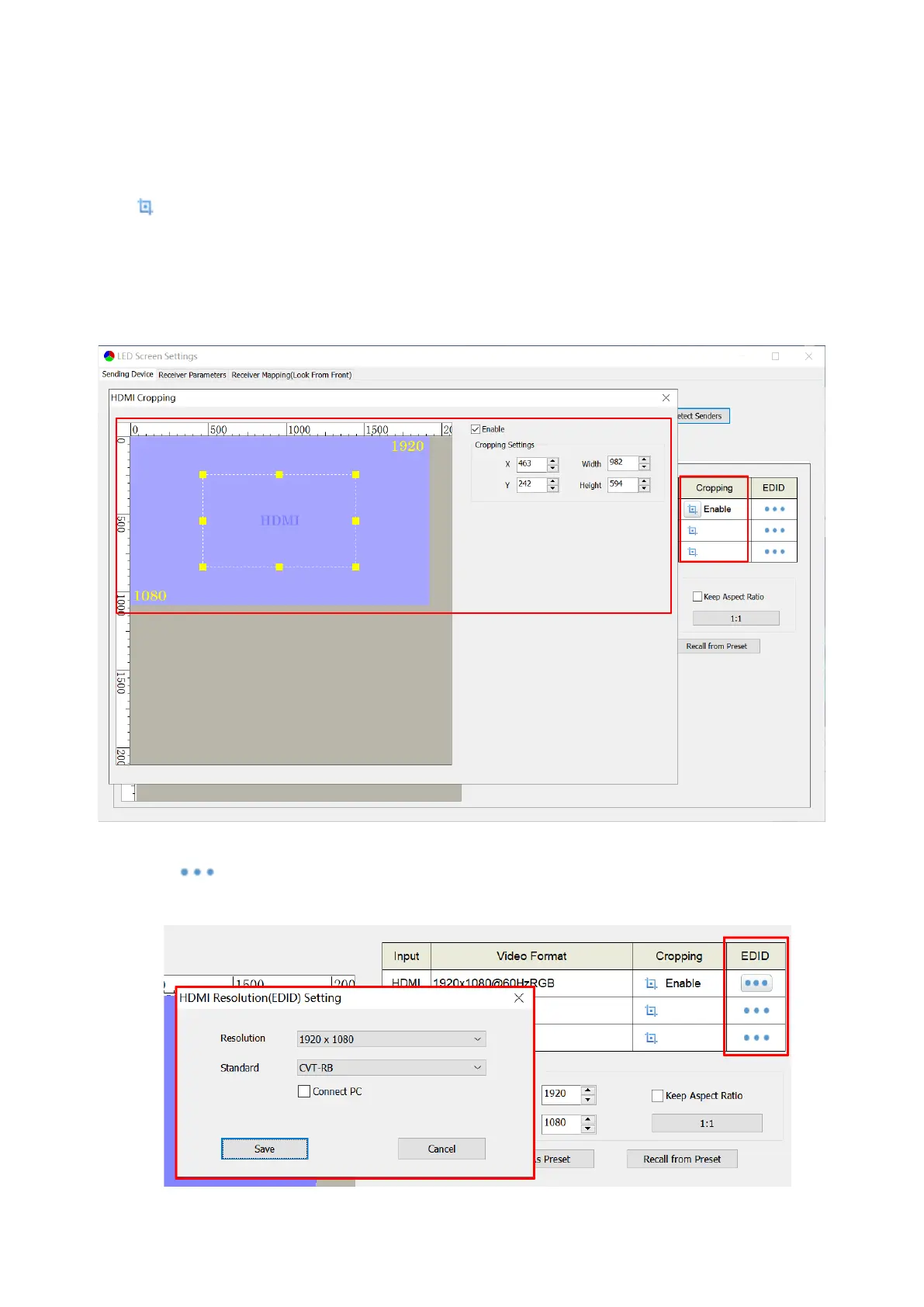
③ Cropping and EDID
Select a signal source in the upper-left corner of the page, and then click the cropping
icon of the selected signal on the upper-right side of the page to enter the cropping
setting window. In the cropping setting window, select the Enable check box, and set the
row starting point(X), column starting point(Y), width and height in the Cropping Settings
area.
Click . In the pop-up resolution setting dialog box, click the dropdown icon to
select resolution and standard.



 To Next Page