7
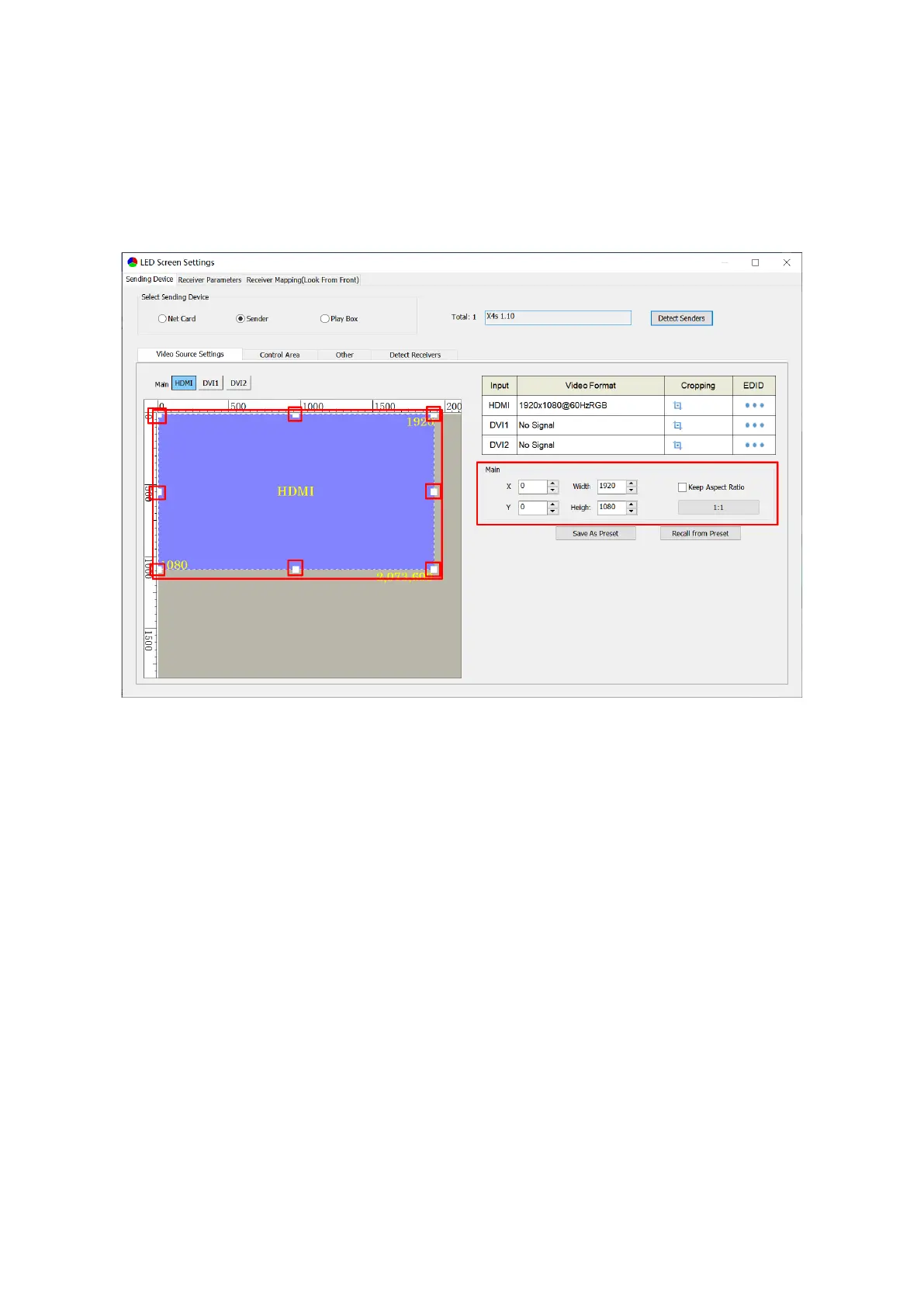
② Main Image Output
In the canvas area, select the image that you want to scale up or down, and set the row
starting point(X), column starting point(Y), width and height in the Main area, or drag the
frame of the selected window to scale up or down the image.
Note: A. 1:1: Pixel to pixel output, which means output resolution equates to input
resolution.
B. Keep Aspect Ratio: Select the check box to keep the aspect ratio of output
resolution the same as that of input resolution.



 To Next Page