www.colorlightinside.com
5
4. LEDVISION Installation
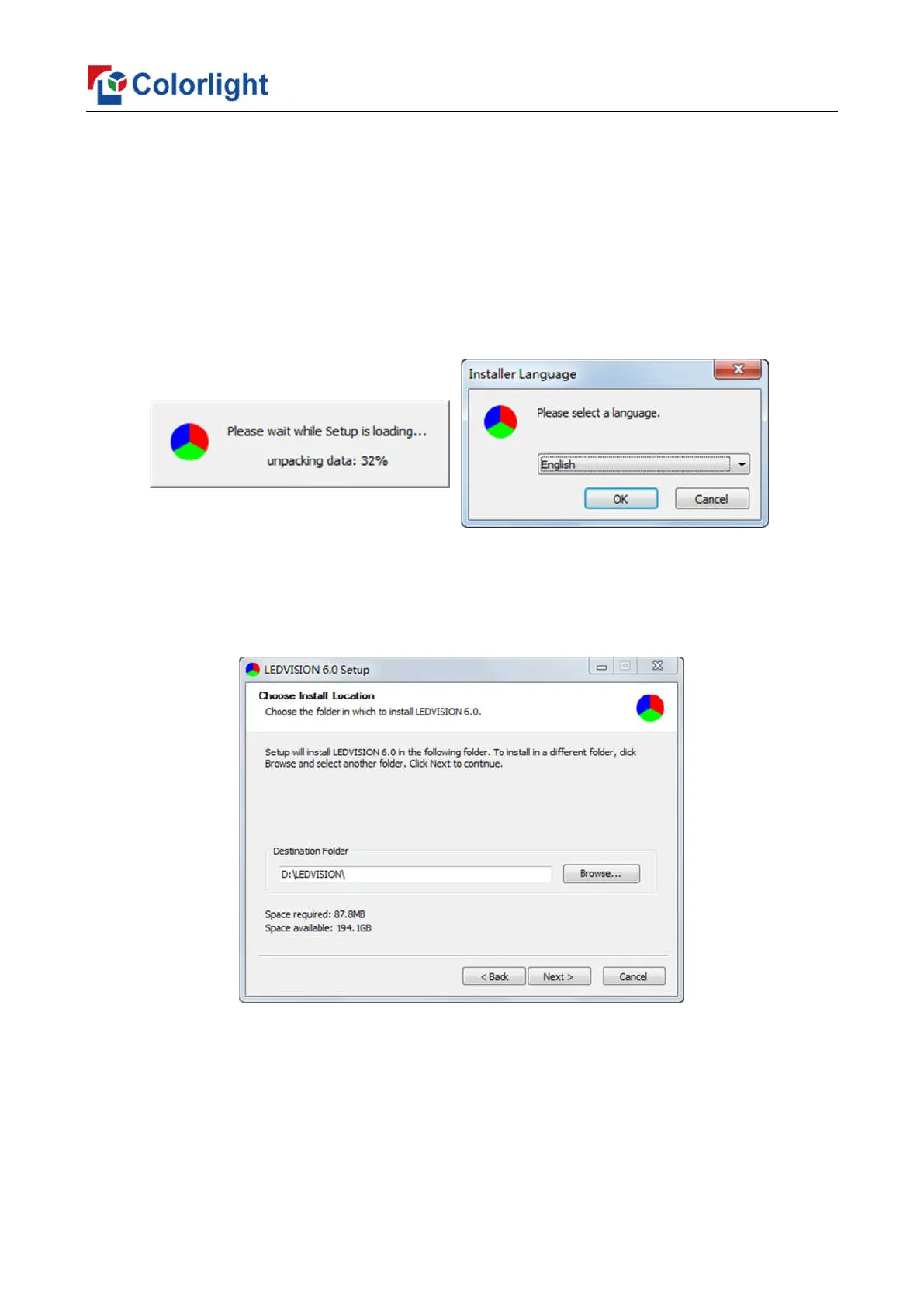
Please download the installation package of the LEDVISION software from Colorlight’s
official website www.colorlightinside.com, and complete the installation according to the
diagrams shown below.
1. Run the software package, and select [English] for installer language. Click [OK] to
move on.
2. After selecting a language, an installation wizard like below will appear, click [Next].
Then choose installation location, click [Browse] to change default target location, then
click [Next] after completing.



 To Next Page