InteliSys
NT
-AFR-Abstract, SW version 1.0, ©ComAp – December 2006 7
IS-NT-AFR-1.0-Abstract.pdf
Operator interface
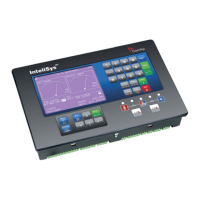
InteliSys
NT
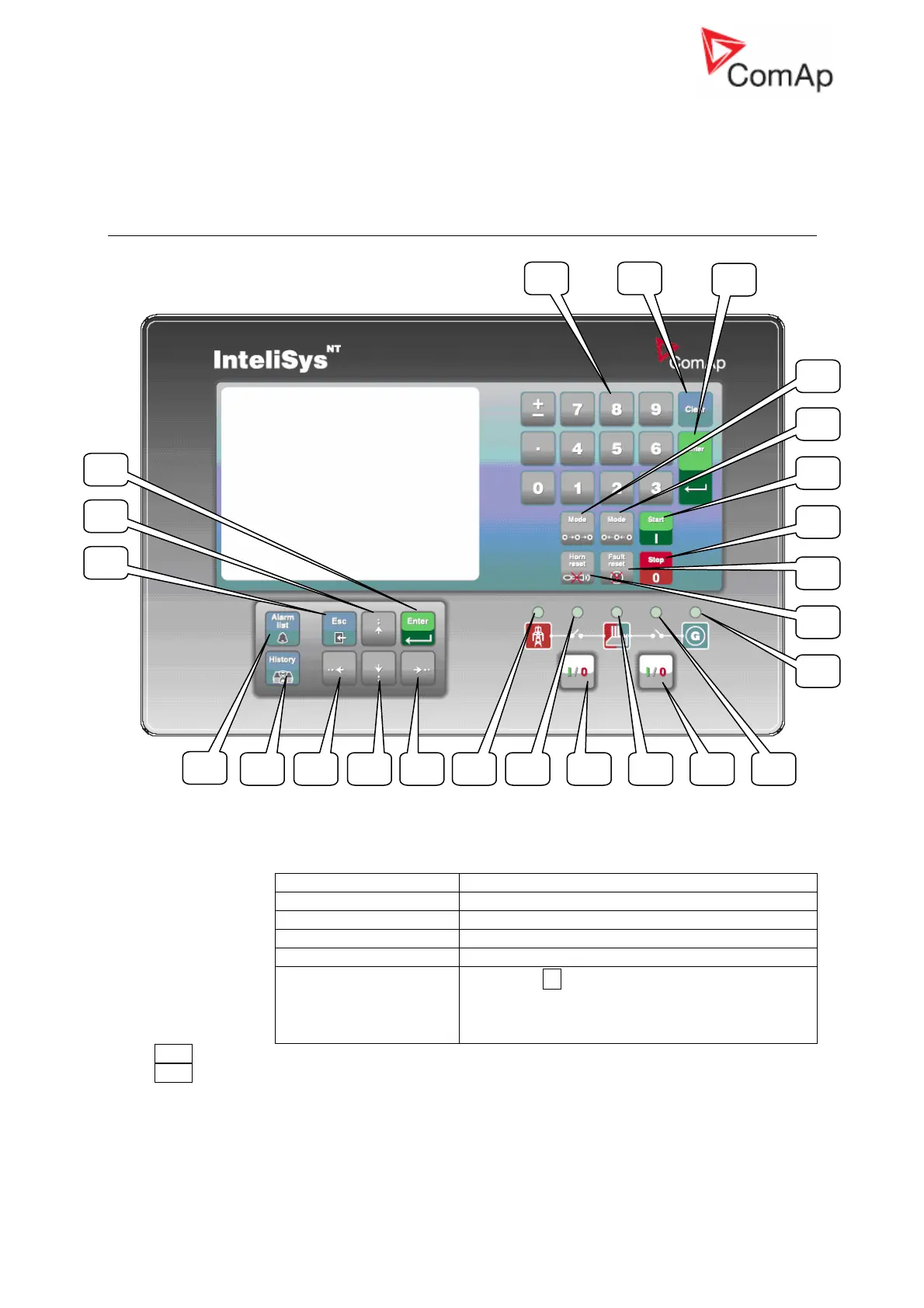
pushbuttons and LEDs
Pushbuttons:
1. Numeric keypad
Where Function
Setpoints screen Change setpoint value
Menu screen Go to selected display group directly
Measurement screens Go to another screen directly
Language screen Select language directly
History screen
If pressed ± button a
symbol appears on the
display (bottom right corner) and it is possible to
move by one page of records using arrow
buttons
2. Clear Clears character on the left side of the cursor, exits from menu
3. Enter
1 2
3
4
5
6
7
8
9
24
23 10 22 11 21 20 15 14 16 19
18
12
13
17










 To Next Page