InteliSys
NT
-AFR-Abstract, SW version 1.0, ©ComAp – December 2006 12
IS-NT-AFR-1.0-Abstract.pdf
Description of InteliSys
NT
MEASUREMENT screens
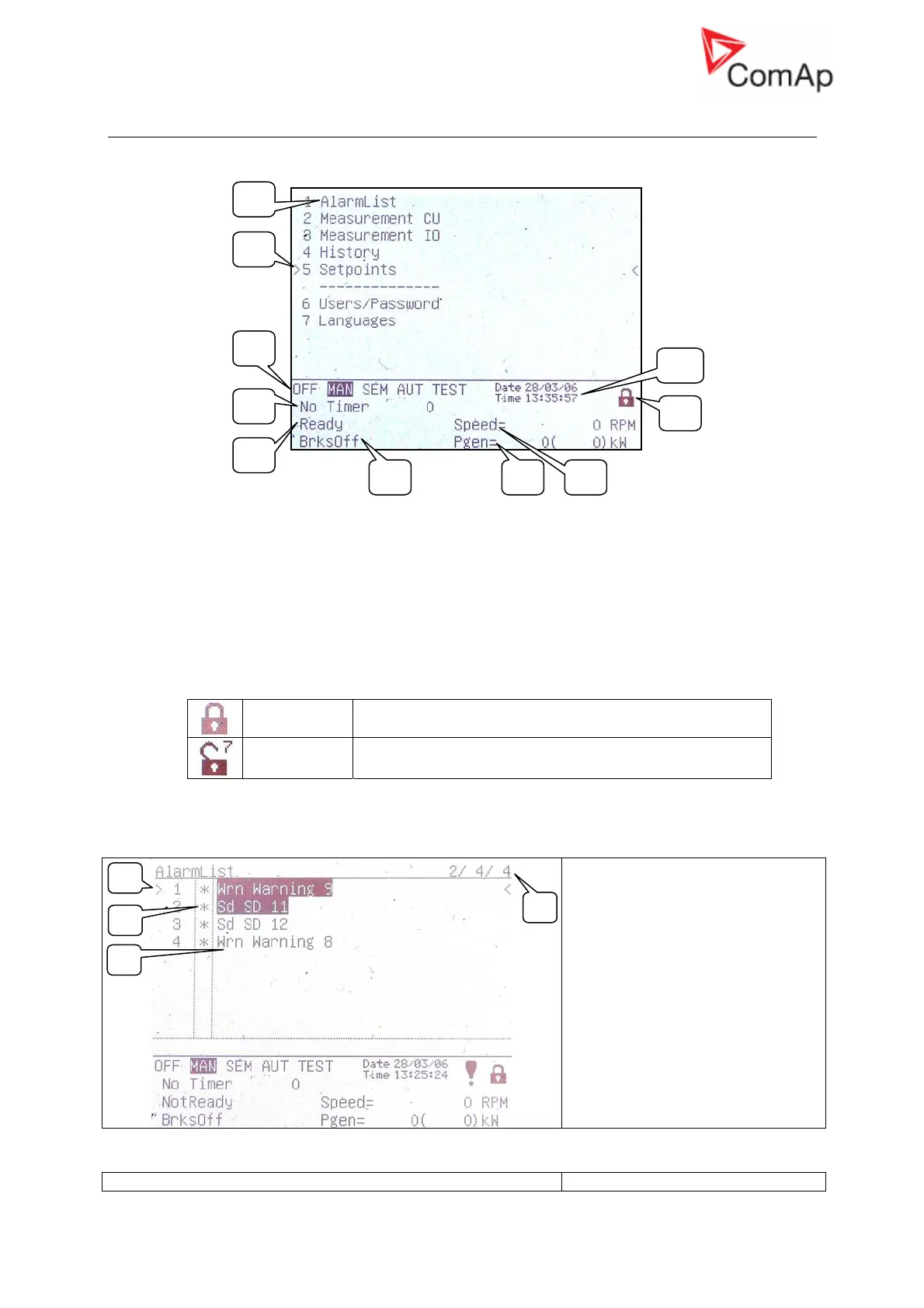
Main menu screen
1. Selection of alarm list, measurement, history, setpoints, languages or user screen.
2. Cursor shows actual selection.
3. Controller mode indication. Black background indicates active mode (MAN mode in the
above example).
4. Timer – events counting time (e.g. prestart, cooling).
5. Engine machine state indication.
6. Electric machine state indication.
7. Actual gen-set power (requested gen-set power).
8. Actual RPM.
9. Indication of access level from the controller panel:
Closed lock No password set
Opened lock Password is set. Password level is visible in opened lock.
10. Controller date and time. Can be set in Date/Time group of setpoints.
1. Alarm list
1. Details of the alarm from ECU
indicated by the cursor are
displayed at the bottom line
(SPN, FMI, OC numbers)
2. Asterisk indicates not accepted
alarms (Fault reset has not
been performed)
3. Alarms displayed inverted are
active
4. Number of active / not accepted
/ all alarms
2. Measurement CU
11 – SPtM Screens Description
2
1
3
4
5
6 7 8
9
10
1
2
4
3










 To Next Page