INSTALLATION GUIDE FOR mBDA OD SERIES
Copyright - refer to title page
To Service
Antenna
From Donor
Antenna
50Hz/60Hz
AC 100V-240V
RS485
50Hz/60Hz
AC 100V-240V
RS485
MT
DT
ALM
RUN
PWR
DT
MT
MODEM/LAN
DT
MT
1710-2170
1710-2170
806-960
806-960
Right SideLeft Side
Combiner
The Second
mBDA
The First
mBDA
ALM
RUN
PWR
DT
MT
MODEM/LAN
The First
mBDA
The Send
mBDA
Combiner
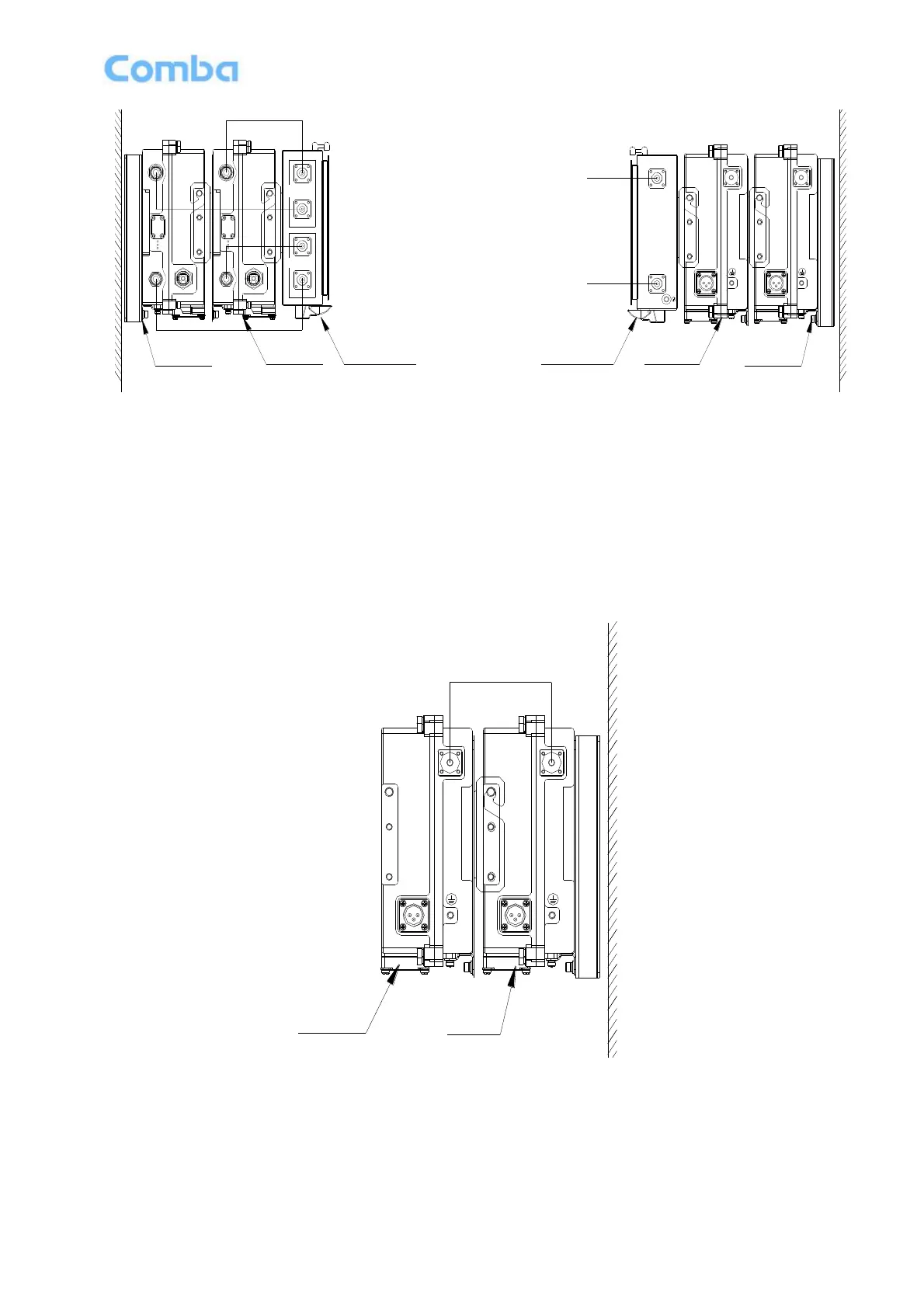
Figure 19: Communication Cable connection
3.4.5 COMMUNICATION CABLE CONNECTION
The RS-485 communication cable is for dual band mBDA, after connection the 2 independent mBDA can
communicate each other and can share 1 modem for remote control, normally the modem and the SIM is in
the first mBDA, as shown in the following figure.
AC 100V-240V
50Hz/60Hz
RS485
The Second
mBDA
The First
mBDA
RS-485
Communication Cable
AC 100V-240V
50Hz/60Hz
RS485
Figure 20: Communication Cable connection
3.4.6 MODEM ANTENNA CONNECTION OR ETHERNET CONNECTION
Connect modem antenna with „MODEM/LAN‟ port in the panel, modem type only.
Connect Ethernet with „MODEM/LAN‟ port in the panel, Ethernet type only.



 To Next Page