INSTALLATION GUIDE FOR mBDA OD SERIES
Copyright - refer to title page
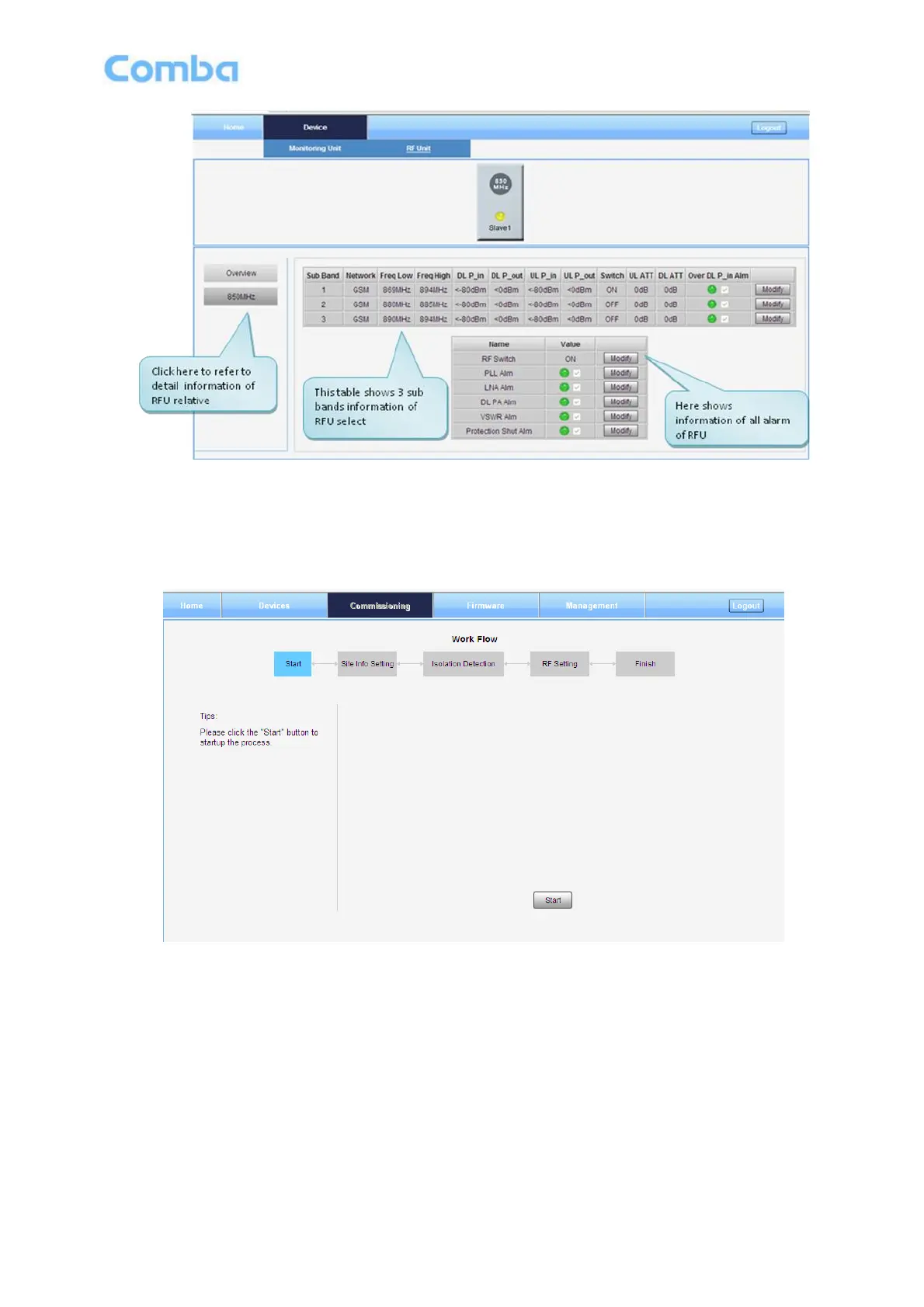
Figure 31: RF Unit Detail Information
5.2.2 [COMMISSIONING]
A work flow of the commissioning process is shown on [Commissioning] Screen. Click the [Start] button, the
software will guide you through the commissioning step by step. For details, please refer to chapter 5.3.
Figure 32: [Commissioning] Screen
5.2.3 [FIRMWARE]
There are two functions on the [Firmware] bar: [upgrade] and [swap]. [Upgrade] is used to upgrade software,
and [Swap] is to replace current firmware version to the previous one.
Follow steps shown in below figure to upgrade firmware.



 To Next Page