INSTALLATION GUIDE FOR mBDA OD SERIES
Copyright - refer to title page
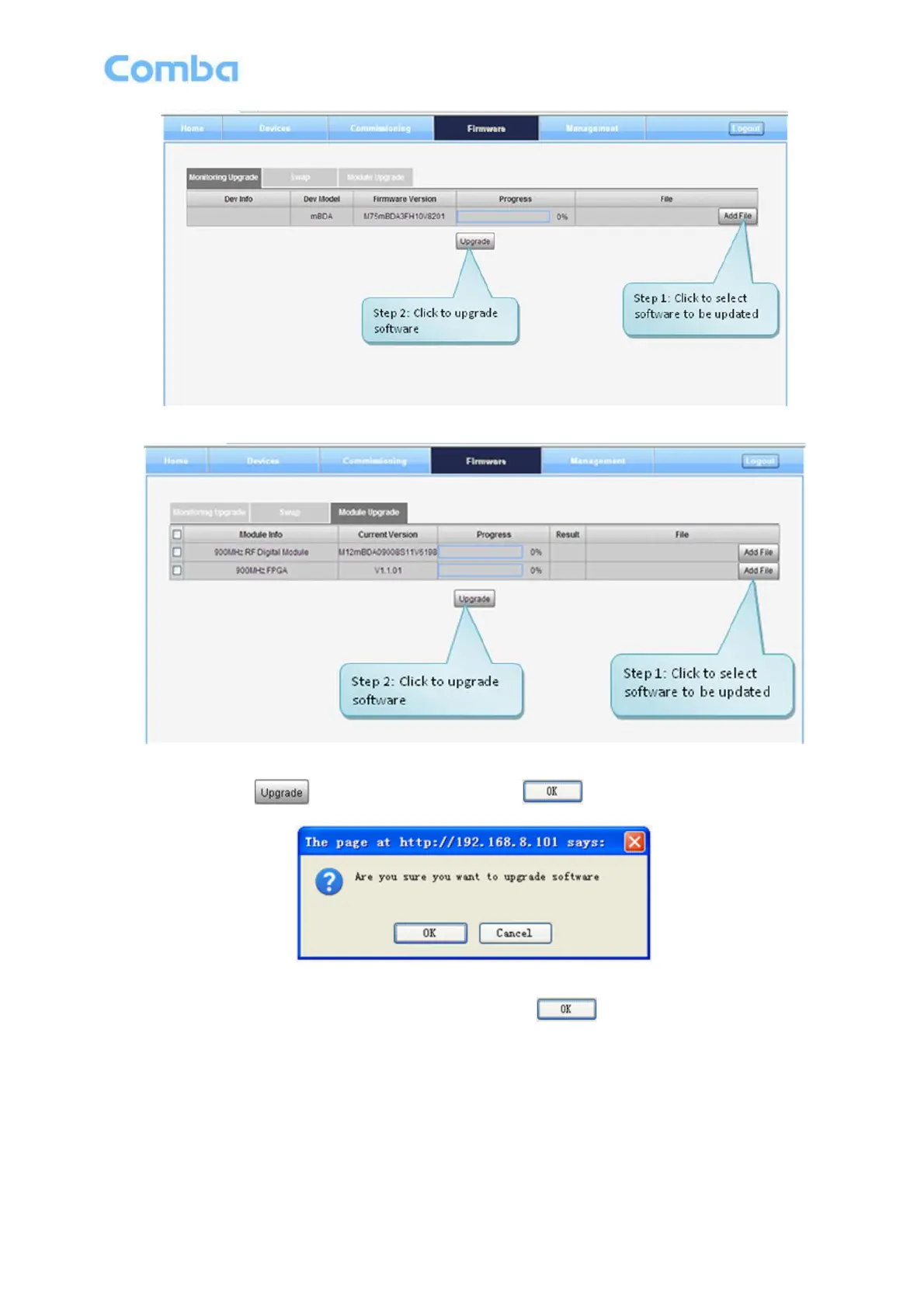
Figure 33: [Firmware] Screen – MCU Firmware Upgrade
Figure 34: [Firmware] Screen – Module Software Upgrade
Step 4: After clicking , a window will pop up and click .
Figure 35: [Firmware] Screen – Pop-up Window 1
Step 5: Wait for 2~4 minutes while mBDA is being reset. Click to continue.
Step 6: Clear browsing history and cookies from browser.
NOTE: For PMU software upgrade, users need to re-login Web GUI after reset is done.
Follow steps shown in below figure to Swap firmware.



 To Next Page