INSTALLATION GUIDE FOR mBDA OD SERIES
Copyright - refer to title page
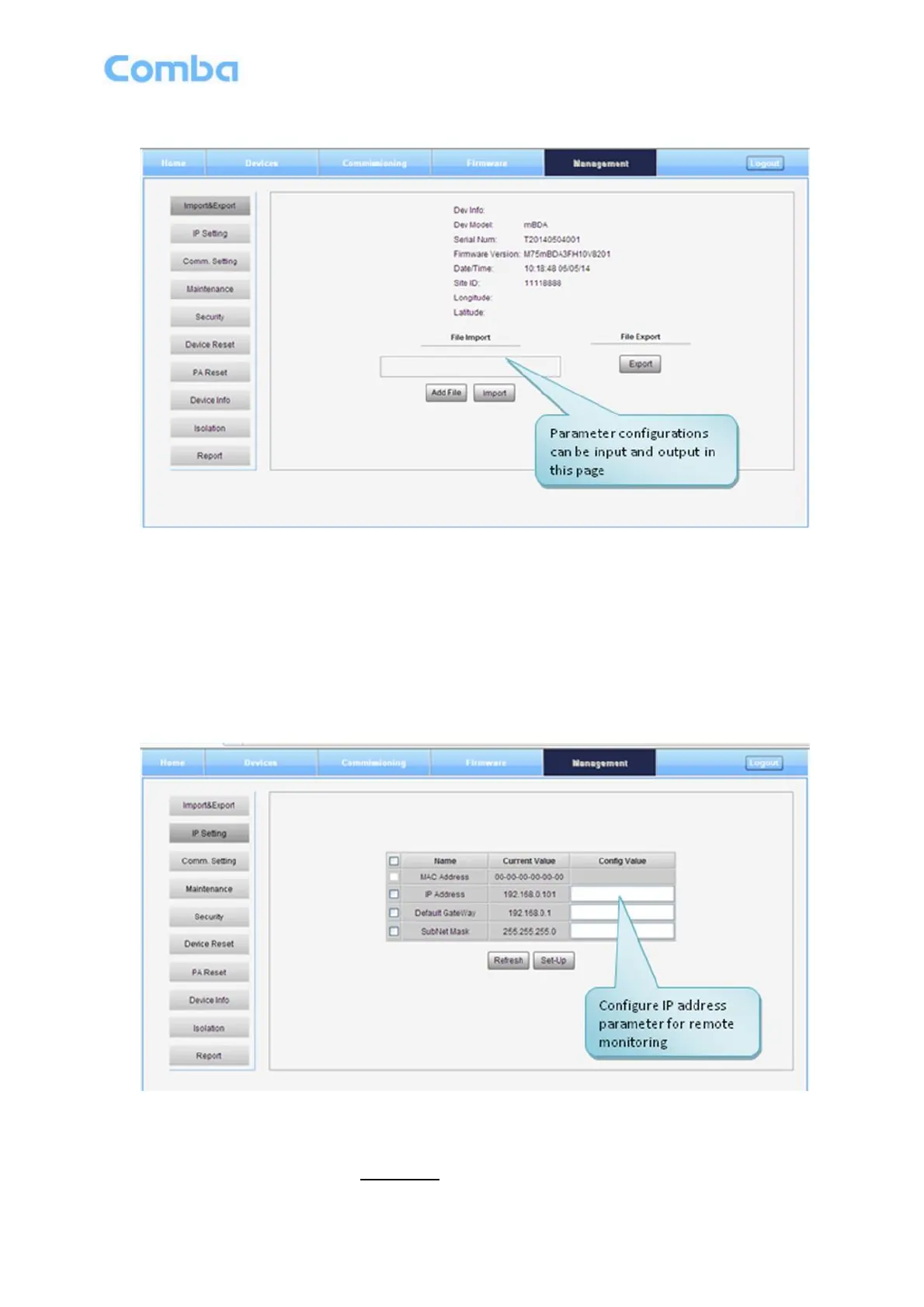
Inport&Export
Figure 38: Management – Import & Export
The parameters that can be import/export as below: sub band, alarm enable, ATT value, RF switch, DL
output power and so on.
Import and Export can help users quickly configure mBDA parameters. For example, if one mBDA finished
configuration, users can export its parameters and save as a file in PC, and then import this file to other
mBDA to fast finish the device parameter setting.
IP Setting
Figure 39: Management – IP Setting
Note: For remote monitoring, the IP Address must be set correctly according to the location IP of remote
connection. If more than one equipment is connected to the public network through the same router, the
router‟s local IP CANNOT be set as 192.168.8.*.



 To Next Page