INSTALLATION GUIDE FOR mBDA OD SERIES
Copyright - refer to title page
Note: Click , all the parameter and alarm will set to factory default value. Device Reset process will
last about 2~4 minutes. For PMU monitor reset, users need to re-login WEB GUI.
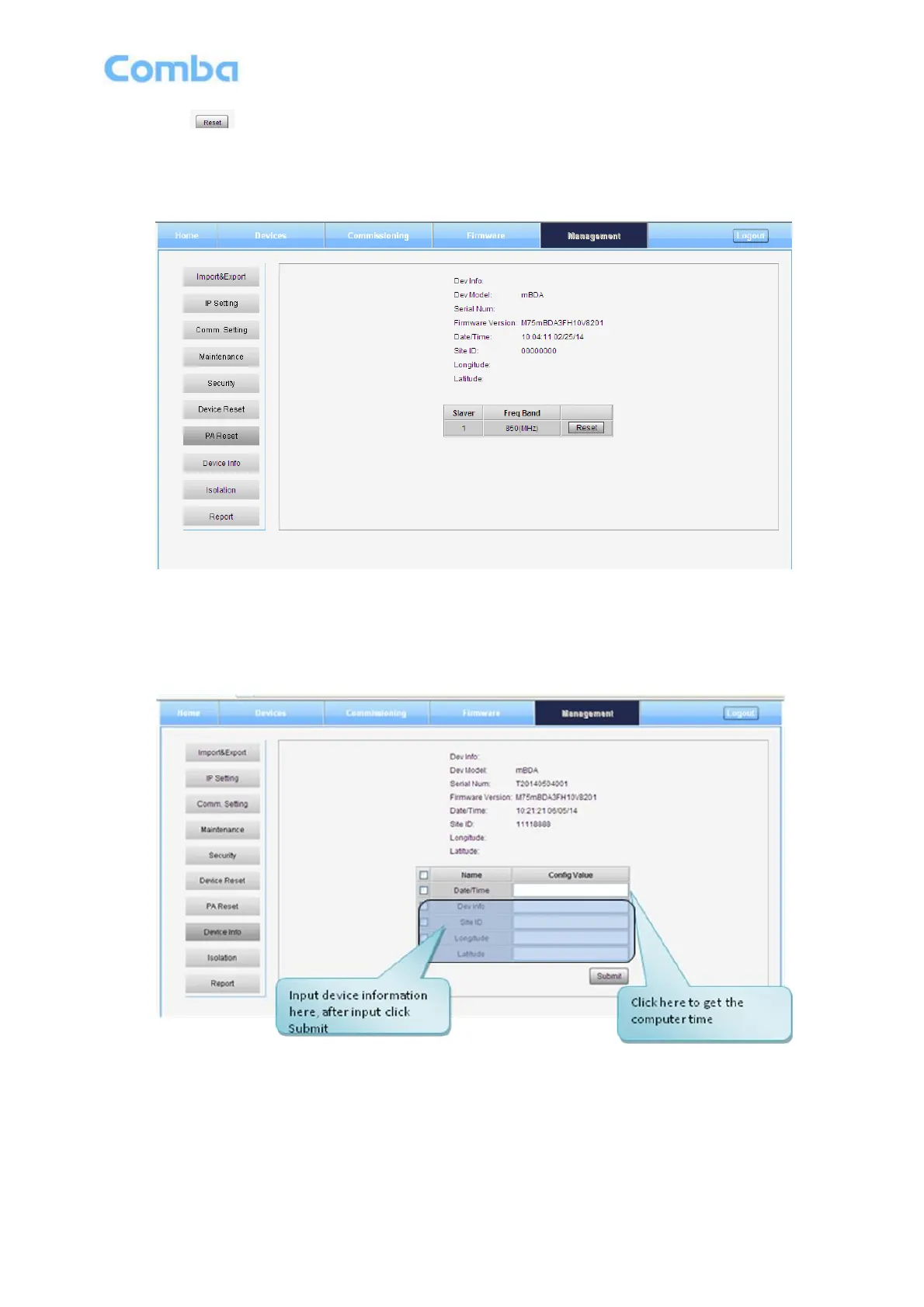
PA Reset
Figure 45: Management – PA Reset
Note: PA will be turned off by software when PA output power or (VSWR) reflected power is exceed the
threshold. Users need to reset PA after debugging.
Device Info
Figure 46: Management – Device Info
Note: Users can input maximum 30 bytes characters in Device Info.



 To Next Page