EasyManua.ls Logo

Comdial CONVERSip EP100 - Parking Calls

Comdial CONVERSip EP100
132 pages
Print Icon
To Next Page IconTo Next Page
To Previous Page IconTo Previous Page
Loading...
CONVERSip EP100 User
Sept ‘04 Comdial 57
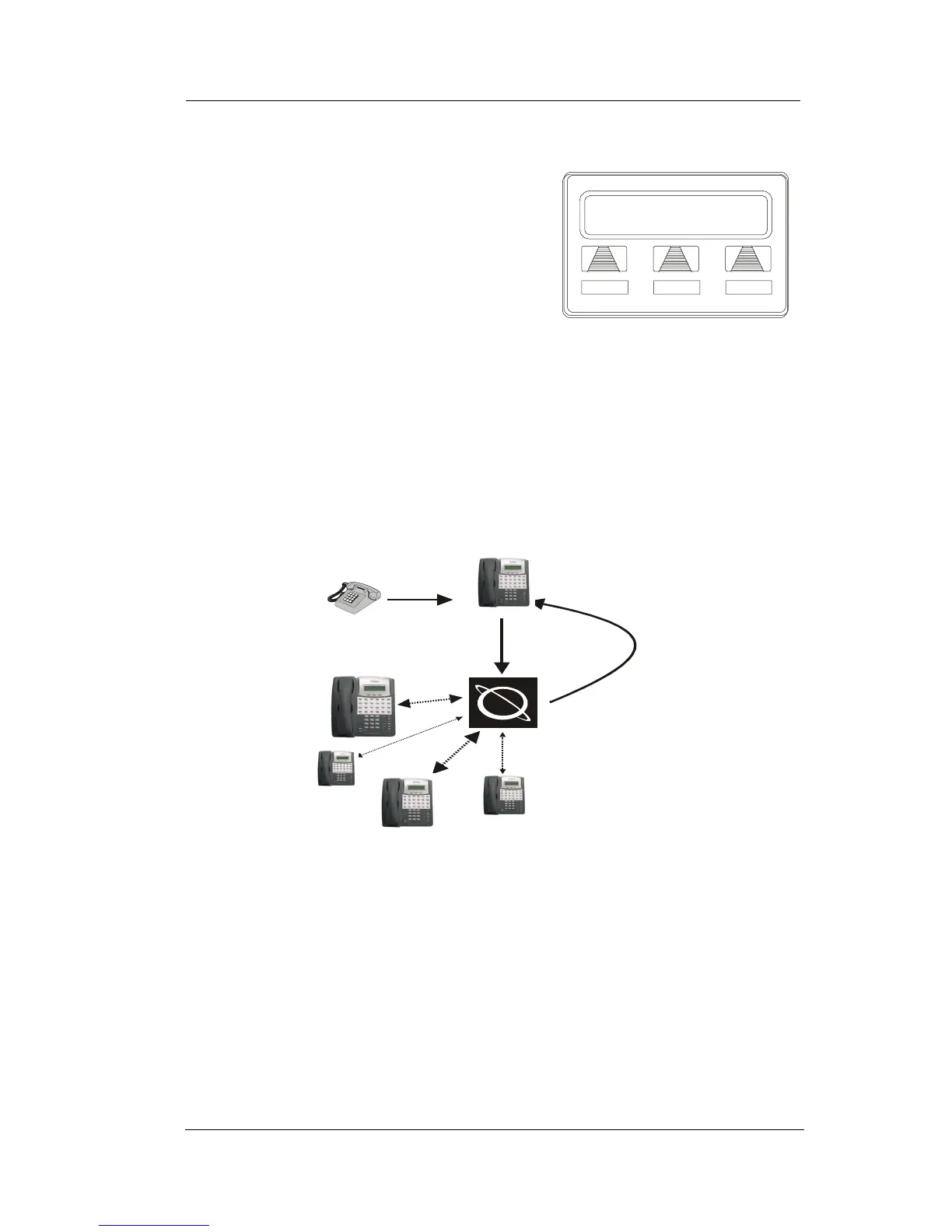
To answer a park recall, select ANS.
The call then connects to your station.
To place a park recall on hold at your
station, select HOLD. After the call
remains on hold for a period of time, it
rings back to your telephone as a hold
recall.
To re-park a park recall and restart the
park timer,
1. ANSWER/RETRIEVE call.
2. Select PARK (the system places the call back in its original
park orbit where it remains until it is answered or recalls
again).

R
ecall Li
HOLD ANS
A Park Recall
Caller
Y
our
Station
Other
Stations
Parking
Orbit
To Place Call
In a Parking Orbit...
To Retrieve a
Parked Call From
Any Other Station...
If the Parked Call
Is Not Answered
Within a Set Time,
It Recalls To Your
Station
...DIAL and
Orbit Number
(910-999)
...DIAL # and
Orbit Number
(910-999)
Parking Calls

Table of Contents

Related product manuals