10
Standard configuration for soft-touch keys
Configuration of Main and Secondary internal units - Dip 8 of S2
f To configure an internal unit as the main unit, set DIP8 of S2 to OFF.
f To configure an internal unit as a secondary unit, set DIP8 of S2 to ON.
OFF
DIP 8
(S2)
ON
DIP 8
(S2)
In systems with Art. 1209 or Art. 1210, you can configure a maximum of 1 main monitor (+ 3 separately powered)
while in systems with Art. 4888C you can configure a maximum of 2 main monitors (+ 2 separately powered).
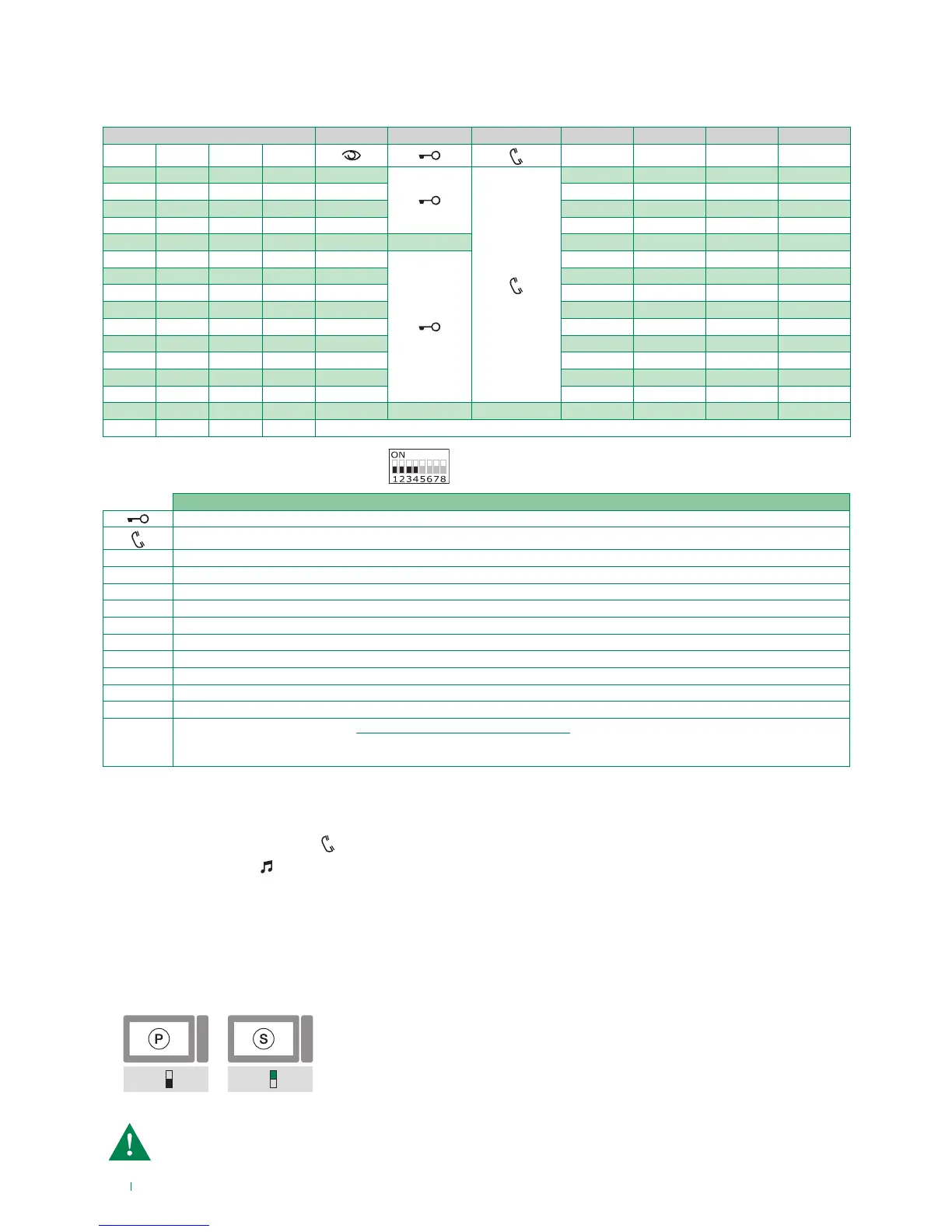
Standard configuration for DIP switches 1-2-3-4
Monitor configuration
Activation/deactivation automatic answer mode
f Press on the audio activation key for 4sec
» (ACTIVATION)
+ audio LED with FIXED ILLUMINATION
» (DEACTIVATION) BEEP + audio LED OFF
Legend
Lock- release
Audio
ACT Actuator
AI Self-ignition
CCP Main switchboard call – not for use in systems with KIT
CCS Secondary switchboard call – not for use in systems with KIT
K Guardian doorentry phone call
D Doctor
PAN Panic – not for use in systems with KIT
INT General or selective programmable intercom - general internal call as standard for KIT and Simplebus Top
INTb Two-family intercom - for KIT only
NULL No function
PROG
Programmed functions, see "Advanced monitor configuration".
In this Dip switch setting, the buttons control the programmed functions; the NON-programmed buttons
control functions referred to on line 0000 (default).
DIP S2
DIP 1 DIP 2 DIP 3 DIP 4
P1 P2 P3 P4
0 0 0 0 AI
CCS ACT D PAN
1 0 0 0 AI ACT INT INTb D
0 1 0 0 AI INT INTb ACT CCS
1 1 0 0 CCS ACT CCP PAN K
0 0 1 0 ACT ACT ACT ACT ACT ACT
1 0 1 0 ACT
INT CCS CCP INTb
0 1 1 0 D AI K CCS CCP
1 1 1 0 INT INTb AI INT PAN
0 0 0 1 PAN CCS D AI INT
1 0 0 1 CCS K PAN CCP AI
0 1 0 1 K CCP PAN ACT INT
1 1 0 1 CCP PAN CCS K ACT
0 0 1 1 INTb D INT ACT AI
1 0 1 1 INT INT INT INT INT
0 1 1 1 NULL NULL NULL NULL NULL NULL NULL
1 1 1 1 PROG



 To Next Page