19
System performance and layouts
For further information of system performance and to view installation layouts, click on the type of system that best meets your
needs:
• Audio/video kit for the creation of audio-video systems for individual residences
• Building Kit audio/video system for the creation of audio-video systems for small apartment blocks
• SBTOP audio/video system for the creation of audio-video systems for residential complexes.
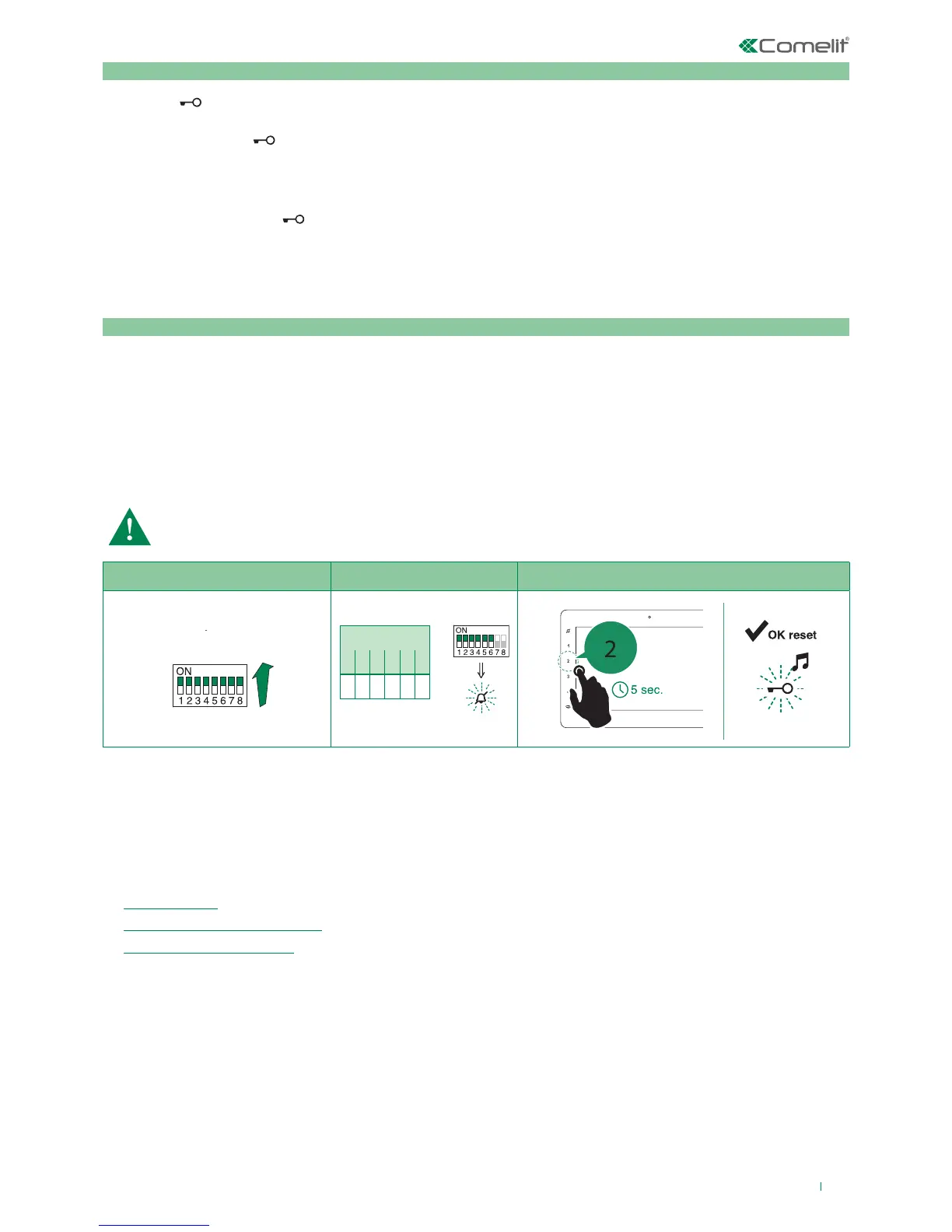
Factory settings:
• Button functions for the S2 DIP switch 1-2-3-4 combination;
• Intercom address absent;
• Range function and min./max. addresses absent;
• Ringtone reset.
• Input IN 1 - IN 2 > LED (default).
• Doctor, Privacy and Hands Free functions disabled.
Programming reset
Take note of the S2, S1 setting and restore on completion of programming
1) 2) 3)
Changing monitor ringtones
1. Keep the
button pressed until a confirmation tone is emitted (this operation is only possible with the system in stand-
by; otherwise the signalling LED will flash to warn the user)
2. Press and release the
button:
once (1 confirmation tone is emitted) to change the ringtone of calls from the external unit.
twice (2 confirmation tones are emitted) to change the ringtone for calls from the switchboard.
3 times (3 confirmation tones are emitted) to change the ringtone for intercom calls made from the internal unit.
4 times (4 confirmation tones are emitted) to change the floor door (“CFP”) call ringtone.
Any further pressing of the repeats the sequence described above.
3. Press and release button 1 to scroll through the various available ringtones in sequence.
4. Press button 2 to confirm selection of the last ringtone heard and to exit (at any time) the monitor ringtone change mode.
On exiting the monitor ringtone selection mode a confirmation tone will be emitted.



 To Next Page