11
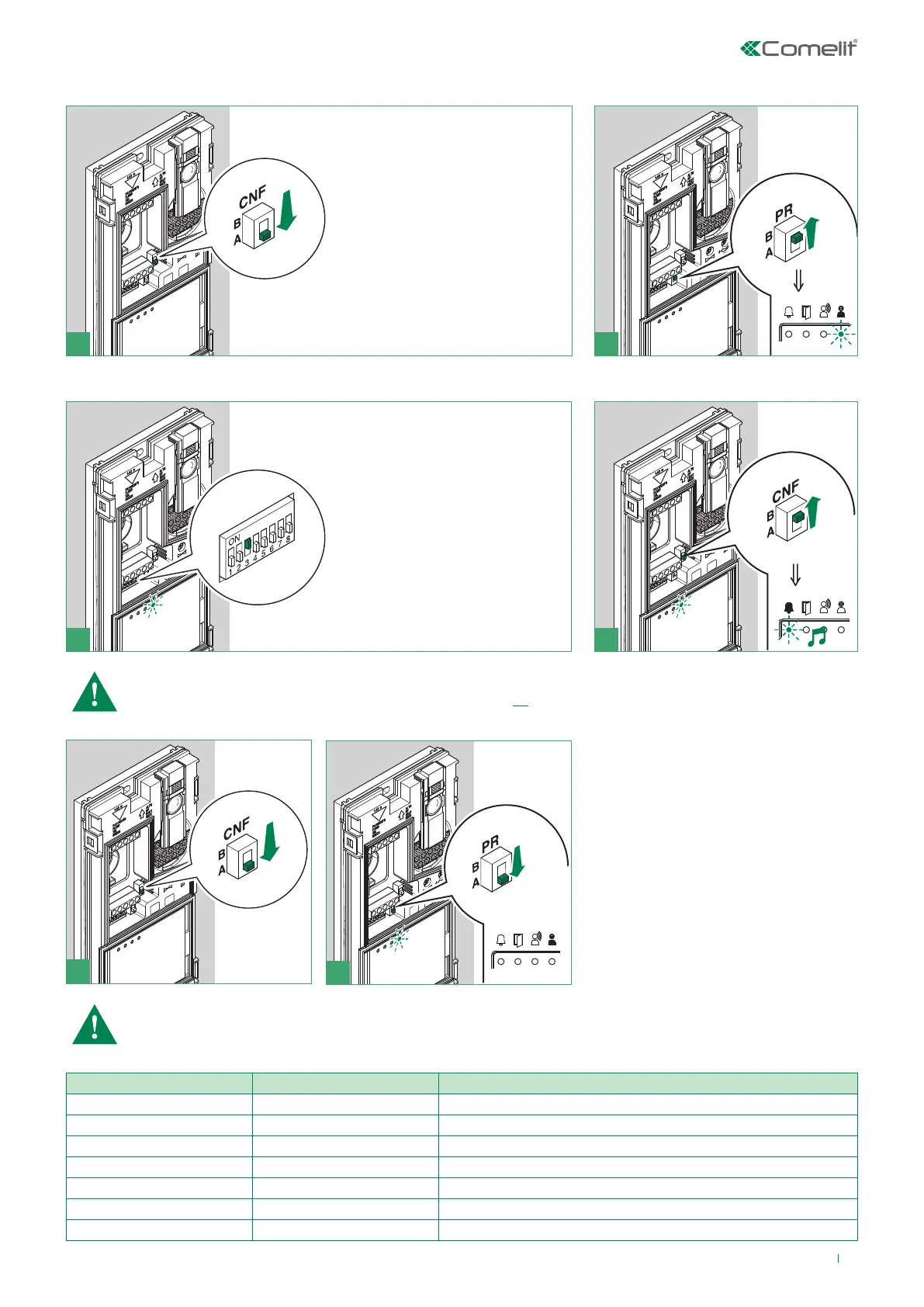
Call address programming for 2-4 users and additional external unit
21
example:
3 4
5
6
√ Take note of the DIP-switch settings.
NOTE Fig. 3 - On the DIP-switch, set the code corresponding to the
function you want to program as shown in the table on page 11.
Reset the configuration of the DIP-switches of S1
Code Dip-Switch ON Function
1 1 button 1 enabled with call address 1 (default)
2 2 buttons 1-2 enabled with call addresses 1-2
4 3 buttons 1-2-3-4 enabled with call addresses 1-2-3-4
8 4 Porter with switching (secondary)
16 5 Secondary porter
32 6 Main porter
254 2,3,4,5,6,7,8 Restore default



 To Next Page