EN
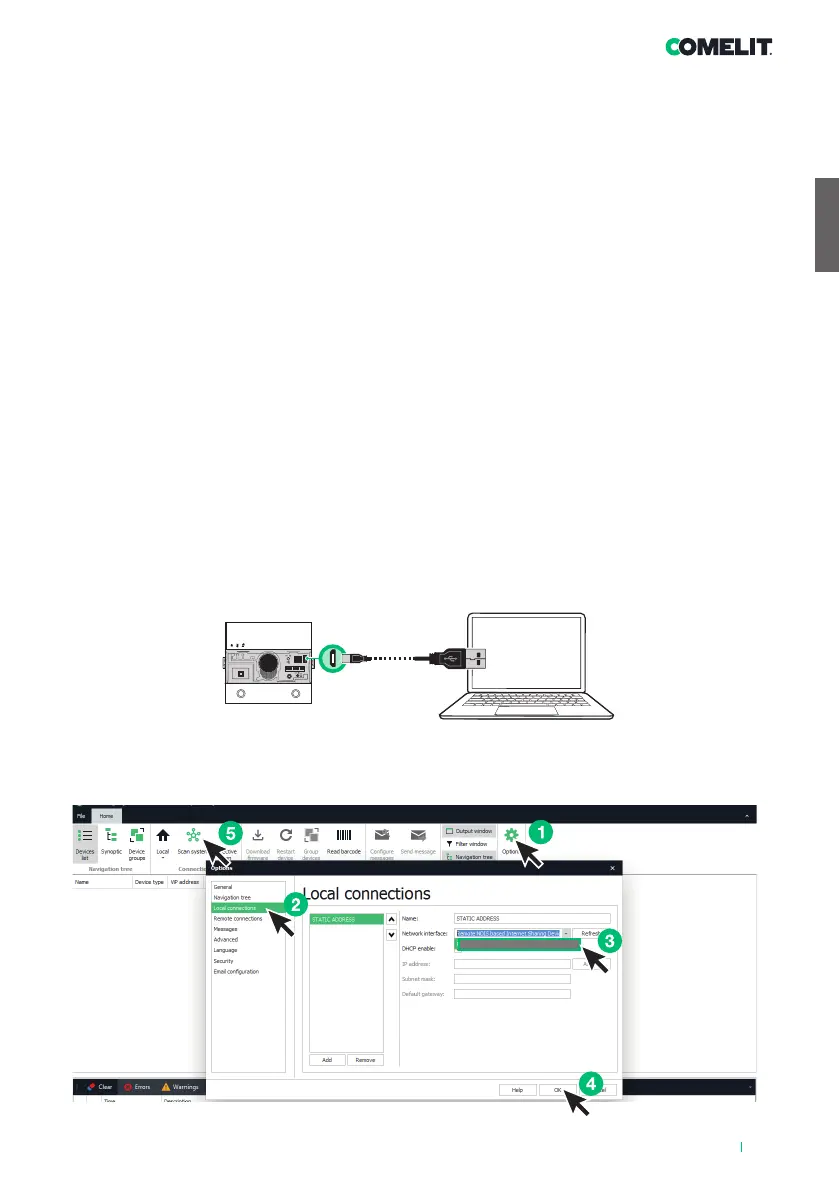
Remote NDIS based Internet Sharing Device
9
AUDIO MODULES FOR ULTRA ENTRANCE PANEL, SIMPLEBUS1 AND 2 SYSTEMS.
Easy to install and simple to configure, thanks to the smart programming of call buttons.
Twilight sensor for automatic nameplate backlighting switch-o during daylight hours.
Omnidirectional digital microphone and double loudspeaker for high-fidelity audio.
Audio-visual indications for disabled individuals assistance request can be activated via programming.
Facility for 2 call buttons. To be finished with cap, single button or dual button made using aluminium or
professional grade plastic treated to prevent yellowing and dulling.
Adjustment and programming can take place without removing the module.
ULTRA: the new and most technologically advanced entrance panel that is perfectly easy to install.
Available in flush-mounted or surface-mounted variants (protrusion from the wall just 10 mm and 35 mm
respectively), in silver (art. UT1010, UT2010), black RAL9005 (art. UT1010B, UT2010B) and white RAL9010
(art. UT1010W, UT2010W).
PROGRAMMING VIA VIP MANAGER
In addition to the basic configurations, this allows full and customised programming:
• of the actions to be carried out upon closure of the RTE input
• of the actions to be assigned to each module button
• of the functions to be performed when specific events occur (up to 20 events can be set)
• of the command that activates the SE output and/or the Relay
INSTALLATION
• System requirements: Min. operating system Windows 7-64bit, min. NET Framework: 4.7.2, min. CPU
2GHz Dual Core, min. RAM 4GB; min. free memory 200MB
• Download the ViP Manager software from the website pro.comelitgroup.com and run the installation file,
following the on-screen instructions
• Connect the modules
SEARCHING FOR DEVICES TO CONFIGURE



 To Next Page