MS-C75 User’s Manual
-34-
Chapter 3 <System Setup>
3.1 <Audio Configuration>
The board integrates Intel® QM77 with REALTEK® ALC888 code. It can support
2-channel sound under system configuration. Please follow the steps below to setup
your sound system.
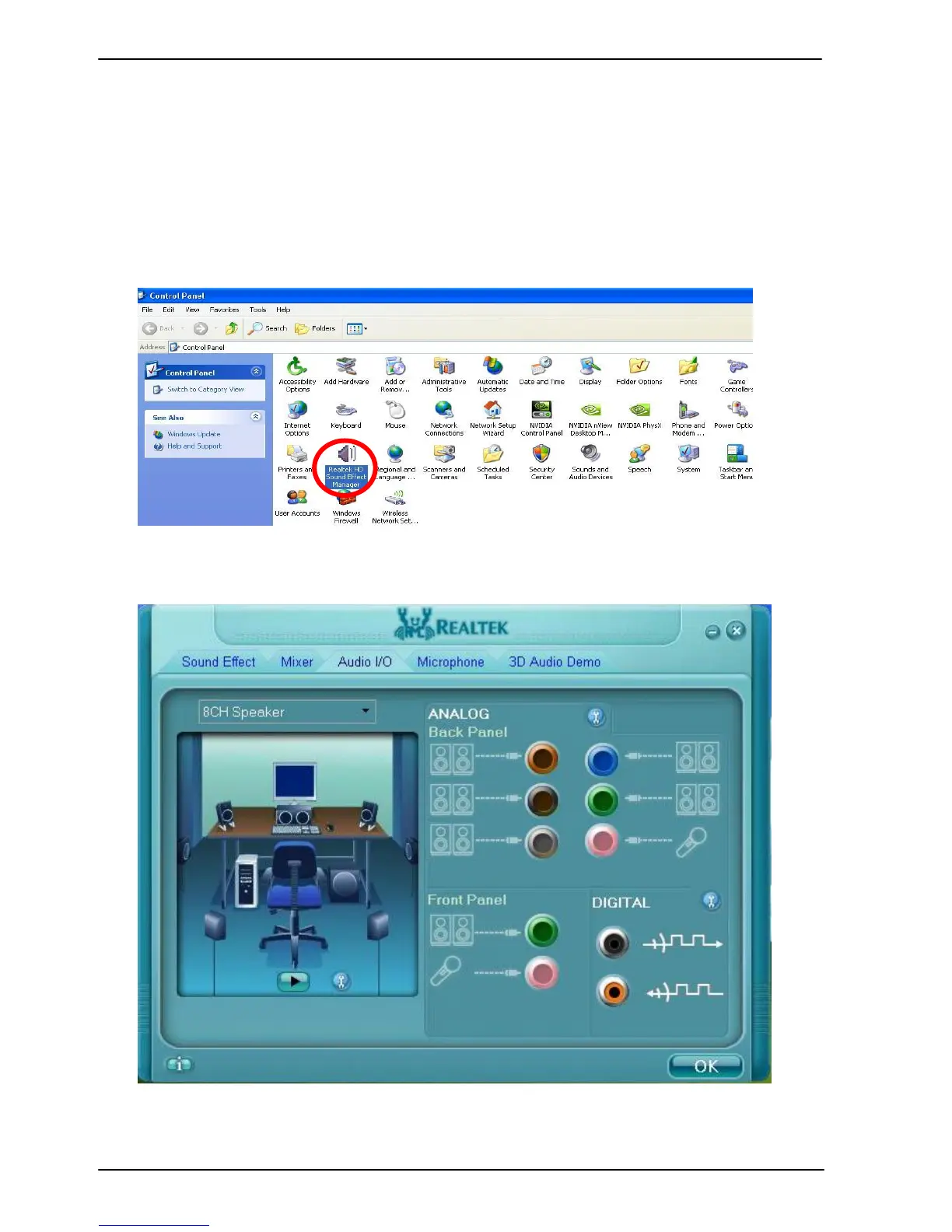
1. Install REALTEK HD Audio driver.
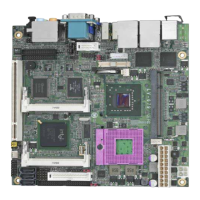
2. Lunch the control panel and Sound Effect Manager.
3. Select Speaker Configuration


 To Next Page