MS-C75 User’s Manual
-35-
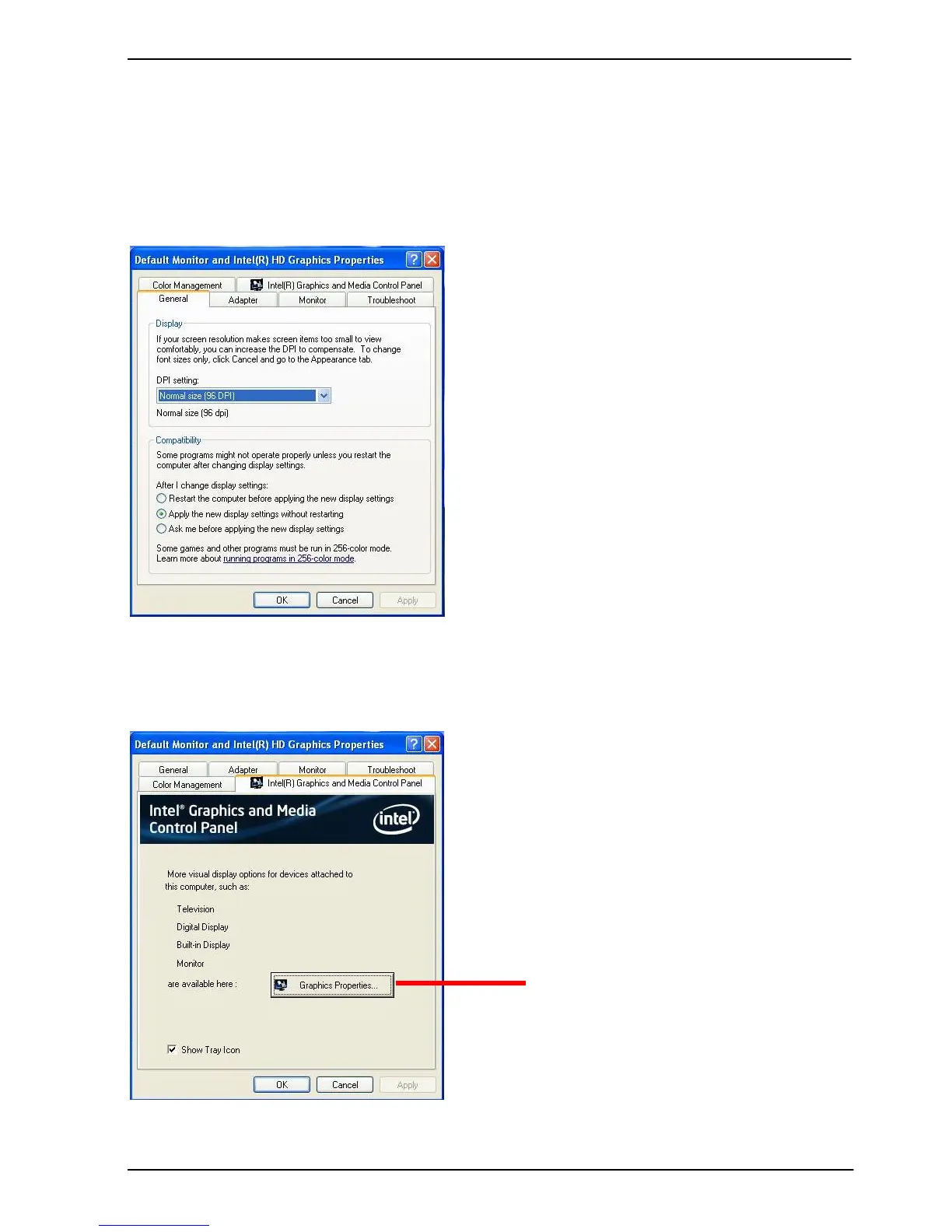
3.2 <Display Properties Setting>
Based on Intel QM77 with HD Graphic, the board supports two DACs for display device
as different resolution and color bit.
Please install the Intel Graphic Driver before you start to set up display devices.
1. Click rightclick at desktop to lunch display properties
2. Click Advanced button for more specific setup.


 To Next Page