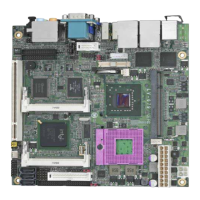
MS-C75 User’s Manual
-4-
2.15 <Switch and Indicator> ............................................................................. 33
Chapter 3 <System Setup> ......................................................................... 34
3.1 <Audio Configuration> ................................................................................ 34
3.2 <Display Properties Setting> ...................................................................... 35
Chapter 4 <BIOS Setup> ............................................................................. 37
Appendix A <I/O Port Pin Assignment> ..................................................... 39
A.1 <Serial ATA Port> ....................................................................................... 39
A.2 <IrDA Port>................................................................................................. 39
A.3 <VGA Port> ................................................................................................ 39
A.4 <LAN Port>................................................................................................. 39
A.5 <LAN LED Port> ......................................................................................... 40
A.6 <Parallel Port> ............................................................................................ 40
Appendix B <Flash BIOS> ........................................................................... 41
B.1 <Flash Tool> ............................................................................................... 41
B.2 <Flash BIOS Procedure> ........................................................................... 41
Appendix C <Programming GPIO’s> ......................................................... 42
Appendix D <Programming Watchdog Timer > ........................................ 43
Contact Information ..................................................................................... 44


 To Next Page