Symphony BF Basic user – Web interface
1.4/0222 11
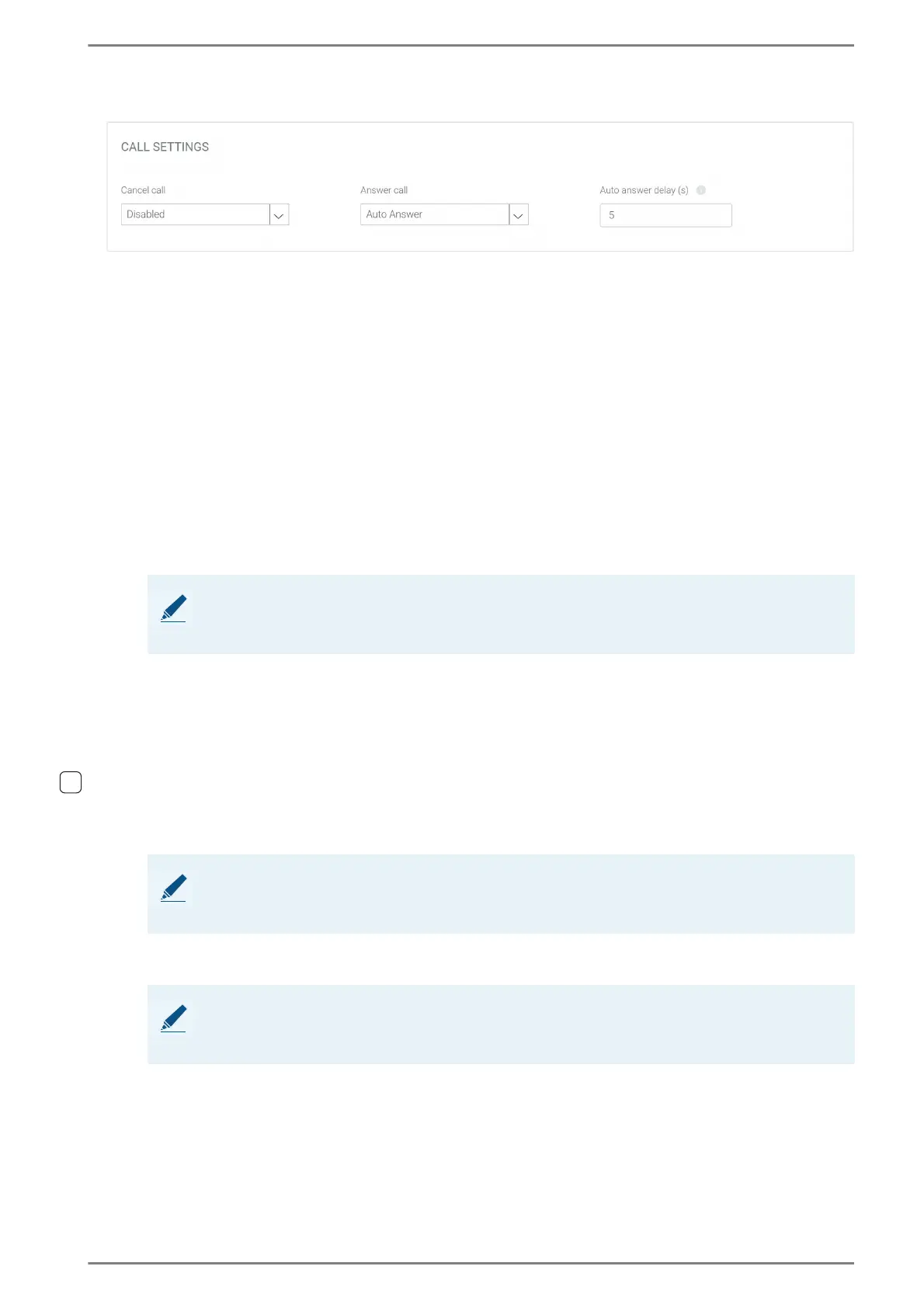
Call Settings
In this section, call settings can be configured.
Cancel Call: In this drop-down list, the method for cancelling calls and conversations can be select-
ed. The following methods are available:
Disabled: A call or a conversation cannot be cancelled at the Symphony BF device (i.e. only at
the respective remote station). If a Call time limit (s) is configured, the conversation is cancelled
automatically after this time has elapsed.
Emergency Button: Press the emergency button of the Symphony BF station to cancel the call
or conversation.
Default Button: Press the default button of the Symphony BF station to cancel the call or con-
versation.
Button <x>: Press the selected button of the Symphony BF station to cancel the call or conver-
sation.
Button Enter: Press the enter button of the Symphony BF station to cancel the call or conversa-
tion.
Button Menu: Press the menu button of the Symphony BF station to cancel the call or conversa-
tion.
Any Input: Any detected input state change will cancel the call or conversation.
Any Button: Any button of the Symphony BF station will cancel the call or conversation (if con-
nected, including
WSDD 53V/WSDD 59V module buttons).
Any Input or Button: Any button or any detected input state change will cancel the call or con-
versation.
Input Button <x> rising edge: Cancels the call or conversation when the normally open contact
is being closed.
Input Button <x> falling edge: Cancels the call or conversation when the normally open con-
tact is being opened again.
Module on Input <x> Button <x>: The selected WSDD 53 V/WSDD 59V module button cancels
the call or conversation.
Answer call: In this drop-down list, the method to accept an incoming call can be selected. The fol-
lowing methods are available:
Auto Answer: The incoming call is accepted automatically by the Symphony BF device after the
configured Auto answer delay (s) time has elapsed. If a Call time limit (s) is configured, the
conversation is cancelled automatically after this time has elapsed.
Emergency Button: Press the emergency button of the Symphony BF station to cancel the call.
NOTE:
The number and the labelling of the buttons in this drop-down list depend on the station version
used and the number of configured direct dialling modules in use.
NOTE: Input has to be activated and configured as default input
To select an input or a direct dialling module button in this drop-down list, the respective option
has to be activated in the tab input.
NOTE: Activate input and configure it as a 3-button or 9-button module
To select an input or a direct dialling module button in this drop-down list, the respective option
has to be activated in the tab input.













 To Next Page