Symphony BF Basic user – Web interface
1.4/0222 17
Relay states
Relay 1, Relay 2, EB2E2A Relay 1 and EB2E2A Relay 2: In these drop-down lists, the following
settings regarding the LED behaviour can be selected for the relays:
Nothing: The LED setting remains as configured in section Call states.
Combine (Relay active): LED is on while relay is switched on.
Inverse (Relay inactive): LED is on when relay is switched off.
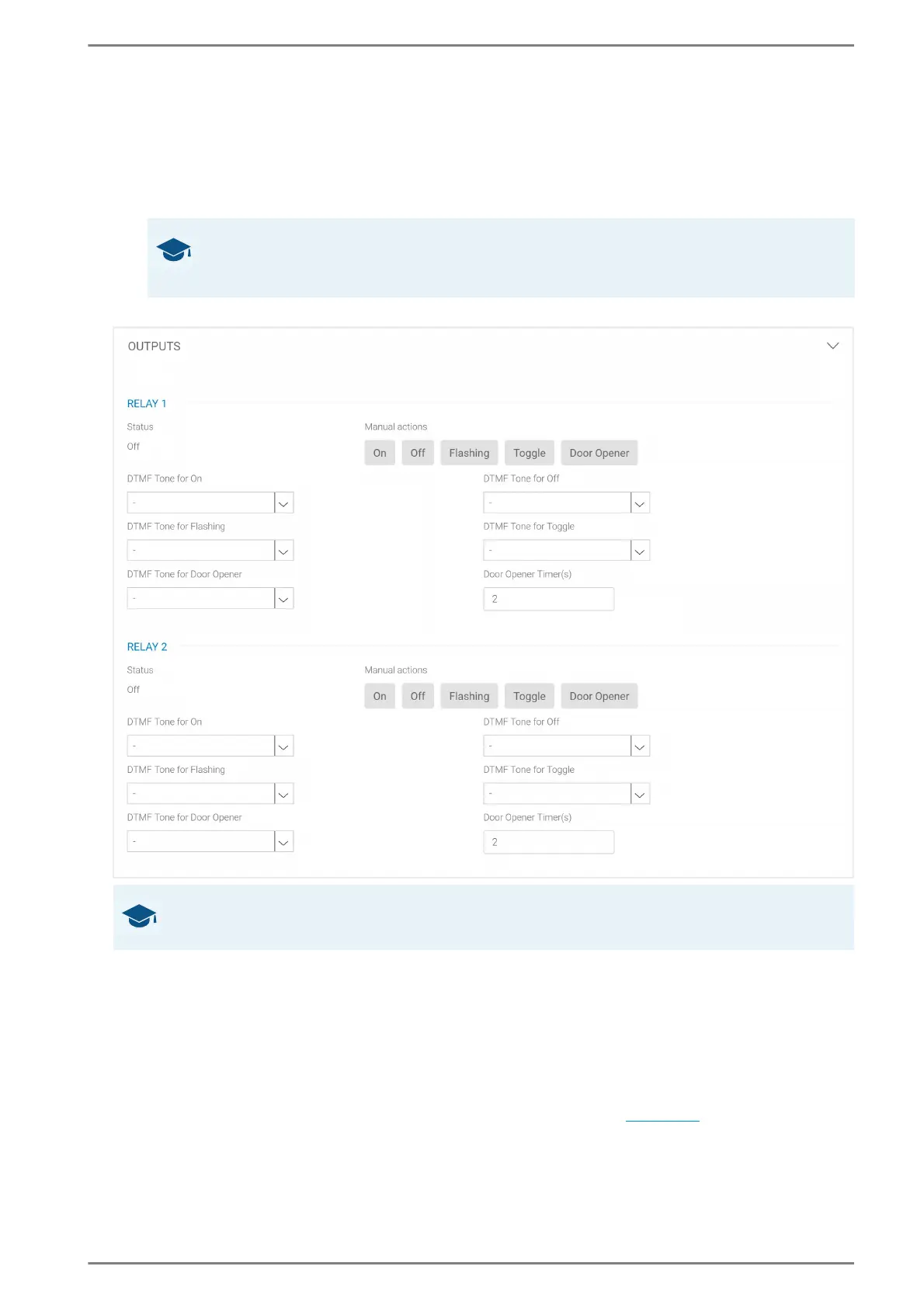
Outputs
Status: Indication of the current relay state.
Manual Actions: Click on the following buttons to trigger different relay actions directly from the
web interface:
Nothing: No action is carried out. The current status of the relay is maintained.
On: Close relay output (activate).
Off: Open relay output (deactivate).
Flashing: Switch relay output to blinking (switch on and off in rhythm of one second).
Toggle: Invert current state of the relay output (switch on/off).
Door Opener: Relay output is closed for a configurable time (see below
).
DTMF Button for On, Off, Flashing, Toggle and Door opener: In these drop-down lists, the de-
sired DTMF button (allowed characters: 0–9, *, #) of a SIP telephone can be selected to control the
relay outputs. Control of the relays is carried out via DTMF after dialling during the conversation.
GOOD TO KNOW:
The drop-down lists EB2E2A Relay 1 and EB2E2A Relay 2 are only available with a connected
option board EB2E2A.
GOOD TO KNOW:
Click on the button Save (at the bottom right) to apply changes in the running configuration.













 To Next Page