Setting
Up
Your CDTV/P System
2-1
2.
Setting
Up
Your
CDTV/P
System
CAUTION:
BEFORE
YOU ATTEMPT
TO
SET
UP
THE
CDTVIP
OR
CONNECT ANYTHING
TO
IT,
MAKE
SURE
THAT ALL
POWER
SWITCHES ARE TURNED
OFF
AND THAT
NO
POWER
CABLES
ARE CONNECTED
TO
ELECTRICAL OUTLETS.
Jump
Starting
Your
CDTV/P
If
you're the
impatient
type, you'll be happy to find
that
you
can
get started using the CDTV
IP
very quickly. Here's all that's
involved:
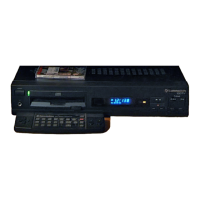
• Unpacking
the
CDTVIP unit.
• Unpacking
the
mouse and inserting two
AA
batteries
(supplied) in
the
mouse.
• Connecting a display device (monitor or
TV
set) to
the
rear
of
the CDTV
IP.
• Connecting
the
CDTV
IP
and the display device to
electrical power.
• Turning on
the
monitor and
the
CDTVIP.
• Inserting a disk
in
the
disk caddy.
• inserting the disk caddy
in
the CDTV
IP.
• Using
the
mouse
(or
remote control) to access the system
screen and select a CDTVIP activity.
You can
of
course also connect the supplied keyboard and
floppy disk drive to
the
CDTV
IP
to achieve
AS00
computer
functionality.


 To Next Page