EasyManua.ls Logo

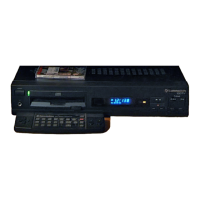
Commodore CDTV/P - 3 Getting Started; Turning on the CDTV;P System

Commodore CDTV/P
40 pages
Print Icon
To Next Page IconTo Next Page
To Previous Page IconTo Previous Page
Loading...
Getting Started
3-:
3.
Getting
Started
Turning
on
the
CDTV/P
System
To
turn
on
your CDTV/P and play a CDTV disk:
I. Connect the power cable to the electrical receptacle on the
back of the CDTV
IP.
Plug the other end
of
the power cable
into
a power outlet.
BE
SURE
TO
USE
ONLY
A
SOCKET
OF
THE
PROPER
CONFIGURATION
AND
VOLTAGE
FOR
YOUR
COUNTRY
OR
GEOGRAPHICAL
AREA.
IF
IN
DOUBT
ABOUT
THE
ELECTRICAL
REQUIREMENTS,
CONSULT
YOUR
DEALER.
2.
Connect the power cables
for
the display device and any
other
equipment
in
your system. Tum on the power for this
equipment.
3. Press the POWER
button
on the left front
of
the CDTV
/P.
The
green light next to the power button should come on.