3-6 Getting Started
The
Preferences
Screen
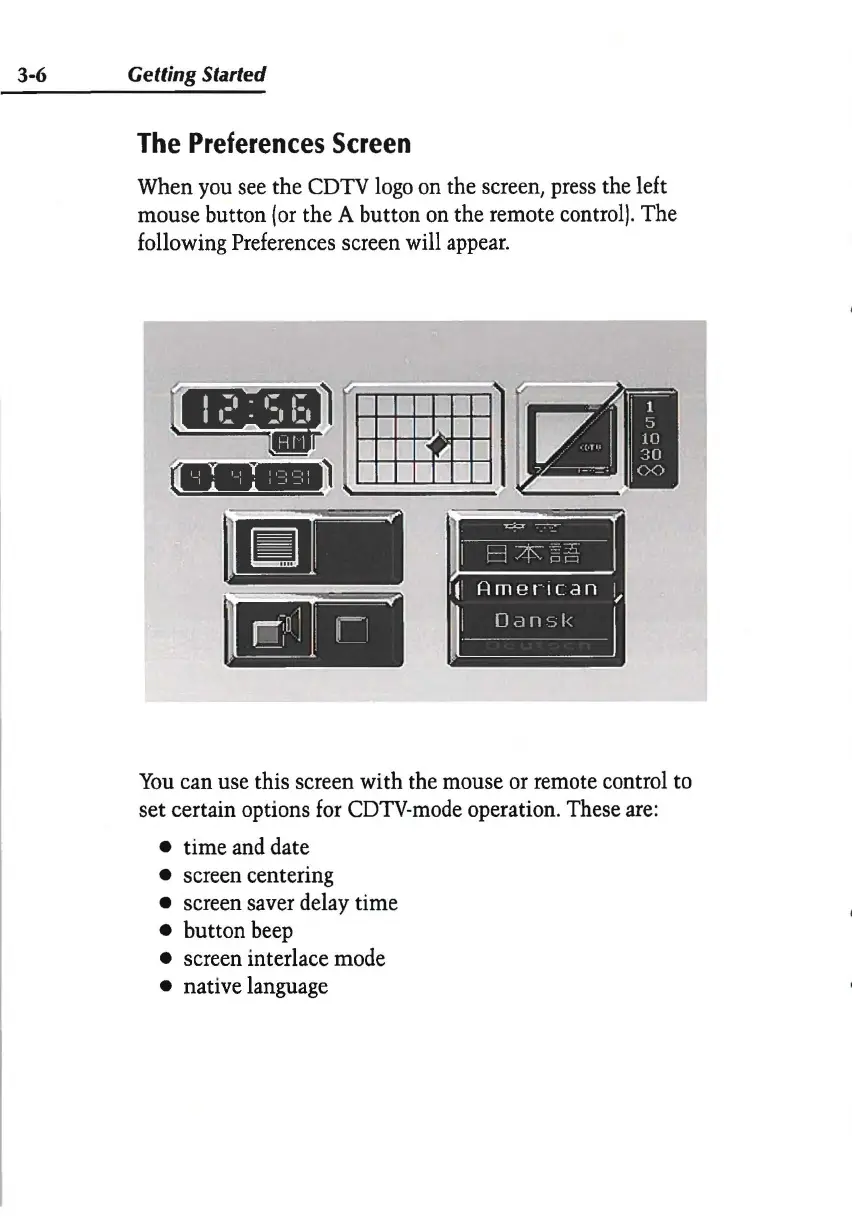
When you see the CDTV logo on the screen, press the left
mouse button
(or
the A button on the remote control). The
following Preferences screen will appear.
l_l
1_1
I•=••=•
I
I I
I_,_,
I
You
can use this screen with the mouse or remote control to
set certain options for CDTV-mode operation. These are:
• time and date
• screen centering
• screen saver delay time
• button beep
• screen interlace mode
• native language


 To Next Page