EasyManua.ls Logo

Commodore PC 20 - Page 302

Commodore PC 20
494 pages
Print Icon
To Next Page IconTo Next Page
To Previous Page IconTo Previous Page
Loading...
1164
MS-DOS User's Reference
Note
that "previous" refers
to
an earlier string
of
text
specified in
an
S
or
R command.
If
you specify a question mark
(?)
in
the
R
command,
edlin
stops
at each line
with
text that
matches
textl,
displays
the
line
with
text2,
and
then
displays
the
prompt
"O.K.?". If you
press
Yor
RETURN, text2 replaces
textl,
and
edlin
looks for
the
next
occurrepce
of
textl.
It
continues
this
process
until
it
reaches
the
end
of
the
range
or
the
end
of
the
file. After
edlin
finds
the
last
textl,
it
displays
the
asterisk
prompt.
If
you
press any key
other
than
Yor
the
RETURN key after
the
"O.K?"
prompt,
textl
is left as is,
and
edlin
moves
to
the
next
occurrence
of
textl.
If
textl
occurs
more
than
once
in
a line,
edlin
individually replaces
each
occurrence
of
textl,
and
displays
the
"O.K?"
prompt
after
each
replacement. In this
way
you
can
replace
only
the
desired
textl
strings
and
prevent
unwanted
substitutions.
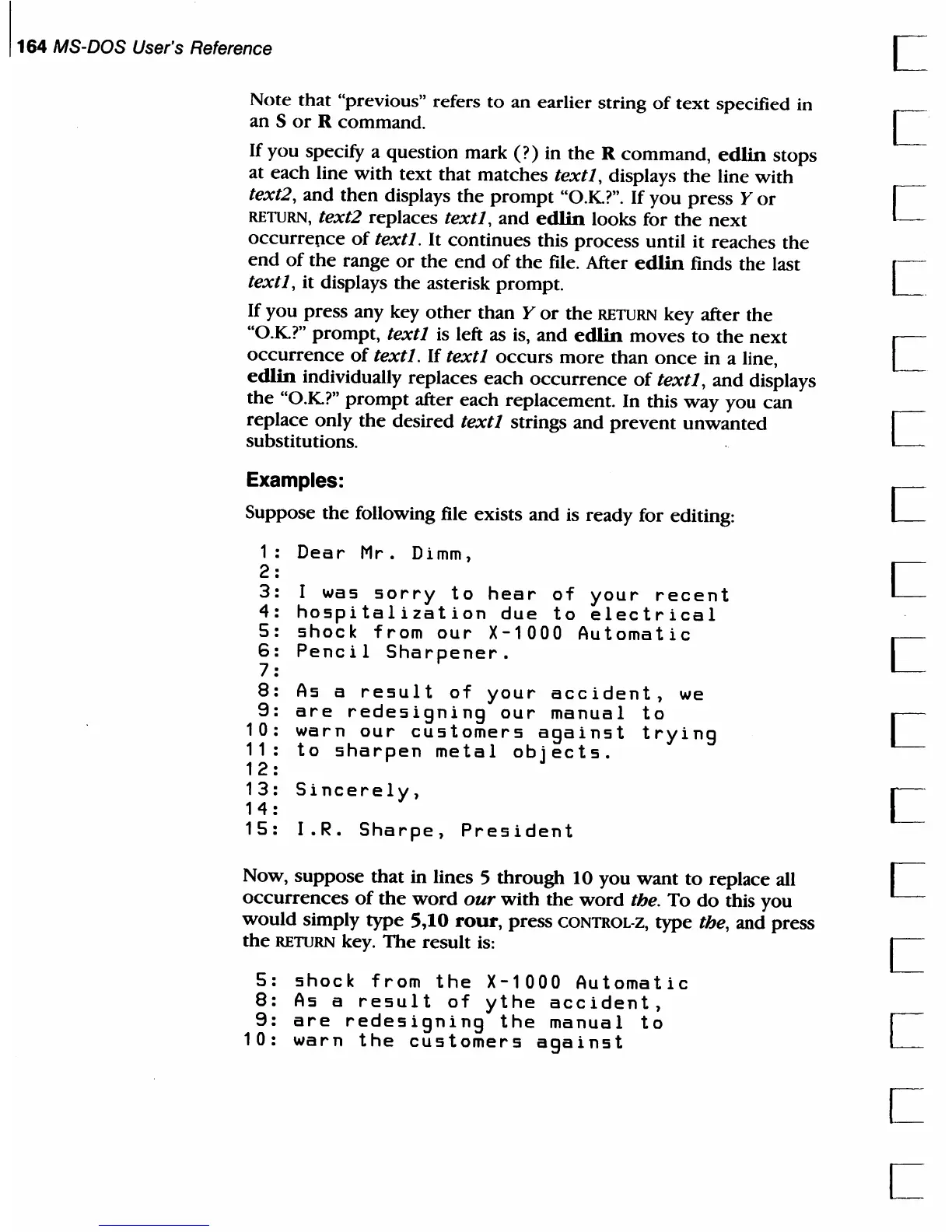
Examples:
Suppose
the
following file exists
and
is ready for editing:
1:
Dear
Mr.
Dimm,
2:
3:
I
was
sorry
to
hear
of
your
recent
4:
hospitalization
due
to
electrical
5:
shock
from
our
X-1000
Automatic
6:
Pencil
Sharpener.
7 :
8:
As
a
result
of
your
accident,
we
9:
are
redesigning
our
manual
to
10:
warn
our
customers
against
trying
11:
to
sharpen
metal
objects.
12
:
13:
Sincerely,
14
:
15:
I.R.
Sharpe,
President
Now,
suppose
that
in lines 5
through
10
you
want
to
replace
all C
occurrences
of
the
word
our
with
the
word
the.
To
do
this you
would
simply
type
5,10
rour,
press
CONTROLĀ·Z, type the, and press
the
RETURN key.
The
result
is:
L
5:
shock
from
the
X-1000
Automatic
8:
As
a
result
of
ythe
accident,
9:
are
redesigning
the
manual
to
10:
warn
the
customers
against

Table of Contents

Related product manuals