EasyManua.ls Logo

Commodore PC 20 - Page 453

Commodore PC 20
494 pages
Print Icon
To Next Page IconTo Next Page
To Previous Page IconTo Previous Page
Loading...
r
[-
[~
[
Appendix F Configuring
Your
Hard Disk (Fdisk) 315
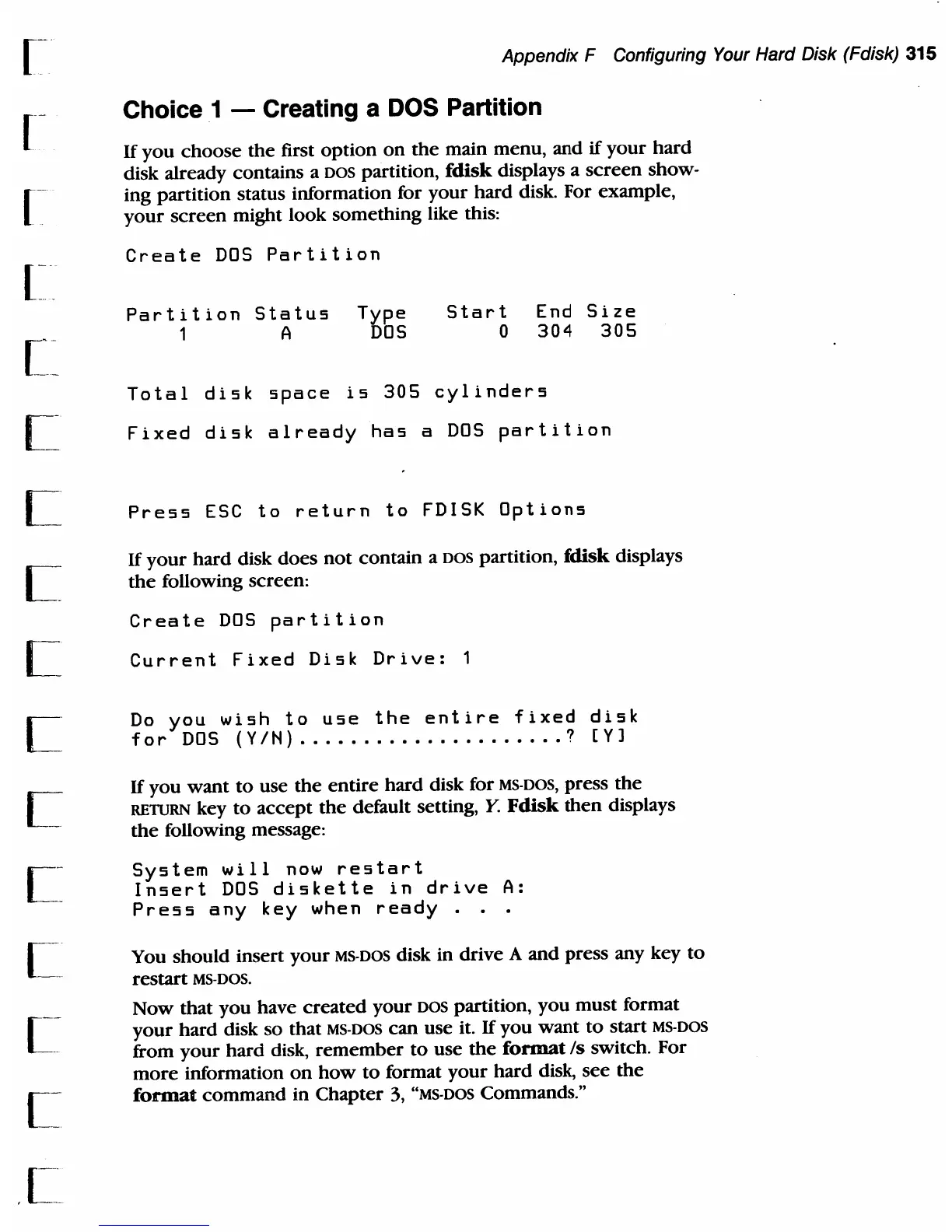
Choice 1 - Creating a DOS Partition
If
you
choose
the
first
option
on
the
main
menu,
and
if
your
hard
disk already
contains
a
DOS
partition, fdisk displays a
screen
show-
ing
partition
status information for
your
hard
disk. For
example,
your
screen
might
look
something
like this:
Create
DOS
Partition
Partition
Status
Type
1 A
DOS
Start
o
End
Size
304
305
Total
disk
space
is
305
cylinders
Fixed
disk
already
has
a
DOS
partition
Press
ESC
to
return
to
FDISK
Options
If
your
hard
disk
does
not
contain
a
DOS
partition, fdisk displays
the
following screen:
Create
DOS
partition
Current
Fixed
Disk
Drive:
Do
you
wish
to
use
the
entire
fixed
disk
for
DOS
{yiN)
.••••••••••••••••••.•
?
[Yl
If
you
want
to
use
the
entire
hard
disk for MS-DOS,
press
the
REWRN
key
to
accept
the
default setting,
Y.
Fdisk
then
displays
the
following message:
System
will
now
restart
Insert
DOS
diskette
in
drive
A:
Press
any
key
when
ready
. .
You
should
insert
your
MS-DOS disk in
drive
A
and
press
any key
to
restart
MS-DOS_
Now
that
you
have
created
your
DOS
partition,
you
must
format
your
hard
disk
so
that
MS-DOS
can
use
it_
If
you
want
to
start
MS-DOS
from
your
hard
disk,
remember
to
use
the
format
/s
switch_
For
more
information
on
how
to
format
your
hard
disk,
see
the
format
command
in
Chapter
3, "MS-DOS Commands_"

Table of Contents

Related product manuals