M900 GNSS Receiver User Guide
10
3. Installing the receiver
This chapter describes how to install the antenna, M900 receiver and cable
connections.
3.1 Front panel
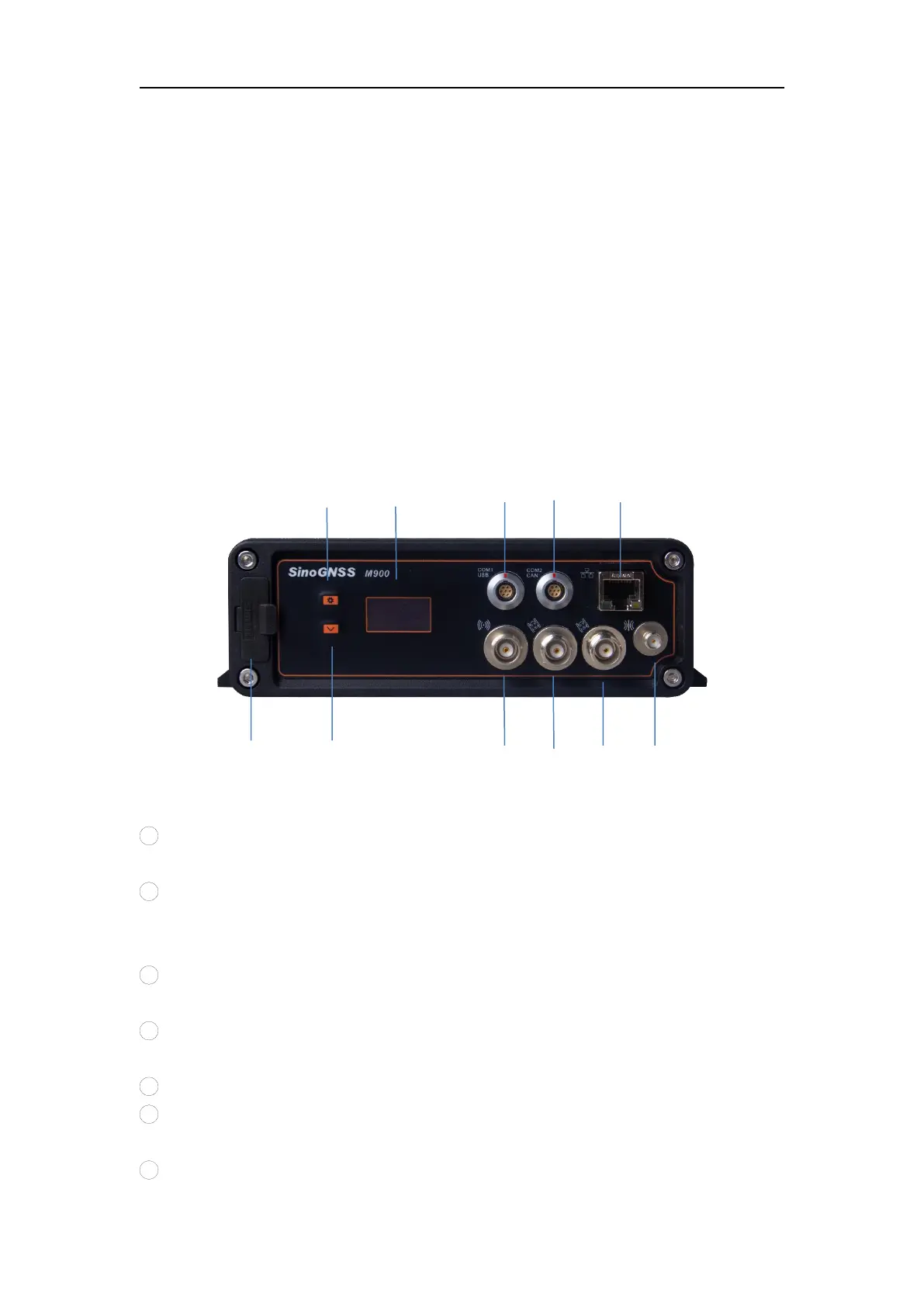
All connectors are located on the front panel, you can connect other external devices
through these connectors.
1
Setting button
Change the settings.
2
OLED screen
Check receiver status, includes satellites number, position information IP address,
Firmware information and more.
3
Com1 Port of Main Board (RS232 port and USB)
Control the mainboard and request data from this port
4
Com2 Port of Main Board (RS232 port and CAN)
Control the mainboard and request data from this port
5
LAN port
6
SIM Slot
Install the SIM card
7
Page down button


 To Next Page