M900 GNSS Receiver User Guide
15
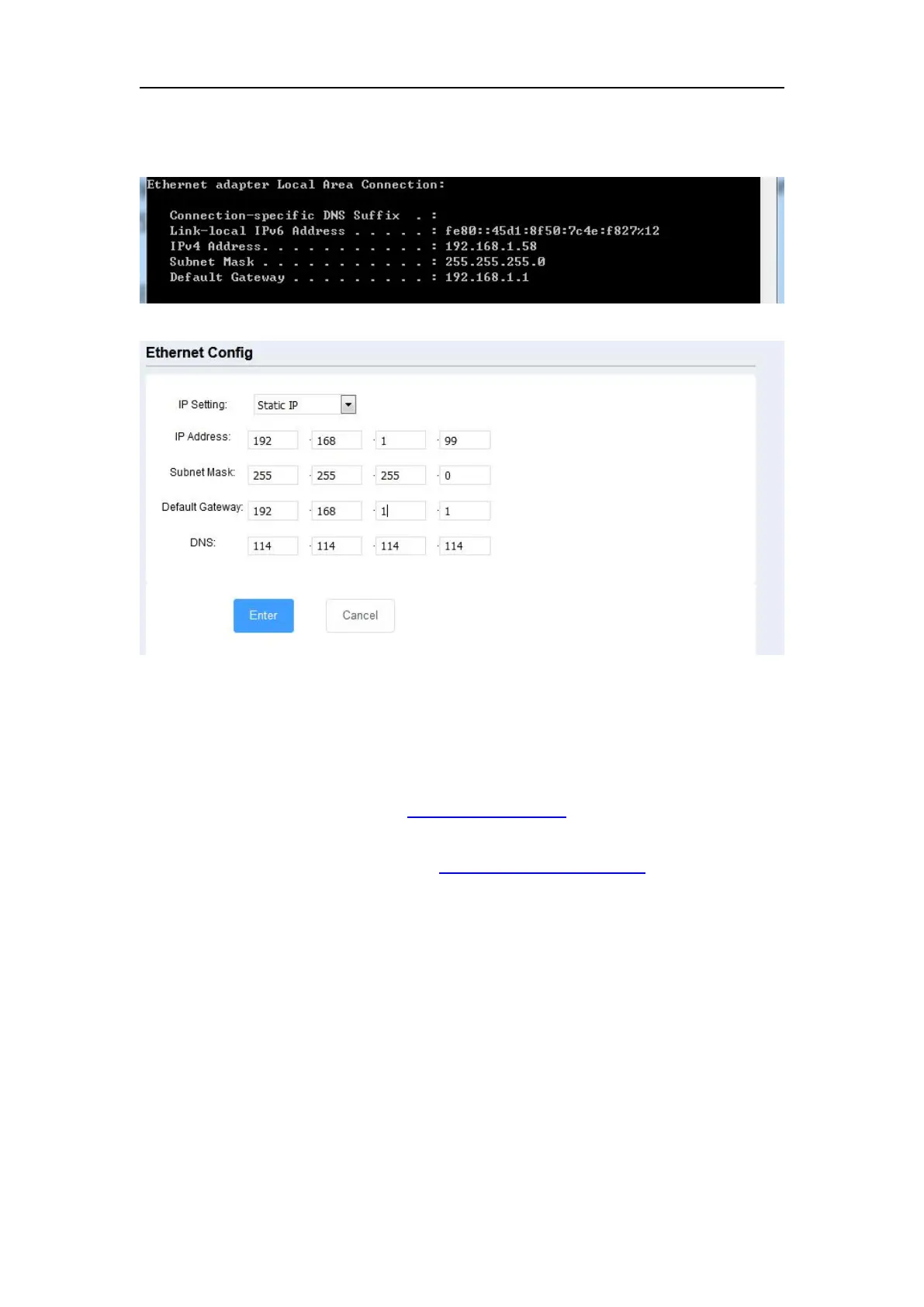
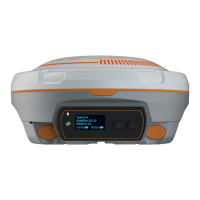
receiver’s IP address by wifi webpage based on your office computer. For
example, IP address in your computer:
IP address of M900:
2. Enter the IP address and HTTP port of the receiver into the address bar, you will
access the configuration page of M900. The default setting for the HTTP port is
80, which is the standard port for web servers. However, HTTP port need to be
changed in some cases.
For example, using default port 80. http://192.168.1.205
If your receiver has a port other than 80, you must enter the IP address followed by
port number. As example shown below: http://192.168.1.205:8000


 To Next Page